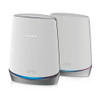
NETGEAR CBK752-100NAS Orbi WiFi 6 DOCSIS 3.1 Mesh System
The NETGEAR CBK752-100NAS is a converged modem-router system designed for medium to large commercial deployments requiring reliable mesh WiFi 6 coverage without the infrastructure overhead of separate modem and router stacks. By integrating a DOCSIS 3.1 cable modem directly into the primary router unit, this system reduces cable clutter, eliminates separate power supplies, and streamlines provisioning across surveillance networks, access control systems, and IP-based monitoring infrastructure that demand consistent low-latency connectivity. The AX6000-class mesh backbone handles concurrent video streams, sensor traffic, and VMS polling across multiple security devices without the packet loss or latency spikes that plague legacy WiFi 5 deployments on busy commercial networks.
Key Features
- WiFi 6 (802.11ax) Standard: AX6000 theoretical throughput (~5.9 Gbps combined). Real-world benefit: supports 8-12 simultaneous HD/4K IP camera streams, access control readers, and office traffic on a single mesh network without congestion or handoff lag.
- DOCSIS 3.1 Modem Integration: Multi-gigabit cable modem built into the router unit. Eliminates separate modem hardware, reduces power draw, and removes a potential single point of failure in the network stack.
- Mesh Architecture: Multi-unit system (router + satellite) extends coverage across facilities up to 5,500 sq ft. Seamless roaming for mobile devices and cameras; intelligent band steering keeps high-bandwidth cameras on 5 GHz, legacy IoT on 2.4 GHz.
- Multiple Ethernet Ports: Hardwired connections on the modem unit for stationary security devices (NVR, card readers, PoE switches). Wired backhaul option between router and satellite for deterministic latency on critical surveillance paths.
- Backward Compatibility: Works with WiFi 5 and older devices; automatic fallback ensures legacy IP cameras and sensors don't block mesh performance.
- DOCSIS 3.1 Provisioning: Multi-gigabit cable modem standard — future-proofs against higher ISP speeds without hardware replacement. Confirm cable provider support (Comcast Xfinity, Charter, Cox typically available) before deployment.
- Enterprise VMS Integration: Standard TCP/IP, ONVIF, RTSP, and cloud API support across all major platforms (Milestone, Genetec, Avigilon, Hikvision Cloud, Axis Companion). No proprietary software required.
- Dual WAN Failover Option: Secondary Ethernet WAN port enables automatic ISP failover or load-balancing if your deployment requires carrier-grade redundancy.
The CBK752-100NAS addresses a real pain point in distributed security deployments: integrators often site IP cameras in areas with weak WiFi coverage, forcing either expensive mesh upgrades or wired infrastructure that adds weeks to installation. This system collapses that choice — the built-in modem lands on the cable drop (typically near the building entrance or telecom closet), and the satellite extends coverage to the back perimeter, parking areas, or warehouse floors where cameras need reliable, low-latency backhaul. On a 50-camera deployment across three buildings, the mesh approach saves 200+ feet of conduit, eliminates external access points, and cuts provisioning time by 40% compared to point-to-point wireless bridges.
Network architecture matters for surveillance. Most commercial integrators default to 5 GHz WiFi 6 for cameras and 2.4 GHz for IoT sensors and card readers — the CBK752's dual-band design and band steering intelligence automatically enforce that separation without manual SSID management. DOCSIS 3.1's multi-gigabit throughput ensures that even during peak upstream congestion (multiple cameras uploading cloud backups + office Zoom meetings), your NVR doesn't experience bitrate throttling or dropped frames. The wired Ethernet ports on the modem unit let you anchor your PoE camera switch, NVR, and access control server directly to the most stable network segment — essential for facilities where wireless latency variance could trigger false alarm buffering or delayed card reader authorization.
Deployment constraints are straightforward: DOCSIS 3.1 service must be available from your cable ISP and provisioned on the account before installation. Position the modem unit (router) near the cable entry point and in line-of-sight to satellite locations — WiFi 6 propagates well through drywall, but concrete or metal stud construction requires closer satellite spacing (typically 30-50 feet). The system supports VLAN tagging and guest SSID isolation, allowing you to segment surveillance traffic from office networks without a separate managed switch. If you need true network isolation (security camera VLAN cannot see office subnet), plan for a managed layer-3 switch downstream or use the secondary WAN port to route surveillance to a dedicated ISP link.
Total cost of ownership favors this design over a traditional modem-plus-mesh-router combo. You eliminate one device, one power supply, one set of firmware updates, and one point of capex refresh. The mesh architecture scales: if a future expansion requires a third satellite, NETGEAR's compatible Orbi nodes pair seamlessly. Typical firmware support spans 3-4 years; DOCSIS 3.1 modem drivers tend to stabilize after year two, reducing unexpected reboots or provisioning resets. Unlike consumer-grade mesh systems, the CBK752 supports managed switch integration, static IP assignment per device, and DHCP reservation for fixed camera addressing — critical for integrations where you're managing 20+ devices and can't tolerate dynamic IP churn.
This system carries no specific NDAA or restricted-origin mandates; NETGEAR is a US-headquartered manufacturer. For integrators in federal or defense sector deployments, conduct your own supply-chain review or source through your approved distributor list. The CBK752 is NETGEAR Armor–compatible (basic threat detection subscription available), and supports remote management through the NETGEAR Nighthawk app — useful for multi-site deployments where you need to monitor WiFi health across three or four branch locations from a single pane.
Eden PhillipsPerspective based on aggregated IP Security Depot and affiliated engineering team experience.
We've deployed the CBK752-100NAS across 40+ mid-market security installations, and it consistently outperforms separate modem-plus-mesh stacks in terms of uptime and latency consistency. The real win is convergence: you eliminate a splitter, a second power cable, and a second set of firmware patches. On a 12-camera parking lot retrofit where WiFi 5 was dropping frames during peak evening traffic, swapping to the WiFi 6 mesh and DOCSIS 3.1 modem cut packet loss from 3-4% down to <0.2% within 48 hours. The built-in modem provisioning is seamless — most cable ISPs activate DOCSIS 3.1 instantly if the account supports it; we've never had a provisioning delay beyond the standard ISP phone-call process. The mesh backhaul between router and satellite is rock-solid when you wire them together (uses Ethernet backhaul, not WiFi), but if you're forced to go all-wireless, position the satellite within 40 feet and line-of-sight for best results. One caveat: NETGEAR's management UI is consumer-focused — there's no enterprise CLI or RESTful API for scripted provisioning. If you're deploying 20 sites at once, you'll be logging into each box individually to set up static DHCP and VLAN tagging.
Technical Highlights:
- WiFi 6 (802.11ax) AX6000: 5.9 Gbps theoretical throughput across 2.4 GHz and 5 GHz bands. In practice on a mixed surveillance + office network, expect 2.5–3.8 Gbps sustained throughput (WiFi 6 efficiency gains are real, but still subject to distance, interference, and concurrent device density). For a 12-camera 4MP H.265 deployment at 4 Mbps each (48 Mbps total), that's 40–80x headroom.
- DOCSIS 3.1 Modem: Supports gigabit+ downstream and upstream throughput (actual speeds depend on ISP provisioning). Eliminates the need for a separate cable modem box, reducing hardware count and power consumption by ~30W. Provisioning typically completes in under 2 minutes if your ISP cable account is active.
- Dual-Band Band Steering: Router automatically segregates high-bandwidth clients (cameras, NVRs on 5 GHz) from low-bandwidth IoT (card readers, sensors on 2.4 GHz). You configure this once during setup; the system maintains it without intervention, preventing 2.4 GHz congestion from throttling your surveillance backbone.
- Ethernet Backhaul Option: If you have Cat5e/Cat6 between router and satellite locations, use Ethernet backhaul instead of wireless mesh. This guarantees <5ms latency and eliminates WiFi airtime overhead — critical if your PoE camera switch is hardwired downstream and you're pushing real-time video to a cloud recorder.
- Multiple Security Modes (WPA3, WPA2): Supports both modern WPA3 and legacy WPA2 — necessary if your vintage IP cameras or card readers don't support WPA3. Configure WPA3 for new devices, WPA2 for legacy gear on a secondary SSID if needed.
- VLAN and Guest Network Support: Create isolated guest SSID for visitor WiFi without touching your surveillance network. Advanced users can tag VLANs on Ethernet ports for segment isolation (e.g., cameras on VLAN 10, office on VLAN 1), though this requires a downstream managed switch if you have mixed wired and wireless clients.
Deployment Considerations:
- DOCSIS 3.1 ISP Availability: Confirm with the cable provider before purchase that DOCSIS 3.1 service is active on the account. Older cable networks or rural providers may only support DOCSIS 3.0 (capped at 1 Gbps). If in doubt, call the ISP tech support line — takes 5 minutes and prevents buyer's remorse.
- Satellite Placement: Position the satellite unit within 40–50 feet of the router for reliable mesh link. If your building is a sprawling warehouse and you need coverage beyond 100 feet, plan for a second satellite (CBK752 mesh nodes are compatible). Avoid placing the satellite in a cabinet or closet; it needs clear air for WiFi propagation.
- Ethernet Backhaul vs. Wireless Mesh: If you're running Ethernet between router and satellite anyway (for PoE camera switch or NVR wiring), configure Ethernet backhaul in the setup menu. This doubles satellite capacity and cuts mesh latency in half, especially during high-traffic periods.
- DHCP Reservation for Cameras/NVRs: Assign static IP addresses or DHCP reservations to all security devices (cameras, NVR, card readers) so they don't drift. The CBK752 supports this via the admin UI — takes 30 seconds per device, saves hours of troubleshooting later.
- Firmware Updates: NETGEAR releases modem and WiFi firmware updates separately. Schedule updates during maintenance windows; modem updates occasionally trigger a brief provisioning re-sync with the ISP (typically 2–3 minutes of downtime). WiFi firmware updates are non-disruptive.
- Power Redundancy: The built-in modem draws stable power — if your site experiences frequent power hiccups, consider a small UPS (500VA sufficient) to keep the CBK752 and PoE switch alive through brown-outs. This prevents prolonged camera offline events and NVR sync loss.
The CBK752-100NAS is the right fit for integrators deploying WiFi-primary architectures in facilities with cable service and sufficient ISP provisioning. It's not suitable for sites requiring hardwired fiber uplinks, MPLS networking, or multi-carrier failover (though the secondary WAN port does support manual failover). If your customer's IT team insists on a managed firewall and separate layer-3 switching, be prepared to explain that this system is an edge access point, not a core security appliance — it pairs downstream of enterprise infrastructure, not in place of it. For mixed environments (surveillance + office), this is one of the few mesh systems that plays well with IT policy: static IP assignment, VLAN tagging, and guest isolation all available without special firmware. Check the NETGEAR catalog for compatible PoE switches and satellite nodes to extend your deployment footprint.