
Showing Results for Digital Signage
-
Save $19.01

Ubiquiti UC-CAST PoE/USB-C Digital Signage Adapter
Plug-and-play HDMI signage adapter powered by PoE or USB-C
- Powers via PoE 802.3af, eliminating separate power runs to each display.
- USB-C alternative input enables retrofit installs without rewiring existing drops.
- Managed via UniFi Connect for centralized playlist scheduling across all endpoints.
In stock · Ships same business day Free shipping over $499Add to quote$249.00 $229.99 Save $19.01 -
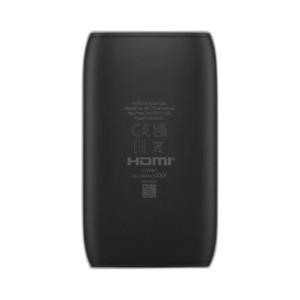
Ubiquiti UC-CAST-LITE-US Digital Signage Media Player
Network-based media player with UniFi management for multi-display signage
- Powered via PoE+ (802.3at), eliminating separate power runs to each display location.
- Managed through UniFi, consolidating signage control with existing cameras and APs.
- 1.9 GHz processor handles network-delivered playlist scheduling without local storage.
In stock · Ships same business day Free shipping over $499$199.99 -
Save $0.01
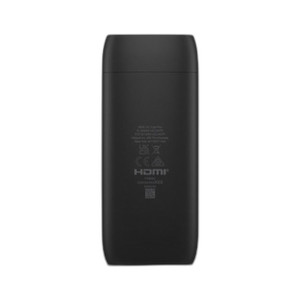
Ubiquiti UC-CAST-PRO Managed digital signage player
Compact 4K signage player with PoE power and UniFi management
- Octa-core ARM processor drives 4K playback without external compute or x86 overhead.
- Single PoE 48V connection (802.3af, 0.35A) eliminates separate power runs at each display.
- 32 GB onboard storage enables offline playback during network interruptions, load once.
In stock · Ships same business day Free shipping over $499Add to quote$279.00 $278.99 Save $0.01 -
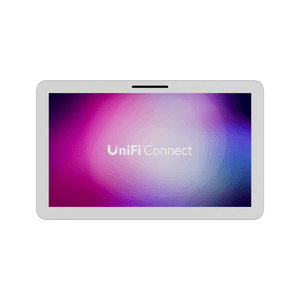
Ubiquiti UC-DISPLAY 21.5" Full HD PoE++ touchscreen
21.5" Full HD touchscreen display with PoE++ power and UniFi integration
- Single PoE++ (802.3bt) cable delivers both power and network—no separate circuit needed.
- 21.5" Full HD touchscreen integrates with UniFi Connect for access control and visitor management.
- Quad-core Cortex-A55 at 1.9 GHz handles real-time facility alerts and occupancy dashboards.
In stock · Ships same business day Free shipping over $499Add to quote$756.99Add to quote$756.99 -
Save $0.01

Ubiquiti UP-VIEWPORT UniFi Protect HDMI Live View Appliance
HDMI live view appliance for UniFi Protect camera feeds
- Streams UniFi Protect camera feeds to any HDMI display in real time.
- PoE-powered via 802.3af eliminates separate power supplies at each display point.
- Single Gigabit Ethernet port handles both power and data for simplified cabling.
In stock · Ships same business day Free shipping over $499Add to quote$214.00 $213.99 Save $0.01