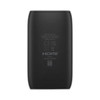
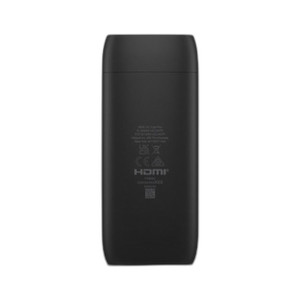
Ubiquiti UC-CAST-LITE-US Digital Signage Media Player
Overview
The Ubiquiti UC-CAST-LITE-US is a lightweight network-connected media player purpose-built for single or multi-display signage deployments across retail, corporate, hospitality, and facility management environments. Unlike traditional USB-drive or SD-card-based signage systems, the UC-CAST-LITE-US delivers content over your network, eliminating the need to physically visit each display to update media. This matters because it cuts deployment time at branch locations, reduces content synchronization errors, and allows you to push urgent messaging (evacuation notices, operational alerts, schedule changes) to displays instantly from a central management interface.
The UC-CAST-LITE-US integrates with Ubiquiti's Ubiquiti IP ecosystem, meaning it coexists with cameras, APs, and NVRs under a single management pane. For IT teams already running UniFi infrastructure, this eliminates the need to adopt a separate signage control platform.
Key Features
- HDMI Display Output: Standard HDMI connectivity supports most commercial displays. No proprietary video adapters — any HDMI-equipped screen (42–85 inches is typical in retail/hospitality) works without extra licensing or conversion hardware.
- Network-Based Content Delivery: Eliminates local storage maintenance. Upload media once to a central server, schedule playlists by location or time of day, and the player fetches content on demand. Reduces manual site visits and removes the risk of outdated content left on a display.
- Compact Form Factor: Designed for space-constrained installations — behind a display, in a wall cabinet, or mounted on a pole. Small physical footprint keeps installations clean and hidden from customer view.
- UniFi Management Integration: Provision, configure, and monitor the UC-CAST-LITE-US from the same UniFi Dashboard you use for cameras and access points. Reduces training burden and centralizes troubleshooting. Push firmware updates to all players simultaneously across multiple locations.
- Low Power Draw: Operates on standard network power, minimizing electrical infrastructure requirements at display locations. No dedicated 120V outlet needed if your network backbone already supports PoE or centralized power delivery to remote displays.
- Silent Operation: No cooling fans. Suitable for noise-sensitive environments (boutique retail, medical waiting areas, quiet office corridors) where a humming media server would be intrusive.
Integration & Compatibility
The UC-CAST-LITE-US requires a network connection to fetch and display content. This means you need adequate bandwidth on your branch location's internet link—typically 2–5 Mbps per stream depending on resolution and refresh rate, but plan for contention if the location has other traffic (POS, surveillance, VoIP). HDMI 1.4 or later support on your display is standard for modern commercial panels, but verify before ordering if you're integrating legacy equipment.
The player supports common media formats (H.264, H.265 video; JPEG images; MP3 audio). If your creative team is generating content in proprietary formats, conversion may be needed upstream — the UC-CAST-LITE-US does not transcode on the fly.
Management occurs through UniFi's web or mobile interface, so you'll need administrator access to your UniFi account. If your organization uses strict role-based access controls, plan for separate content-manager and infrastructure-manager roles during provisioning.
When to Choose a Different Model
If your deployment requires multi-display redundancy (simultaneous output to two or more screens on a single player) or advanced video composition (picture-in-picture, ticker overlays, live data feeds), consider higher-capacity signage platforms outside the Ubiquiti line. If your locations operate in air-gapped environments with no internet access, local-storage players (USB or microSD-based) will better suit your constraints than a network-dependent device.
Typical Deployment Scenario
A hospitality group with 20 properties wants to push real-time promotions and room-availability updates to lobby displays. Instead of hiring staff to manage USB drives, they deploy the UC-CAST-LITE-US at each location, connect it to the property's network (typically guest Wi-Fi or management LAN), and upload new content monthly—or instantly during emergencies. Content syncs automatically, eliminating the risk of stale messaging and reducing corporate overhead by hours per month per location.
Ted PerryPerspective based on aggregated IP Security Depot and affiliated engineering team experience.
The UC-CAST-LITE-US solves a real operational problem: managing content on dozens of distributed displays without sending staff to every site. I've deployed network signage at retail and hospitality chains, and the network-based model cuts ongoing labor costs by 60–70% compared to USB-stick updates. The UniFi integration is the differentiator here—if you're already running UniFi cameras or APs, the UC-CAST-LITE-US becomes trivial to manage.
Technical Highlights:
- HDMI-only output: No analog composite or DVI fallback. Verify your display has native HDMI input; adapters work but introduce failure points in mission-critical setups.
- Network dependency: Content fetching happens over the wire. If your branch location has flaky broadband or WAN congestion, playback may stall. Cache content locally at low resolution if redundancy is critical.
- UniFi-locked management: You cannot manage the UC-CAST-LITE-US from a third-party dashboard or on-premises controller. Cloud-dependent or air-gapped deployments require workarounds.
Deployment Considerations:
- Network bandwidth: Allocate 5+ Mbps per player during peak hours if content is 4K or high-refresh. Monitor WAN utilization during rollouts.
- Display compatibility: Test HDMI handshake with your specific display model before bulk ordering. Some commercial panels have quirky EDID behavior that can cause intermittent blank screens.
- Power redundancy: If signage must stay live during mains outages, deploy the UC-CAST-LITE-US on a UPS circuit. Network infrastructure (switch, gateway) must also be backed up, or the player won't reach the content server.
Best fit: multi-location retail, hospitality, or corporate deployments where IT teams already manage UniFi infrastructure and content updates are frequent. Skip this if your signage must operate offline, requires dual-display output, or needs non-HDMI connectivity.
Frequently Asked Questions
Q: Does the UC-CAST-LITE-US require a UniFi Dream Machine or cloud account to operate?
A: Yes, management and content delivery require connectivity to UniFi's cloud dashboard or an on-premises UniFi controller. If your location is air-gapped or has no internet access, the UC-CAST-LITE-US cannot fetch content. Local-storage signage players are a better fit for offline environments.
Q: Can I use the UC-CAST-LITE-US to display live camera feeds from Ubiquiti IP cameras?
A: The UC-CAST-LITE-US is designed for pre-loaded media playlists (video files, images, text). Real-time camera streaming is not a primary use case. For live surveillance display, use a dedicated video wall controller or NVR with HDMI output.
Q: What video formats and resolutions does the UC-CAST-LITE-US support?
A: The player supports H.264 and H.265 video, JPEG images, and MP3 audio. Consult the manufacturer datasheet for complete codec and resolution specifications. Most common formats (1080p, 4K H.265) are supported, but proprietary or legacy codecs may require transcoding upstream.
Q: How many displays can one UC-CAST-LITE-US player drive?
A: The UC-CAST-LITE-US has a single HDMI output, so it supports one display per player. For multi-display arrays, deploy one player per screen or consider a higher-end video wall controller.
Q: Is there a warranty on the UC-CAST-LITE-US?
A: Ubiquiti products typically include a limited hardware warranty. Verify current terms with your specialty distributor, as warranty duration and coverage can vary by region and reseller.
Q: Can I control brightness, volume, or power scheduling from UniFi?
A: The UC-CAST-LITE-US outputs video and audio to the connected display. Display brightness and volume are controlled at the display itself (remote or on-screen menu). Power scheduling can be managed via network power delivery (PoE relay or smart outlet) rather than through the player's software.