
TP-Link S5500-48GP4F vs TP-Link SG3452P: Specification Comparison
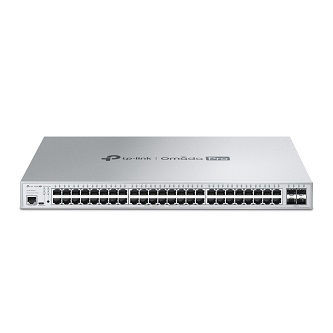
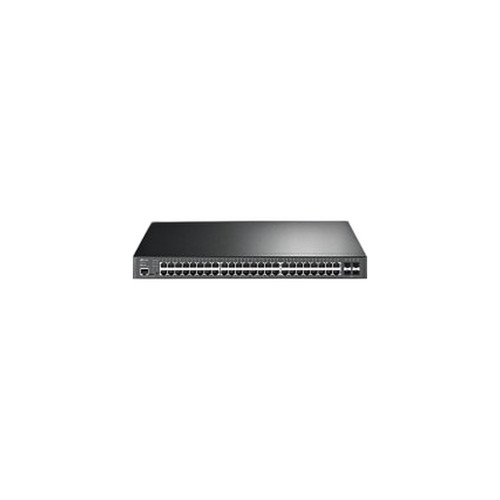
Both the TP-Link S5500-48GP4F and the SG3452P are 52-port Gigabit L2+ managed switches sharing an identical physical port count — 48 RJ45 Gigabit PoE ports plus 4 SFP uplink slots — and the same 384W total PoE budget. They occupy the same rack-mount access-layer switch category and are direct cross-shop candidates for installers deploying IP cameras, access control readers, and other PoE-powered edge devices. The primary divergence lies in PoE standard generation, management platform lineage, and uplink speed capability.
In This Guide
- Which switch delivers more per-port power for high-draw devices like PTZ cameras or 802.3bt access points?
- How do uplink speed and management platform differ between these two switches?
- Are there differences in total power draw, form factor, or mounting that affect installation planning?
- Which should you choose: the S5500-48GP4F or the SG3452P?
- Side-by-Side Specs
- FAQ
Which switch delivers more per-port power for high-draw devices like PTZ cameras or 802.3bt access points?
The S5500-48GP4F supports IEEE 802.3bt (PoE++), which allows a single port to supply up to 90W. This matters when powering devices such as multi-sensor panoramic cameras, outdoor PTZ cameras with integrated heaters, or Wi-Fi 6 access points that exceed the 30W ceiling of older standards. The SG3452P is rated for IEEE 802.3at (PoE+), capping each port at 30W.
Both switches carry a 384W shared PoE budget. On the S5500-48GP4F that budget can be allocated flexibly across 802.3bt, 802.3at, and 802.3af devices simultaneously. On the SG3452P, every port is bound to the 802.3at ceiling; no single port can exceed 30W regardless of budget availability. For deployments where all endpoints draw under 30W, the distinction is irrelevant — the full 384W budget is accessible on either unit.
How do uplink speed and management platform differ between these two switches?
The S5500-48GP4F is positioned within TP-Link's Omada Pro series and its spec sheet lists a 10G speed attribute alongside the standard Gigabit RJ45 ports. The SG3452P spec sheet lists speed as 'Gigabit' with no 10G attribute recorded. Both provide 4 SFP slots; the S5500-48GP4F specifies those slots as Gigabit SFP (multi-mode/single-mode), while the SG3452P lists '4 SFP slots' without further fiber-speed detail in the provided specs.
The S5500-48GP4F carries the Omada Pro branding, indicating integration with TP-Link's Omada SDN controller ecosystem. No equivalent platform designation is present in the SG3452P spec data. Both units are described as L2+ Managed, supporting comparable feature sets: VLAN, QinQ, STP/RSTP/MSTP, IGMP Snooping, 802.1p/DSCP QoS, ACL, 802.1x, RADIUS/TACACS+ Authentication, LACP, Dual Image/Configuration, and IPv6 — these operating modes are explicitly listed only for the S5500-48GP4F; the SG3452P spec data does not enumerate its L2+ feature set.
Are there differences in total power draw, form factor, or mounting that affect installation planning?
Both switches share identical headline power figures: 384W PoE budget and 384W total power consumption per the provided specs. Neither spec sheet lists a non-PoE baseline consumption figure, so the incremental overhead of the switch itself cannot be calculated from available data. Rack-unit height, chassis dimensions, and weight are not present in either spec record.
Connectivity is listed as USB on both units — likely a management or console port — and both use RJ45 connectors for data ports. The SG3452P spec record includes 'Ceiling' as a mount type, which is atypical for a 52-port managed switch and may reflect a data entry artifact rather than a genuine installation mode; the S5500-48GP4F spec data contains no mount type entry. Installers should verify physical mounting requirements against each manufacturer's official datasheet before specifying either unit for a particular enclosure.
Which should you choose: the S5500-48GP4F or the SG3452P?
Our take: The S5500-48GP4F is the stronger choice when any edge device in the deployment exceeds 30W or when the installation requires Omada Pro SDN controller integration. The single most concrete differentiator is PoE standard: the S5500-48GP4F supports 802.3bt at up to 90W per port versus the SG3452P's 802.3at ceiling of 30W per port — a 3× per-port power advantage for high-draw endpoints. The S5500-48GP4F also carries a 10G speed attribute not present in the SG3452P spec data, suggesting higher-capacity uplink options. Both units share an identical 384W PoE budget and 48+4 port layout. The SG3452P remains a viable choice for uniform 802.3at deployments — IP cameras, card readers, and standard APs — where no device exceeds 30W and Omada Pro integration is not a requirement.
Side-by-Side Comparison
Spec-for-spec, from manufacturer data.
| Specification | TP-Link S5500-48GP4F | TP-Link SG3452P |
|---|---|---|
| MPN | S5500-48GP4F | SG3452P |
| Series / Platform | Omada Pro | — |
| Switch Type | L2+ Managed | L2+ Managed |
| Total Ports | 52 (48 RJ45 + 4 SFP) | 52 (48 RJ45 + 4 SFP) |
| RJ45 PoE Ports | 48 | 48 |
| SFP Uplink Slots | 4 | 4 |
| RJ45 Port Speed | 1G | Gigabit |
| 10G Capability | Listed (10G speed attribute) | — |
| Fiber Uplink Type | SFP Gigabit (multi-mode/single-mode) | SFP (4 slots, speed not specified) |
| PoE Standard | 802.3bt (PoE++) | 802.3at (PoE+) |
| Max Per-Port PoE | Up to 90W (802.3bt) | Up to 30W (802.3at) |
| Total PoE Budget | 384W | 384W |
| Total Power Consumption | 384W | 384W |
| Management Connectivity | USB | USB |
| Connector Type | RJ45 | RJ45 |
| L2+ Feature Set Documented | Yes (VLAN, QinQ, STP/RSTP/MSTP, IGMP, QoS, ACL, 802.1x, RADIUS/TACACS+, LACP, IPv6) | Not enumerated in provided specs |
Frequently Asked Questions
Which should you choose: the S5500-48GP4F or the SG3452P?
The S5500-48GP4F is the stronger choice when any edge device in the deployment exceeds 30W or when the installation requires Omada Pro SDN controller integration. The single most concrete differentiator is PoE standard: the S5500-48GP4F supports 802.3bt at up to 90W per port versus the SG3452P's 802.3at ceiling of 30W per port — a 3× per-port power advantage for high-draw endpoints. The S5500-48GP4F also carries a 10G speed attribute not present in the SG3452P spec data, suggesting higher-capacity uplink options. Both units share an identical 384W PoE budget and 48+4 port layout. The SG3452P remains a viable choice for uniform 802.3at deployments — IP cameras, card readers, and standard APs — where no device exceeds 30W and Omada Pro integration is not a requirement.
Can either switch power a PTZ camera with an integrated heater or a multi-sensor camera that draws more than 30W?
Only the S5500-48GP4F supports IEEE 802.3bt (PoE++), which can supply up to 90W on a single port. The SG3452P is limited to IEEE 802.3at (PoE+) at a maximum of 30W per port. Devices requiring more than 30W — such as high-wattage PTZ cameras, heated outdoor enclosures, or some Wi-Fi 6 access points — require the S5500-48GP4F or an external PoE injector on the SG3452P.
Is the S5500-48GP4F or SG3452P better for a large Omada-managed surveillance network?
The S5500-48GP4F is explicitly designated as part of the Omada Pro series, making it the specified choice for Omada SDN controller deployments. The SG3452P spec data contains no Omada platform designation. If your network is managed through TP-Link's Omada controller, verify SG3452P compatibility against TP-Link's current controller support matrix before specifying it.
Do these switches have the same PoE budget, and how many cameras can each realistically power?
Yes — both the S5500-48GP4F and SG3452P are rated at a 384W shared PoE budget across 48 ports. A camera drawing 15W (802.3af) would allow up to 25 simultaneous cameras at full draw before hitting the budget ceiling on either switch. The per-port PoE standard differs — 802.3bt on the S5500-48GP4F versus 802.3at on the SG3452P — but does not change the aggregate 384W pool. Budget allocation across mixed-wattage endpoints should be calculated per your specific device mix.
Get a Second Opinion on Your Camera Choice
Share your site layout, coverage goals, and budget. Our team will validate the camera selection, flag anything we would change, and recommend products that match the use case.