
Best Network Switches for Warehouses
Network switches for warehouse and distribution networks — wide PoE coverage for cameras and APs across a large floor, fiber uplinks for long runs, and rugged reliability.

Eden Phillips
Networking & Infrastructure Specialist · Working integrator
Bottom line
Warehouse networks demand switches that handle PoE distribution at scale, survive temperature swings, and support long fiber runs to distant access points and cameras. Match your choice to actual PoE load and cabinet environment—industrial-rated units cost more upfront but eliminate field failures when ambient temps exceed 40°C.
What This Setup Needs
Choosing a warehouse switch means balancing PoE power delivery, port density, operating range, and uplink resilience. Here's what separates a solid choice from a costly mistake:
- PoE Budget vs. Device Count. Count your cameras, APs, and powered devices—each draws real watts. A 24-port switch with 370W PoE can run roughly 12–15 devices at full power; 48-port non-PoE units force you to plan where powered gear lands. Oversizing PoE by 20–30% prevents brownouts when devices boot simultaneously.
- Operating Temperature Rating. Warehouses rarely stay climate-controlled. Switches rated to -10°C or industrial temperature ranges survive dock doors and unheated loading areas; 0°C minimum units fail silently in cold seasons. Check your facility's actual winter low and dock conditions.
- Fiber Uplink Availability. Long runs (>100m) to a central closet or between buildings demand fiber. Verify the switch has SFP or combo uplink ports—copper Gigabit runs hit distance limits and pick up EMI near forklifts and motor controls.
- Port Density and Form Factor. 24-port units fit most small–medium warehouses; 48-port models suit multi-building or highly distributed camera grids. Wall-mount and DIN-rail options matter for cabinet real estate—industrial enclosures often dictate form.
- Managed vs. Unmanaged Trade-off. Managed switches (VLAN, QoS, SNMP) add cost and config burden but enable traffic isolation and remote monitoring. Unmanaged units are simpler but offer zero visibility into network health or congestion.
- Redundancy and Stacking. Warehouses tolerate brief outages poorly when cameras are the only eye on shipping. Dual uplinks, ring topologies, or stacking capabilities prevent a single cable cut from blinding your facility.
- Power Supply Resilience. Dual PSU or hot-swap models reduce downtime during maintenance. Single PSU switches are cheaper but create a single point of failure in a mission-critical environment.
Our Picks
Selected from our catalog by spec-fit. All channel-direct and factory-new — not ranked by price.
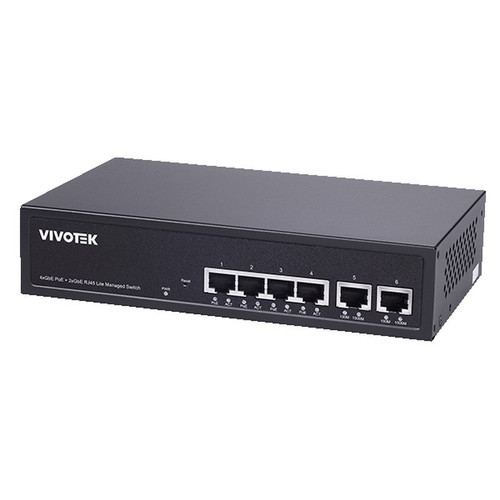
Vivotek GEV-288A-370
24-Port PoE
Vivotek GEV-288A-370 is a 24-port PoE switch with 370W budget and -10°C to 50°C operating range—well-suited for warehouses with outdoor dock areas or unheated seasonal loading zones. The wider cold tolerance eliminates the risk of silent failures during winter months that plague 0°C-minimum units.
View product →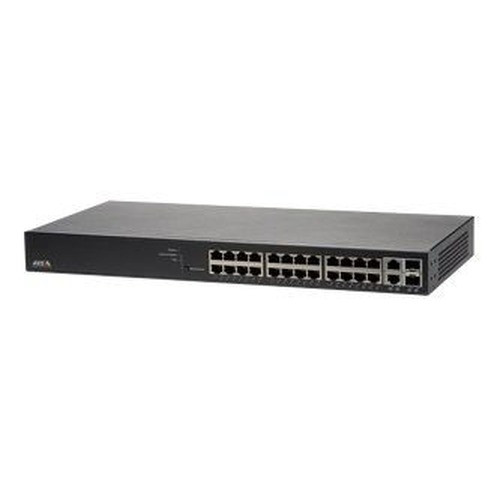
Axis T8524
24-Port PoE
Axis T8524 delivers 24-port PoE+ in a purpose-built form factor for distributed camera systems. Operating range 0–50°C makes it a strong fit for climate-controlled main facilities; pair it with outdoor-rated switches at dock entry points if ambient temps drop below freezing.
View product →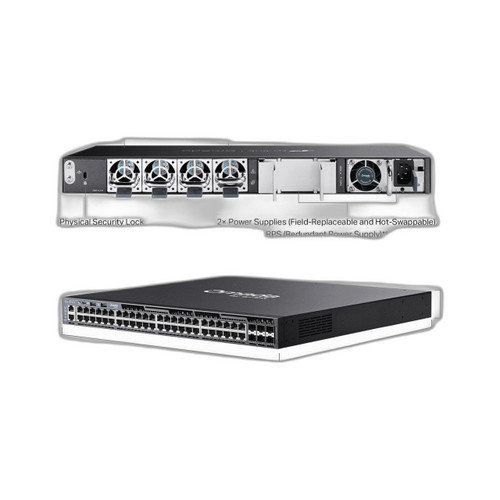
TP-Link SG6654XHP
48-Port non-PoE
TP-Link SG6654XHP is a 48-port PoE+ unit that scales PoE distribution across large warehouse floors without stacking complexity. The 48 ports are well-suited for facilities with high camera and AP density, though you'll need to verify total PoE budget matches your connected device draw.
View product →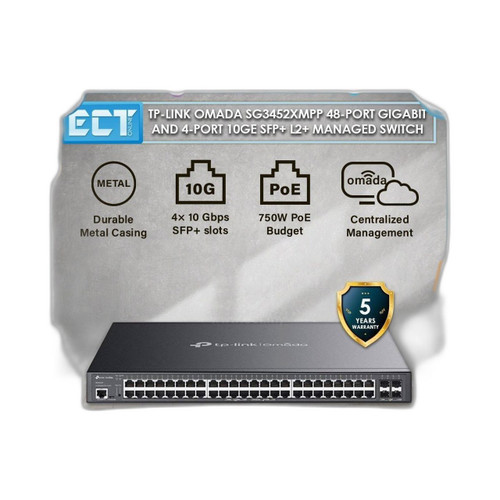
TP-Link SG3452XMPP
48-Port non-PoE
TP-Link SG3452XMPP offers 48-port non-PoE connectivity as a pure data switch; use it as a secondary aggregation layer when your powered devices connect via separate PoE injectors or dedicated PoE splitters, reducing upfront PoE hardware cost if devices are clustered in one area.
View product →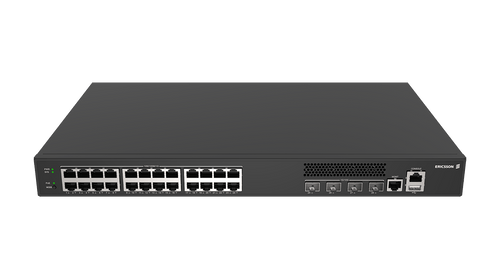
Cradlepoint SW2400P-GN
24-Port PoE
Cradlepoint SW2400P-GN is a 24-port PoE industrial-rated switch with 370W budget and an industrial-grade form factor—a strong fit for harsh warehouse environments (vibration, temperature extremes, EMI from heavy equipment) where standard commercial switches show reliability drift.
View product →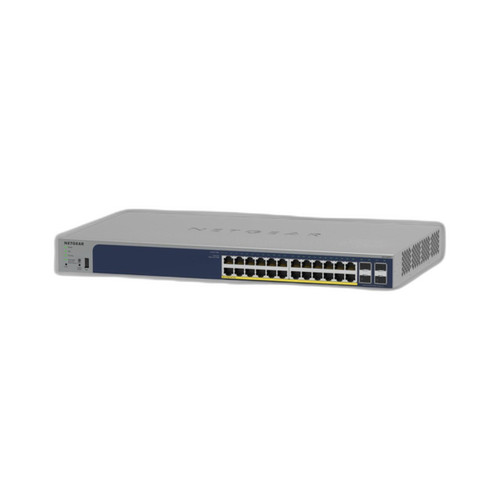
NETGEAR GS728TP-300NAS
24-Port non-PoE
NETGEAR GS728TP-300NAS is a 24-port non-PoE Gigabit switch suitable as a core aggregation layer in a two-tier warehouse design: pair it with remote PoE switches at edge locations to isolate powered devices and simplify cabling runs across large floor areas.
View product →Frequently Asked Questions
How much PoE power do I actually need for my warehouse?
Each IP camera typically draws 5–15W, each AP 10–20W. Multiply device count by average draw, then add 20–30% headroom for inrush current and future growth. A 370W PoE switch comfortably handles 20–25 mixed devices. If you're over 30 devices, either choose a 48-port PoE model or split load across two switches with separate uplinks.
Why do some warehouses use fiber uplinks when Gigabit Ethernet works fine over copper?
Copper maxes out at 100m and degrades in electrically noisy environments (forklifts, welders, motor starters). Warehouses with long runs to a central closet, or facilities with high EMI, gain stability and future growth headroom from fiber. Also, fiber doesn't conduct lightning—a real safety win in metal-framed buildings.
What's the difference between 'non-PoE' and 'PoE+' in your product list?
PoE switches inject power directly into Ethernet cables; non-PoE units carry data only. PoE+ is higher power (up to 30W per port) suitable for PTZ cameras and high-draw APs. Non-PoE switches cost less but require you to place PoE injectors or dedicated PoE switches closer to edge devices, adding hardware and cable complexity.
Should I buy an industrial-rated switch like the Cradlepoint, or will a commercial-grade unit survive my warehouse?
If your warehouse has dock doors, unheated loading areas, or temperatures below 0°C, industrial-rated switches (like the Cradlepoint SW2400P-GN) justify the cost premium—they include conformal coating and tighter component tolerances. For climate-controlled facilities, a commercial unit with -10°C lower bound (like the Vivotek GEV-288A-370) is often enough and cheaper.
Can I mix managed and unmanaged switches in the same network?
Yes, they coexist fine at the hardware level. However, you lose visibility and traffic control on unmanaged segments. For warehouses, a best practice is to use one managed switch as your core aggregation point (to monitor uplinks and enforce QoS for cameras) and unmanaged units at the edge—balancing cost and operational insight.
What happens if my switch loses power during a busy shift?
All connected cameras and APs go offline immediately, blinding your facility for the duration of the outage. This is why dual power supplies or a small UPS backing the switch are worth the investment in warehouses where continuous monitoring is critical. At minimum, ensure your switch is on a dedicated circuit separate from heavy machinery.
Related Resources
- Network Switch comparisons — head-to-head spec matchups
- Network Switch Buying Guide for IP Cameras & PoE
- Best PoE Switch for a 16-Camera Install
- Best PoE Switch for an 8-Camera System
- All product comparisons
Speccing this for a project?
Send us your requirements and our senior specialists will confirm specs, compatibility, availability and pricing — free, usually within one business day. Channel-direct, factory-new, serving commercial integrators since 2014.
Get a Free QuoteComparing for a project?
Send us the models you are weighing and our team will confirm specs, compatibility, availability, and pricing — free, usually within one business day.