
Best Network Switches for Schools
Network switches for K-12 and campus networks — high PoE-port density for classroom Wi-Fi and cameras, VLANs to segment student traffic, and budget for growth.

Eden Phillips
Networking & Infrastructure Specialist · Working integrator
Bottom line
School networks need switches that deliver PoE density for wireless APs and cameras while handling traffic segmentation across hundreds of devices. Choose based on port count, PoE budget, temperature tolerance for equipment rooms, and whether managed features (VLANs, QoS) are built-in or require external controller.
What This Setup Needs
K-12 network switches must balance upfront PoE capacity, scalability, and operational simplicity. Here's what actually drives the decision:
- PoE Port Density & Budget — Count active PoE devices per switch location (APs, cameras, emergency phones). A single classroom or hallway segment may draw 10–15 devices; 24-port PoE switches suit single-building wings, while 48-port units work for larger aggregation points. Budget (watts) matters more than port count — a 370W budget supports ~15 mid-power APs; undersized budgets force daisy-chaining or separate power runs.
- Managed vs. Unmanaged — Unmanaged switches are cheaper and zero-config, but schools need VLANs to isolate student traffic, guest networks, and staff data. Most PoE switches in this class include basic management; verify VLAN support and web UI before assuming it's there.
- Temperature & Physical Deployment — Classroom closets and attics aren't climate-controlled; check operating range. Industrial-spec switches tolerate 0–50°C or wider; consumer gear may throttle or fail in hot equipment rooms. Form factor (wall-mount vs. rack) affects installation cost.
- Gigabit Uplink & Stacking — All modern K-12 switches use 1 Gbps access ports. Uplinks to core infrastructure should be redundant (two 1G or one 10G port). Stacking capability lets you manage multiple switches as one logical unit, simplifying VLANs across a building.
- Firmware Support & Lifecycle — Schools keep gear 5–8 years. Verify the vendor supplies firmware updates for security patches; check end-of-life roadmaps so you're not orphaned in Year 3.
- Budget Growth Path — Buy slightly undersized on port count (24-port in a 2-AP classroom) if you plan to add APs or cameras later. Oversizing day-one is wasteful; a scalable switch design with daisy-chain or stacking keeps costs linear.
Our Picks
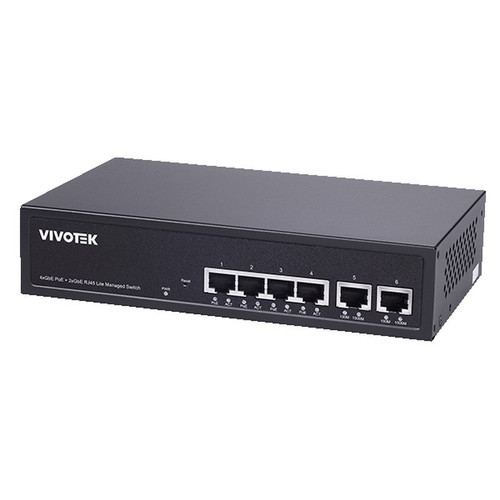
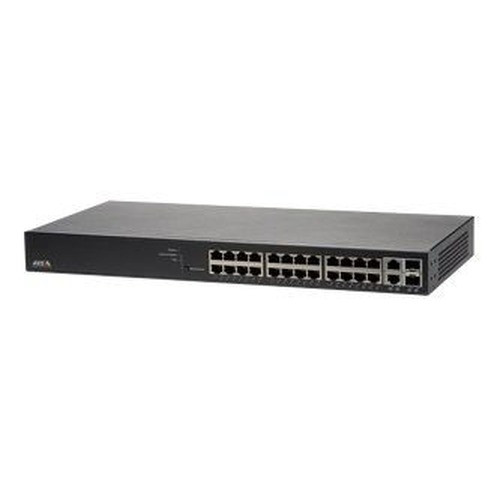
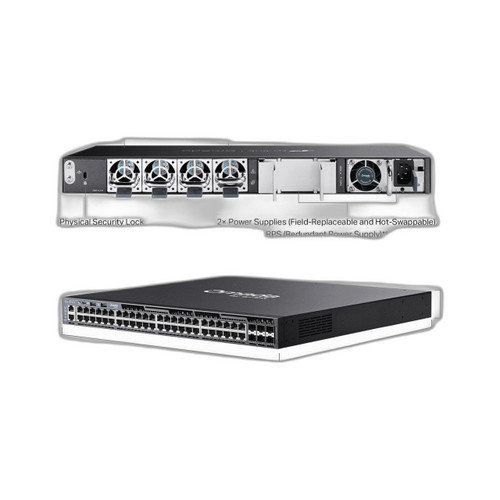
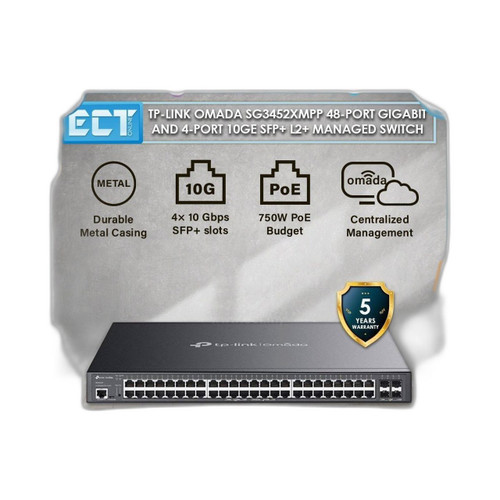
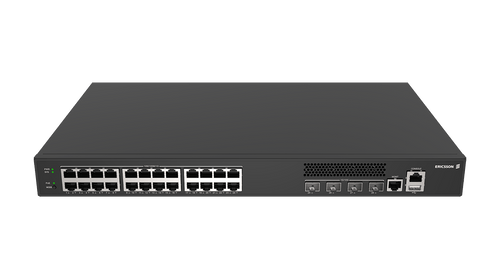
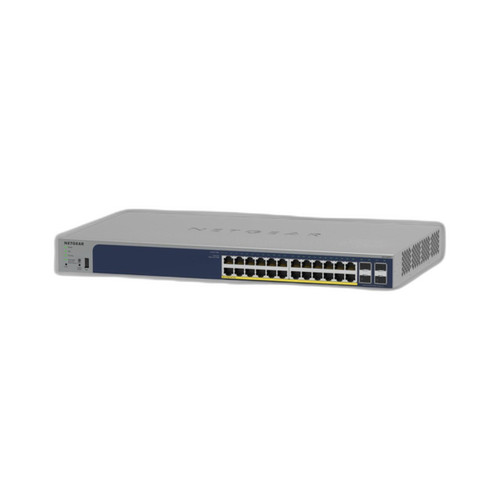
Selected from our catalog by spec-fit. All channel-direct and factory-new — not ranked by price.
Frequently Asked Questions
How do I size PoE budget for my school building?
Count all active PoE devices per switch location: each Wi-Fi 6 AP draws ~15–20W, IP cameras ~10–15W, emergency phones ~5W. Multiply by 1.2 (headroom) and match to switch budget. A 370W switch safely supports ~15–18 mixed devices; oversizing by 20–30% avoids throttling if you add cameras later. Underestimating forces expensive midspan injectors or separate power infrastructure.
Do I need a managed switch for VLANs and traffic isolation?
Yes, if you have more than one class of traffic (student, staff, guest, cameras) or more than ~100 devices per switch. Unmanaged switches broadcast all traffic to all ports, wasting bandwidth and creating security exposure. Even budget-friendly managed switches (TP-Link SG3452XMPP, NETGEAR GS728TP) include VLAN and QoS; the small price premium ($200–400) pays for itself in reduced congestion and fewer support calls.
What's the difference between PoE and PoE+?
PoE (802.3af) delivers up to 15.4W per port; PoE+ (802.3at) delivers up to 30W. Most modern APs and cameras need PoE+ (15–20W each); older APs or basic IP cameras work on PoE. If you're deploying Wi-Fi 6 APs or PTZ cameras, all your switches should be PoE+. Mixing PoE and PoE+ switches requires careful port assignment and a managed core to avoid powering down high-draw devices.
Should I buy a single large switch or multiple smaller ones?
Multiple smaller switches (e.g., three 24-port units instead of one 48-port) distribute PoE budget across building wings, reduce single-point-of-failure risk, and simplify installation in cramped equipment rooms. However, they require more uplink redundancy and add management overhead. For schools under 50,000 sq ft, one or two central switches with stacking capability is simpler; larger campuses benefit from distributed 24-port per-building architecture.
How do I future-proof a switch purchase?
Look for stacking capability (manage multiple units as one logical switch), redundant uplinks (two 1G ports minimum), and firmware update roadmaps from the vendor. Buy port count to handle 12–24 months of growth, not five years; a 24-port switch with 18 devices in Year 1 allows ~6 new APs before replacement. Industrial temperature rating and wall-mount form factor extend lifespan in harsh spaces.
Do I need 10 Gbps uplinks to my core?
Not for typical K-12 deployments. 1 Gbps uplinks (two for redundancy) handle hundreds of concurrent students and cameras, unless your core network or internet link exceeds 800 Mbps sustained usage. 10G is future-proofing for district media centers or STEM labs; most schools should prioritize redundancy (two 1G uplinks) over raw speed. Verify your core switch and firewall support bonded or stacked uplinks before over-engineering.
Related Resources
- Network Switch comparisons — head-to-head spec matchups
- Network Switch Buying Guide for IP Cameras & PoE
- Best PoE Switch for a 16-Camera Install
- Best PoE Switch for an 8-Camera System
- All product comparisons
Speccing this for a project?
Send us your requirements and our senior specialists will confirm specs, compatibility, availability and pricing — free, usually within one business day. Channel-direct, factory-new, serving commercial integrators since 2014.
Get a Free QuoteComparing for a project?
Send us the models you are weighing and our team will confirm specs, compatibility, availability, and pricing — free, usually within one business day.