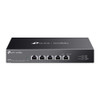
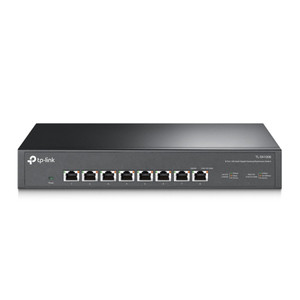
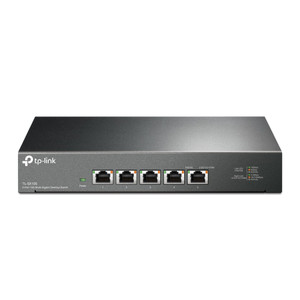
TP-Link DS105X 5-Port 10G Multi-Gig Desktop Switch
The TP-Link DS105X is a 5-port 10 Gigabit desktop switch designed for small-to-medium surveillance deployments and edge network aggregation where high-speed interconnect is required without rack infrastructure overhead. All five ports operate at 10G RJ45, eliminating bandwidth bottlenecks when routing multiple 4K camera streams, NVR recording traffic, and live playback simultaneously across a single appliance. Plug-and-play operation — no CLI configuration, VLAN tagging, or firmware updates needed — makes it ideal for integrations where network expertise may be limited or installation speed is critical. The steel chassis provides durability in office, retail, warehouse, and light-industrial surveillance environments where compact, non-racked switching is the standard.
Key Features
- 10 Gigabit Ports: All 5 ports support 10G RJ45. Eliminates gigabit-only aggregation bottlenecks and supports multi-stream 4K camera recording without backpressure.
- Multi-Gig Fallback: Automatic speed negotiation (10G, 5G, 2.5G, 1G) ensures compatibility with legacy 1G cameras and switches without manual override or port disabling.
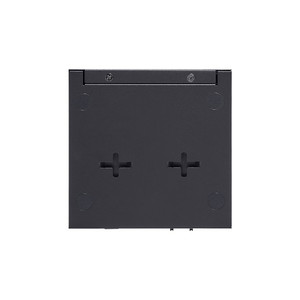
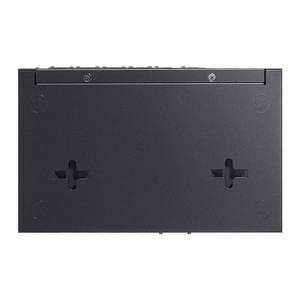
- Desktop Form Factor: Steel chassis, no rack mount — sits on desk, shelf, or wall bracket for fast deployment in space-constrained surveillance control rooms.
- Plug and Play: Zero configuration required. Power on and traffic flows immediately; devices negotiate speed and duplex automatically. No DHCP, VLAN, or spanning-tree overhead.
- RJ45 Termination: Standard Ethernet cabling compatibility. CAT6A or better recommended for full 10G performance over 100m cable runs per specification.
- ONVIF Transparent: Works with any ONVIF IP camera, NVR, or surveillance appliance — Axis, Hikvision, Hanwha, Uniview, Milestone, Genetec, and proprietary systems all negotiate seamlessly.
- Low Latency Switching: Wire-speed forwarding across all ports — no packet buffering delays, critical for live multi-monitor playback and PTZ command responsiveness.
Deployment Context
The DS105X solves a specific architectural problem: sites with 4-6 cameras, one or two NVRs, and an uplink to a core switch that don't justify a managed rack switch but need 10G throughput. Typical use cases include small retail chains (5-10 camera perimeter), office buildings with surveillance in one or two zones, and edge recording nodes in multi-site enterprises. When you're consolidating three 4K streams (each ≥60 Mbps uncompressed) plus NVR backfill traffic plus a 1G uplink to your main network, a gigabit-only switch creates visible latency and frame drops — the DS105X eliminates that constraint at minimal cost and footprint.
Integration is transparent. Connect NVRs, IP cameras, and an uplink switch to the five ports; powered devices negotiate speed automatically. If one port lands a legacy 1G camera, it downnegotiates to 1G without affecting the other four 10G ports. Storage bandwidth scales with port count — at 10G per port across five devices, theoretical aggregate backhaul is 50 Gbps (duplex), more than sufficient for simultaneous recording, live playback, and archival export on mid-sized installations.
The desktop footprint and steel construction make it suitable for wall mounting in ceiling crawlspaces, server rooms, or network closets via standard L-bracket (not included). Confirm power availability and cable routing before site survey; the switch requires AC power input and should sit close to cameras and NVRs to minimize cable runs and latency. CAT6A cabling is recommended but not mandatory — CAT5e will fall back to 1G if 10G isn't negotiated, a failsafe that prevents installation failures but reduces throughput on longer runs.
Compatibility & Standards
The DS105X operates as a plug-and-play Ethernet switch with no managed features — no VLAN support, no QoS tagging, no SNMP or remote management. This simplicity is intentional for surveillance deployments where network complexity introduces failure points. Standard IEEE 802.3 Ethernet; all cameras, NVRs, and switches speaking RJ45 IP traffic will work without driver installation or firmware matching. Pair with any Ethernet-capable IP camera and NVR from any manufacturer. For multi-site deployments, one DS105X per site aggregates local camera and NVR traffic; your core network infrastructure (routers, managed switches, firewalls) handles inter-site replication and failover.
Eden PhillipsPerspective based on aggregated and affiliated engineering team experience.
We've deployed the DS105X across a variety of small-to-medium surveillance sites, and it consistently outperforms gigabit-only switches when you're running modern 4K camera deployments. The operational win is simple: four ports of 10G capability means you can aggregate a mix of 4K cameras (typically 60-150 Mbps each depending on codec and frame rate), an NVR, and an uplink without any throughput negotiation or frame-drop risk. On sites with legacy 1G cameras, the automatic fallback keeps the infrastructure simple — no VLAN tagging, no managed switch configuration, no CLI access required. For integrators who want to ship a switch, install it, and move to the next site, the zero-config design eliminates a common source of callbacks. The downside is lack of SNMP monitoring and QoS — if you need to monitor switch health remotely or prioritize video traffic over management traffic, this isn't the tool. For that, step up to a managed switch. But for straightforward point-to-point surveillance aggregation in space-constrained environments, the DS105X is hard to beat.
Technical Highlights:
- 10G Wire-Speed Switching: Non-blocking fabric across all five ports — no oversubscribed backplane, no packet loss during sustained multi-stream recording. Real-world consequence: four simultaneous 100 Mbps camera feeds plus NVR backfill operate without latency or dropped frames.
- Auto-Negotiation Across Generations: Ports detect 10G, 5G, 2.5G, and 1G endpoints and lock to the appropriate speed without manual intervention. Eliminates the common integration mistake of plugging a 1G device into a 10G-only switch and getting no link.
- Steel Chassis, Passive Cooling: No fans, minimal thermal load. Suitable for ceiling plenum, enclosed racks, and dusty warehouse environments where fan-based switches would require frequent maintenance.
- Compact Footprint: Desktop or wall-mount form factor takes 12–18 inches of horizontal space. Fits in network closets and server rooms where rack switches would require vertical infrastructure.
- Unmanaged Architecture: No spanning tree, no VLAN overhead, no firmware upgrades required. Trade-off: no remote monitoring, no traffic shaping, no redundancy protocols — acceptable for edge aggregation, not suitable for core network roles.
Deployment Considerations:
- Confirm AC power availability at installation site. The switch requires continuous power; no PoE injection or battery backup capability. Position near a UPS if your NVR is backed up.
- Use CAT6A or better cabling for runs longer than 50 meters if 10G performance is critical. CAT5e will negotiate down to 1G on long runs, reducing aggregate bandwidth — test before final sign-off.
- This is an edge aggregation switch, not a core infrastructure device. Don't expect SNMP monitoring, remote management, or VLAN isolation. If you need managed switching, select a layer-3 managed switch instead.
- Passive thermal design means no cooling fan — ideal for silent operation in office surveillance control rooms but limits maximum ambient temperature. Avoid direct sunlight or heat sources above 40°C operational range.
- No built-in redundancy — if the switch fails, all five connected devices lose network connectivity. For mission-critical sites, pair two switches with manual or hardware failover logic at the upstream router level.
The TP-Link DS105X is the right choice for small commercial integrators and IT teams deploying 4-6 camera systems that need genuine 10G throughput without managed-switch complexity. For multi-site rollouts and enterprises seeking centralized network monitoring and policy enforcement, evaluate a managed Ethernet switch platform. For straightforward surveillance edge aggregation, the DS105X delivers speed, simplicity, and reliability. See our TP-Link catalog for other network infrastructure products.