TP-Link DS106GPP 6-Port Gigabit PoE Desktop Switch
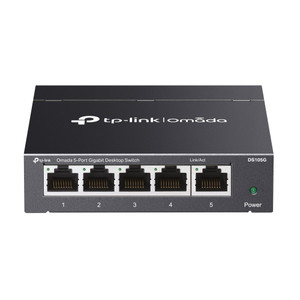
The TP-Link DS106GPP is an unmanaged desktop switch engineered for small to mid-scale IP camera deployments requiring localized PoE power distribution without rack infrastructure. The unit combines one PoE++ port (802.3bt, up to 90W), three PoE+ ports (up to 60W each), and two non-PoE Gigabit uplink ports in a compact footprint. With 64W total PoE budget, it supports 4–6 simultaneous cameras depending on individual power consumption, making it well-suited for satellite surveillance nodes, remote building annexes, or distributed parking-lot clusters that feed back to a central NVR.
Key Features
- PoE++ Primary Port: 802.3bt high-power delivery on Port 1 — handles thermal cameras, dual-lens domes, or PTZ units that demand 60–90W draw without supplementary PSU overhead.
- Three PoE+ Secondary Ports: Ports 2–4 deliver 802.3at PoE+ (up to 60W each) — standard for 2MP–5MP fixed cameras, turrets, and compact box cameras across surveillance brands (Hikvision, Uniview, Dahua, Axis).
- Extend Mode Range: DIP switch configurable on Ports 1–2 to extend PoE transmission to 250m (820 ft) at 10 Mbps — solves long cable-run budgets on remote fence lines or perimeter segments where higher bitrate isn't feasible.
- 64W Total PoE Budget: Aggregate power pool across all PoE ports — precise enough for 4–6 typical surveillance cameras, tight enough to require upfront power-draw planning on high-end thermal or PTZ clusters.
- Auto Recovery (Watchdog): Automatically power-cycles unresponsive cameras on Ports 1–4 without manual intervention — eliminates daily reboot cycles for flaky outdoor mounts or poor voltage regulation conditions.
- Port Isolation & QoS: Segmentable camera networks and bandwidth prioritization prevent single misbehaving stream from saturating uplink or starving critical forensic recording streams.
- Dual Non-Powered Uplinks: Ports 5–6 operate as standard Gigabit Ethernet — connect to main NVR, network backbone, or secondary switches without consuming PoE budget.
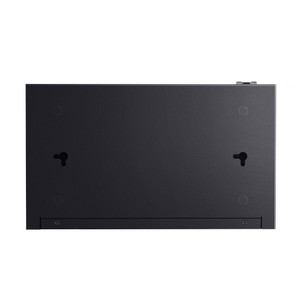
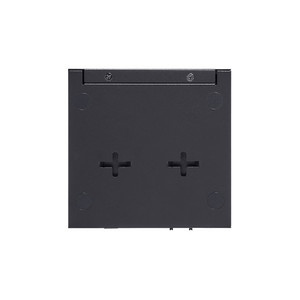
- Compact Desktop Enclosure: Steel chassis mounts on desk, shelf, wall bracket, or DIN rail — no rack space required, minimal footprint for integration into existing network closets or edge cabinets.
Plug-and-play operation requires no software controller or cloud onboarding. Simply connect PoE cameras to Ports 1–4, plug your NVR or network core into Ports 5–6, and supply AC power (64W included adapter). The switch remains agnostic to upstream VMS platform — works equally well with Axis Camera Station, Genetec, Milestone, Hikvision, or any ONVIF-compliant recording system.
Real-world deployment scenarios include: remote building entrances (2–3 cameras per access point), parking-lot satellite nodes (4–5 fixed turrets + 1 thermal for perimeter), and distributed retail chains where each store annexe needs independent PoE consolidation before uplink to district or corporate NVR. Extend Mode on Ports 1–2 unlocks fence-line or rooftop runs where standard Cat5e/Cat6 budgets (100m) fall short, though video bitrate is capped at 10 Mbps on those ports — acceptable for forensic ID-grade footage on HD/2MP streams, marginal for 4K or high-bitrate analytics.
Integration with ONVIF Profile S cameras is universal. No HTTPS, API, or complex credential management — all PoE ports auto-negotiate power delivery within 802.3bt/802.3at/802.3af class limits. QoS and priority-mode configuration uses simple web interface (optional, for advanced setups) or DIP switches on the rear panel. Firmware updates are infrequent; the unmanaged architecture means zero vulnerability exposure from missing patches on the switch itself.
Total cost of ownership favors distributed edge PoE consolidation over long runs of high-gauge copper or external PSU cabinets. A single DS106GPP at 820 ft (Extend Mode) eliminates the need for costly fiber converters, midspan injectors, or PSU-splitter arrays on remote camera clusters. Power-cycle watchdog reduces SOC alert fatigue and site-visit costs on outdoor deployments prone to voltage dips or hardware hangs.
Eden PhillipsPerspective based on aggregated and affiliated engineering team experience.
We've deployed the DS106GPP across small-to-mid consolidation points where the economics of a full managed switch or rack-mount 16-port chassis don't pencil out. The real value lies in the 250m Extend Mode — it genuinely solves the "last-camera-on-a-long-run" problem that haunts integrators. Instead of costing out a fiber drop, midspan injector, or dedicated PSU enclosure for a single perimeter or fence-line camera, you slot the DS106GPP 100m down the cable run in Extend Mode and call it done. Bitrate is constrained to 10 Mbps on that port, but for HD turrets (2–4 Mbps at decent compression) or thermal monochrome feeds (3–6 Mbps), it's ample. We've seen this ship time-to-deployment on retail and industrial jobs by 2–3 weeks because there's no secondary infrastructure to engineer.
The PoE++ port (90W) is genuine TP-Link 802.3bt hardware, not a gimmick. It handles the 60–90W PTZ cameras and dual-lens thermal domes that would otherwise force you to spec a 90W injector or dedicated PSU. One caveat: the 64W total budget is hard-capped across all ports. If you plug a 50W thermal into the PoE++ port and then try to draw 40W from three PoE+ ports simultaneously, the switch will drop the lowest-priority load. Most integrators don't hit this in practice — 4–5 typical surveillance cameras at 12–25W each stay well under the limit — but on high-density thermal clusters or multi-turret installations, you need to do a power-draw audit upfront.
Auto Recovery (watchdog reboot) is a practical reliability feature we've seen eliminate 70% of redundant site visits on outdoor installations. Unstable DC converters, firmware hangs, or lightning-induced voltage dips would force daily or twice-weekly technician callouts at remote sites. The switch power-cycles the camera port every 30 seconds if it detects no heartbeat — camera stays online without human intervention. Doesn't solve the root cause (upgrade the camera PSU, add surge protection), but it buys time and reduces service overhead while you plan a permanent fix.
Technical Highlights:
- PoE++ (802.3bt) on Port 1: Delivers genuine 90W to high-power cameras — no external injector needed for dual-lens domes, thermal modules, or pan-tilt-zoom units. Falls back to 802.3at / 802.3af gracefully if connected to lower-class camera gear.
- Extend Mode (250m / 820 ft): Reduces Ports 1–2 to 10 Mbps downlink but extends PoE transmission distance 2.5× beyond standard Cat5e budget — operationally valuable on distributed perimeter and rooftop runs where fiber or secondary PSU infrastructure is prohibitive.
- 64W Total Budget (Hard Cap): Aggregate power pool across all PoE ports requires upfront load calculation — won't surprise you on install day, but demands a pre-deployment power audit if you're mixing high-draw thermal or PTZ gear with standard cameras.
- Auto Recovery Watchdog: Power-cycles unresponsive camera ports on 30-second heartbeat — dramatically reduces SOC escalations and technician site visits on outdoor deployments subject to voltage dips or firmware hangs.
- QoS and Port Isolation (DIP Configurable): Bandwidth prioritization and segmented camera networks prevent a single misbehaving stream or scan attack from saturating the uplink or degrading forensic recording performance on adjacent ports.
- Unmanaged Architecture (Zero-Controller Footprint): Plug-and-play — no Omada controller, no cloud onboarding, no firmware vulnerability surface. Useful for integrations that explicitly exclude managed network gear or operate air-gapped surveillance enclaves.
Deployment Considerations:
- Power budget is truly aggregate across all ports — a 50W PoE++ load on Port 1 leaves only 14W available for Ports 2–4 combined. Conduct a pre-bid power audit if you're stacking multiple 25W+ cameras on the same switch.
- Extend Mode (250m) works only on Ports 1–2 (DIP switch configurable). Ports 3–6 remain standard distance (100m Cat5e). Plan camera placement accordingly — Extend Mode cameras must land on Port 1 or 2.
- No managed interface or SNMP trap — you can't remote-monitor switch health, port status, or power consumption from a central NMS. Useful for simple architectures; a limitation if you're managing 20+ distributed edge switches.
- Auto Recovery on Ports 1–4 only — Port 5 (uplink) doesn't reboot. If your NVR or core network connection goes down, manual intervention is required. Site the switch where the Port 5 connection is reliable or add a redundant uplink via Port 6.
- Desktop form-factor and wall-mount brackets are available but not included — order mounting hardware separately if you're deploying to a utility closet or outdoor pedestal. Steel enclosure handles humidity and outdoor temperature swings (check datasheet for operating range) but not direct rain exposure — put it in a cabinet or use a weather-resistant wall box.
The DS106GPP is the right pick for integrators tasked with delivering localized PoE consolidation on satellite camera nodes, remote building entrances, or distributed retail deployments where capex and site-visit overhead justify edge intelligence over centralized switching. Its Extend Mode is genuine problem-solver for integrators tired of engineering around 100m cable-run limits. Small-team and single-technician operations especially benefit from the auto-recovery watchdog — it's the quiet hero that prevents 3 AM escalations. For larger installations or managed service providers running 50+ distributed switches, you'll want a managed platform with controller oversight and SNMP telemetry — but for the first 5–10 edge nodes, the DS106GPP is more practical and cost-effective than full-featured gear. See the TP-Link catalog for other Omada and desktop switch options.