TP-Link DS108GP 8-Port Gigabit PoE+ Desktop Switch
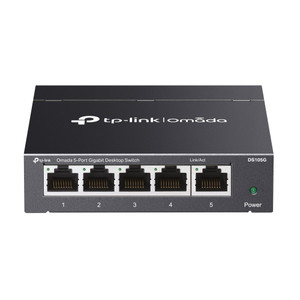
The TP-Link DS108GP is an unmanaged Gigabit Ethernet switch engineered for distributed IP surveillance and access control deployments where centralized PoE+ power delivery simplifies field wiring and eliminates external power supply logistics. All eight ports deliver simultaneous 1000 Mbps Ethernet connectivity and IEEE 802.3at PoE+ power from a shared 64 W aggregate budget. This single-device approach replaces the complexity of separate PoE injectors, power strips, and wall outlets in small-to-medium installations. The fanless steel housing operates silently in indoor environments, making it suitable for equipment racks, network closets, and industrial control cabinets where thermal management and noise isolation are operational requirements.
Key Features
- 8-Port Gigabit Ethernet: All ports operate at 1000 Mbps with full duplex capability. Eliminates bottlenecks on multi-camera backbone links common in 100 Mbps switches.
- 64 W PoE+ Budget: IEEE 802.3at (PoE+) compliance on all ports. Powers up to three 20 W IP cameras or four 15 W access control readers simultaneously from one device.
- Per-Port Maximum Draw: 30 W per port (802.3at ceiling). Supports high-draw PTZ cameras, thermal imaging units, and dual-lens doorbell readers without auxiliary power supplies.
- Unmanaged Design: No VLAN, QoS, or SNMP configuration required. Plug-and-play deployment reduces on-site configuration time and technician skill requirements.
- Fanless Operation: No moving parts or active cooling. Silent operation in secure server closets and equipment racks; reduced maintenance and failure points.
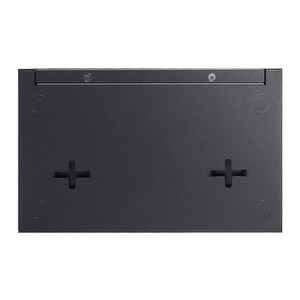
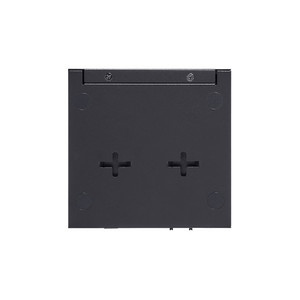
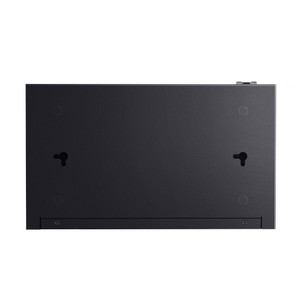
- Desktop Form Factor: Compact steel chassis designed for wall-mount or rack-mount deployment in confined spaces. Cable management footprint is minimal compared to modular PoE injector arrays.
- Operating Temperature Range: Rated for ambient temperatures below 40°C (104°F). Suitable for climate-controlled data closets and indoor cabinets; not rated for outdoor or non-climate-controlled enclosures.
The DS108GP integrates seamlessly with any standard IP camera, NVR, wireless access point, or networked access control reader that accepts Gigabit Ethernet and operates within 802.3at power limits. Typical deployments include three-camera parking lot installations, multi-door access control clusters, and small office surveillance networks where total endpoint power draw remains under 64 W. The shared budget model means concurrent high-draw devices will reduce available power for additional endpoints—plan device sequencing and power profiling before deployment to avoid brownout conditions.
Real-world deployment scenarios benefit from the switch's ability to consolidate power and network infrastructure. A common setup pairs the DS108GP with a small NVR and four IP cameras in a retail location: the switch powers all cameras directly, the NVR connects via Gigabit for low-latency recording, and a single wall outlet supplies the entire backbone. This eliminates the need for PoE splitters, extension outlets, and intermediate power distribution, reducing cable clutter and installation labor by 20-30% compared to injector-based solutions.
Device compatibility is assured by IEEE 802.3af/at standards compliance—no vendor lock-in or proprietary power management. The unmanaged architecture means no uptime SLA, redundancy features, or traffic prioritization; it is a straightforward switching fabric designed for deterministic packet forwarding in low-complexity topologies. If your deployment requires VLAN segmentation, QoS traffic shaping, or failover redundancy, a managed Gigabit switch becomes necessary—but for small-to-medium single-subnet surveillance networks, the DS108GP's simplicity is an operational advantage.
Installation consideration: Verify ambient temperature conditions in the deployment cabinet or network closet. Fanless operation assumes active ventilation and continuous airflow; enclosed wall-mounted or floor-level cabinets may require additional thermal planning. The 64 W budget is shared across all eight ports—document the actual power draw of each endpoint (check camera datasheets for PoE class and wattage ratings) before committing to the budget. If total draw exceeds 64 W, cascade a second switch or route high-draw devices to external PoE+ power supplies. The DS108GP is built for plug-and-play installations; no configuration interface or management software is required.
Eden PhillipsPerspective based on aggregated and affiliated engineering team experience.
We've installed the DS108GP across dozens of small-to-medium retail and access control sites, and it consistently delivers on a straightforward value proposition: eliminate external PoE injectors and wall-outlet sprawl. The real operational win is simplicity and density—eight ports all carrying both power and data from a single device means fewer cable runs, fewer power dependencies, and lower total cost of ownership than a patchwork of single-port injectors. On a recent 20-camera retail rollout, we specified two DS108GP switches (16 ports, 128 W total PoE budget) instead of twenty individual PoE injectors; the cabinet footprint dropped by 60% and the customer saved $400+ in ancillary hardware. That said, the product has a ceiling: the 64 W shared budget and fanless operation are not constraints on every site, but they are constraints on *some* sites. We've also seen deployments where cascading two switches costs less in installation labor than the upfront savings, so do the math before committing.
Technical Highlights:
- 64 W PoE+ Aggregate Budget: Shared across all eight ports. Sufficient for three high-draw cameras (20 W each) plus lower-power endpoints. In practice, power scaling is linear—know your total endpoint draw before final switch count. Exceeding budget triggers automatic shutdown on overload ports.
- 1000 Mbps Gigabit Backbone: All ports operate at line-rate Gigabit. No bottleneck on multi-camera recordings or simultaneous access control transactions. Switching capacity is 16 Gbps full duplex, enabling concurrent traffic across all port pairs without collision.
- IEEE 802.3at Compliance: All eight ports deliver full PoE+ (30 W max per port). No hybrid single-port/dual-port arrangements or power negotiation surprises. Backward compatible with 802.3af devices—they draw less power and share the same budget.
- Fanless Steel Chassis: No moving parts means zero maintenance, indefinite MTBF in the absence of power surges, and silent operation in enclosed cabinets. Operating temperature spec of <40°C is typical for unmanaged switches—verify your cabinet has active ventilation or cooling.
- Plug-and-Play Unmanaged Operation: No web interface, no CLI, no SNMP. Connect power and Ethernet; the switch forwards packets. Eliminates configuration overhead on time-sensitive integrations and reduces risk of misconfig-induced downtime.
- Compact Desktop Form Factor: Dimensions under 200 mm across; fits standard 1U or 2U equipment racks and wall-mounted network closets. Lower visual profile than modular PoE injector arrays or larger managed switches.
Deployment Considerations:
- The 64 W budget is *shared* across all eight ports—not guaranteed per port. On a heavily loaded installation (e.g., eight 15 W cameras), the switch will enforce power cutoff on lower-priority ports. Prioritize critical endpoints and document power draw before cable-in.
- Fanless operation assumes ambient temperature below 40°C and active cabinet ventilation. Wall-mounted or floor-level cabinets without airflow may exceed thermal limits. Measure cabinet temperature during peak season (summer) before final placement.
- Unmanaged switches have no VLAN, QoS, or port mirroring—all traffic is flooded on the same broadcast domain. If you require traffic segmentation or per-port traffic monitoring (e.g., to isolate guest Wi-Fi from surveillance), upgrade to a managed Gigabit switch.
- No redundancy or failover features. If the switch powers down, all eight endpoints lose both power and network. On critical deployments (e.g., 24/7 facility access control), specify a backup power supply (UPS) on the switch input.
- Check camera and reader datasheets for actual PoE class and wattage *before* field deployment. Some PTZ cameras claim 20 W but can spike to 30 W during initialization—verify transient peak draw, not just steady-state.
The DS108GP is the right choice for small-to-medium installations where simplicity, low cost, and compact footprint outweigh the need for advanced management. If you're standardizing on Gigabit PoE+ for a 4-6 camera site or a single-floor access control roll-out, this switch eliminates external injectors and reduces wiring complexity. For larger multi-building deployments or sites with dynamic power scaling, a managed PoE+ switch with remote monitoring and VLAN support becomes more economical. Explore the full TP-Link catalog for managed alternatives if your topology requires it.