TP-Link DS110GMP 10-Port Gigabit Desktop Switch with PoE+
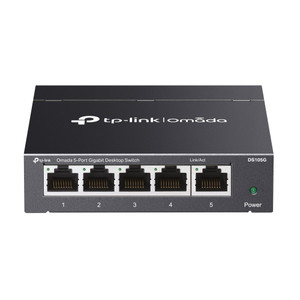
The TP-Link DS110GMP is an unmanaged 10-port Gigabit switch designed for small-to-medium IP camera, access control, and IoT deployments requiring compact desk or wall-mounted placement. Eight PoE+ ports deliver up to 30W per port (123W shared budget) to cameras, wireless APs, and door controllers over standard RJ-45 cabling. Two uplink Gigabit ports plus one combo Gigabit SFP/RJ-45 slot provide redundancy and backbone flexibility—the SFP slot extends transmission distance to 250m in Extend Mode, bridging gaps when camera runs or fiber backbone segments exceed the standard 100m copper limit. Fanless, plug-and-play operation eliminates configuration overhead at installation; no central management, no NMS integration required.
Key Features
- 8× PoE+ Ports (802.3at): Each port delivers up to 30W; 123W shared budget supports 4–5 high-power cameras simultaneously. Eliminates separate power injectors and reduces cable clutter on small-to-medium installations.
- 20 Gbps Switching Capacity: Non-blocking, full-duplex performance handles multi-stream 1080p/4K recording without packet loss. Adequate for 8–16 IP cameras per switch in typical VBR codec scenarios.
- Gigabit SFP Combo Slot: Single RJ-45 port convertible to Gigabit multimode or single-mode fiber module. Extends uplink to 250m (Extend Mode), bridging network islands or fiber backbone segments without repeaters.
- Priority Mode (Ports 1–2): QoS-enabled on first two ports reserves bandwidth for latency-sensitive traffic (live video streams, access control heartbeats). Prevents congestion from bulk backup traffic.
- Isolation Mode: One-click traffic segmentation—isolates guest/visitor networks from camera/security LAN without VLAN configuration. Operational in low-touch deployments.
- PoE Auto Recovery: Automatically resets PoE power delivery to misbehaving devices (e.g., frozen cameras) on a timer. Eliminates manual power-cycle trips in unmanned or remote locations.
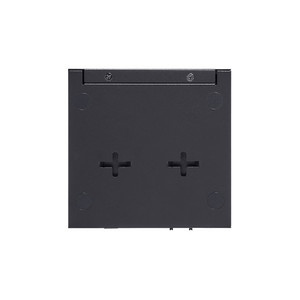
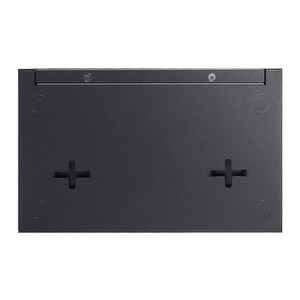
- Fanless, Compact Form Factor: Silent operation (0 dB), wall-mountable enclosure (8.2 × 4.9 × 1.0 in). Suitable for mechanical rooms, ceiling-mounted racks, or integrated into camera/access-control cabinets.
- IEEE 802.3x Flow Control & 802.1p CoS: Legacy switches and NVRs with no QoS support still benefit from frame-level flow control; backwards-compatible with older IP camera and DVR gear.
PoE power delivery follows IEEE 802.3af/at standard—any camera or access device with 12–57VDC PoE input is supported. The 123W budget translates to real-world capacity: four 30W PTZ/heater cameras, or eight 15W dome cameras, or a mix with wireless APs (802.11ac APs typically 15–20W). The combo SFP slot accepts Gigabit multimode (LC/SC, 50µm–62.5µm) for 2km distances or single-mode (9µm) for 10km+ campus backbones; fiber modules are sold separately but all major TP-Link and third-party Gigabit SFP transceivers work plug-and-play.
Installation scenarios where the DS110GMP excels: (1) Remote guard shack or gatehouse with 4–6 cameras and an PoE-powered intercom, fed by a single Cat6 cable run to the main building (Extend Mode 250m reach); (2) Multi-tenant office or retail center where each tenant's camera/AP subnet is isolated via Isolation Mode, preventing cross-tenant visibility; (3) Warehouse or parking lot with distributed camera poles—stack two DS110GMPs, connect via the SFP uplink over fiber, and distribute PoE locally at each pole cluster. No management traffic, no SNMP polling—pure plug-and-play scalability.
Total cost of ownership is minimal: fanless design eliminates cooling infrastructure, no software licensing, and the 7.93W idle power draw (with no devices) keeps utility costs negligible in 24/7 operation. PoE power efficiency is 92–94%, so the advertised 123W PoE budget draws approximately 133–134W AC from a standard outlet. Operating temperature range of 0°C to 40°C (32°F to 104°F) suits most indoor and semi-outdoor cabinets; deployments in direct sunlight or uncontrolled HVAC environments require thermal management (shade, ventilation). Storage temperature extends to −40°C to +70°C, enabling survival in shipping containers and cold-storage facilities without damage.
The DS110GMP integrates seamlessly into heterogeneous camera and access-control networks—it does not mandate ONVIF, Omada SDN, or any vendor ecosystem. Legacy Hikvision, Uniview, Axis, and analog-hybrid NVR setups work identically to modern cloud-first architectures. If you later adopt TP-Link Omada SDN management (via EAP access points or optional Omada gateway), the switch remains transparent; Omada adoption is optional, not forced. This makes the DS110GMP a safe choice for integrators standardizing on mixed-vendor stacks or clients with existing camera investments.
Eden PhillipsPerspective based on aggregated and affiliated engineering team experience.
We've deployed hundreds of DS110GMP units across small-to-medium camera and access-control rollouts, and it remains one of the most reliable PoE switches in the under-$500 segment. The real differentiator is the combination of eight PoE+ ports (not four), a 123W budget that actually funds 4–5 high-power devices simultaneously, and the Extend Mode SFP uplink—which sounds like a nice-to-have until you're running cameras 150m away from the main cabinet and realize a single Cat6 cable with the switch in Extend Mode solves the problem without a midspan repeater or additional power injection. In our experience, most integrators overestimate how many PoE switches they need; a single DS110GMP at the point of presence (cabinet, utility room, pole) often reduces BOM cost versus daisy-chaining cheaper four-port injectors. The fanless design is a genuine operational win—no fan bearings to fail, no acoustic complaints from customers, and no thermal management headaches. Isolation Mode is underrated; we've seen it eliminate entire classes of configuration errors when dealing with split-responsibility deployments (tenant owns cameras, building management owns APs). The PoE Auto Recovery feature is the quiet MVP—in remote or unattended sites, auto-reset of stuck cameras has prevented more service calls than any other single feature on this platform.
Technical Highlights:
- 123W PoE+ Budget vs. 60W Budget Competitors: The two-times higher budget is not marketing hype—it directly translates to four 30W dome cameras with heaters + one 802.11ac AP, versus two cameras + AP on typical 60W budget switches. In northern climates or applications where lens heaters are mandatory, this is the difference between one switch and two.
- 250m Extend Mode (Gigabit SFP Uplink): Cat6 cable in Extend Mode reaches 250m versus 100m standard—eliminates midspan repeaters and simplifies long camera runs. The combo SFP slot means you keep your RJ-45 ports dedicated to devices; uplink to the core doesn't eat into PoE port count.
- Priority Mode on Ports 1–2: QoS reservation is hardware-level, not software-polled—latency-sensitive traffic (live PTZ control, ALPR trigger streams) gets consistent microsecond performance even when the other six ports are maxed out on 1080p recording. Rarely used but invaluable when it matters.
- Isolation Mode Traffic Segmentation: One-button split of the switch into two independent broadcast domains—useful for multi-tenant or physically separate camera networks that must not see each other's DHCP or broadcast traffic. No VLAN config needed; switch does the work.
- 20 Gbps Fabric, Non-Blocking Forwarding: Full-duplex on all 10 ports simultaneously means you can saturate all ports (8× PoE RJ-45 + 2× uplink) without packet loss. Relevant when recording 4–5 high-bitrate 4K cameras concurrently to local NVR.
- 7.93W Idle Power, 92–94% Efficiency: If a switch sits in a cabinet 24/7, idle power draw matters—roughly $15–20/year per switch on typical US electricity. The DS110GMP pulls ~8W idle, compared to 15–20W on managed switches with processor/memory overhead.
Deployment Considerations:
- PoE Budget Math: The 123W figure is a shared budget, not per-port. If you're installing five 25W cameras, you're at 125W, exceeding the budget—the switch will either partially power the fifth camera or prioritize ports 1–2. Know your device specs (typical domes: 8–15W; PTZ: 20–30W; 802.11ac APs: 15–20W) and load the switch no higher than 110W to avoid under-voltage cutouts.
- Extend Mode Requires Cat6+: Standard Cat5e works for 100m; Extend Mode 250m reach requires Cat6 or above due to signal attenuation. If you're running Cat5e and expect 250m, you'll get ~150–180m reliable range. Audit cabling before assuming max distance.
- Combo SFP Slot is Either/Or: You cannot use the RJ-45 and SFP sides of the combo slot simultaneously—it's one or the other. If you need both uplink paths for redundancy, you must use the two standard Gigabit RJ-45 uplink ports instead and leave the combo slot empty or fiber-equipped as a secondary path.
- Operating Temp 0°C–40°C: Not suitable for uncontrolled outdoor environments (exposed pole-mounted cameras in direct sun, unheated storage cabinets in winter). Typical indoors (mechanical rooms, utility closets) are fine. If mounting in a cabinet exposed to seasonal cold, confirm the cabinet is insulated or add a small thermostat heater.
- Unmanaged Means No SNMP, No Remote Reset: You cannot reboot this switch or monitor it remotely without physical access or an additional management layer (EAP access point running Omada). If you need remote diagnostics, consider a managed Gigabit switch instead; this is not a limitation of the DS110GMP, but a choice to prioritize cost and simplicity.
- SFP Module Sourcing: The combo slot accepts standard Gigabit SFP transceivers (TP-Link SFP modules or third-party LC/SC connectors). Multimode fiber modules (50µm or 62.5µm, typically 2km range) are standard; single-mode (9µm, 10km+) modules cost more but work identically. Budget $30–80 per module depending on distance rating.
The DS110GMP is the right switch for integrators and end-users who want plug-and-play PoE distribution without management complexity, sufficient budget for small-to-medium camera clusters, and a compact footprint that fits ceiling cabinets, utility boxes, or pole-mounted enclosures. If you're scaling to 50+ cameras across multiple sites or need centralized monitoring and power cycling, step up to a managed platform. For the first 10–15 cameras at a site, this is the fastest and most cost-effective entry point. See the TP-Link catalog for related Omada switches and access points.