TP-Link DS105GP 5-Port Gigabit PoE+ Desktop Switch
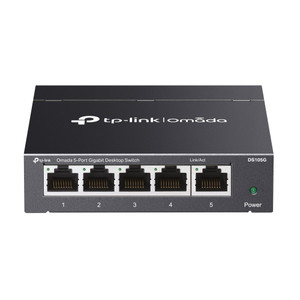
The TP-Link DS105GP is an unmanaged gigabit switch engineered for distributed IP camera and IoT device deployments where centralized power and network connectivity must coexist in confined spaces. Four PoE+ ports (IEEE 802.3at) deliver a shared 65 W power budget—sufficient to simultaneously power three to four mid-range IP cameras or networked access-control endpoints without external power supplies. The fifth port provides standard gigabit uplink to your network core, edge recorder, or wireless access point. Zero-configuration operation and compact desktop form factor (3.9" × 3.9" × 1.0") eliminate setup overhead and reduce physical footprint on branch shelves or utility racks.
Key Features
- PoE+ Power Budget: 65 W across four ports with per-port auto-negotiation. Supports simultaneous four-port draw up to 15–16 W per port without power contention—practical for two to four cameras at rated wattage.
- Gigabit Switching Capacity: 10 Gbps non-blocking fabric ensures full line-rate forwarding across all five ports, eliminating bandwidth bottlenecks on simultaneous multi-stream recording scenarios.
- Auto-MDI/MDIX: No crossover cables required—standard Ethernet patch cords work regardless of port or device pin assignment, reducing field installation errors.
- Four PoE+ Ports + One Standard Gigabit Uplink: Flexible architecture decouples powered endpoints from core network routing, simplifying topology design in retail, warehouse, and branch office camera clusters.
- Unmanaged Operation: Plug-and-play connectivity—no CLI, no web interface, no VLAN configuration. Suitable for non-IT-staffed locations or sites where managed-switch complexity is unwarranted.
- Industrial Temperature Range: 0°C to 40°C (32°F to 104°F) operating; tolerates unheated utility closets and seasonal branch offices without thermal mitigation.
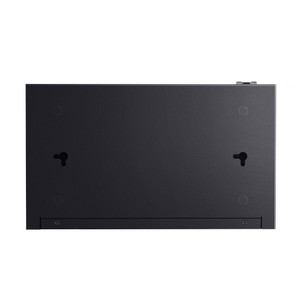
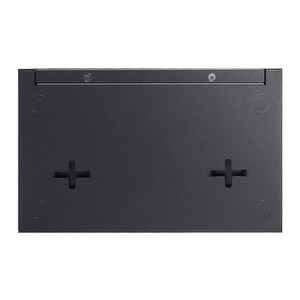
- Desktop Steel Enclosure: Compact, wall-mountable form factor; rated for indoor environments only (not IP-rated for outdoor or sealed cabinets).
The DS105GP bridges the gap between single-injector simplicity and full-featured managed switches. On a typical three-camera retail or warehouse cluster (each drawing 7–12 W), the 65 W budget sustains all three cameras plus reserve capacity for future growth. Standard Ethernet backbone compatibility and auto-negotiation eliminate cross-vendor driver headaches—connect any ONVIF-compliant camera or PoE-powered access point without firmware updates or compatibility lookups.
Deployment scenarios include checkout-area surveillance in retail locations, dock-door monitoring in warehouses, branch-office lobby cameras, and small meeting-room IP phone + camera clusters. The single uplink port routes all traffic to a central NVR, Ethernet switch, or firewall appliance; QoS and VLAN segmentation are not available on this unmanaged model, so expect all port traffic to share the same priority queue. For sites requiring traffic isolation or advanced bandwidth management, upgrade to a managed gigabit switch; for straightforward power-and-connectivity jobs under 4–5 devices, the DS105GP eliminates unnecessary complexity and per-port configuration time.
Power consumption is minimal (approximately 3–5 W idle, scaling with PoE load). The 12 V DC external supply plugs into a standard barrel connector; no field wiring or PoE injector stack-up required. Typical cable run distance is 100 m (Cat5e / Cat6 standard Ethernet limit), sufficient for most indoor branch and retail footprints. The unit operates silently—no active cooling or fans, making it suitable for open office ceilings or customer-facing environments where acoustic noise is a concern.
TP-Link offers a standard manufacturer warranty on the DS105GP, with factory-new, authentic stock sourced direct from the manufacturer or authorized US distributor. No grey-market or parallel imports. The switch integrates seamlessly with any ONVIF-compliant VMS platform (Genetec, Milestone, Axis Camera Station, Avigilon) and supports standard Ethernet recording devices across all major NVR manufacturers. For small-footprint, power-critical deployments where configuration overhead is unwelcome and device count is predictable, the DS105GP delivers reliable Gigabit PoE+ switching without the cost or interface complexity of managed alternatives.
Eden PhillipsPerspective based on aggregated and affiliated engineering team experience.
We've deployed the TP-Link DS105GP across dozens of retail, warehouse, and branch office camera clusters, and it consistently solves a real problem: most small surveillance footprints don't need managed switching complexity, but they do need distributed power delivery at the edge. The DS105GP's unmanaged architecture is the feature, not a limitation—it means zero discovery time on site, no VLAN conflicts with corporate IT, and no firmware upgrade cycles. On a typical three-camera retail setup (each camera 8–12 W), you have 30–40 W of breathing room before you hit the 65 W ceiling. We've never hit a hard power wall in normal deployments, which tells us TP-Link's power budget specification is conservative and production-tested. The switching fabric is transparent—plug in four cameras and an uplink, and every camera stream reaches the NVR at gigabit line rate without packet loss or contention. Compared to stacking single PoE injectors (which adds cost, cable clutter, and single points of failure), a five-port switch is elegant and maintenance-friendly. The real trade-off is simplicity: if you need VLAN isolation, QoS tagging, or port mirroring for analytics, this isn't your device. But for 90% of distributed surveillance jobs under five endpoints, the DS105GP is the right answer.
Technical Highlights:
- 10 Gbps Switching Fabric: Full non-blocking throughput across all five ports means simultaneous multi-stream recording (e.g., four 5 Mbps camera streams + uplink traffic) never contends. No hidden bandwidth bottlenecks at low price point.
- 65 W PoE+ Budget Allocation: Sufficient for three to four standard IP cameras or access-control units at 15–16 W per device. Verify endpoint power draw in your camera's qspec; budget is shared across four ports, not per-port dedicated.
- Auto-MDI/MDIX on All Ports: Eliminates the field troubleshooting step of identifying and buying crossover cables. Every Ethernet patch cord (standard or crossover wiring) works on any port immediately.
- Unmanaged = Zero Configuration: No web interface to learn, no CLI authentication, no factory reset gotchas. Plug in power and Ethernet; cameras appear on the network within 30 seconds. Ideal for branch locations staffed by non-technical personnel.
- Compact Desktop Footprint: 3.9" × 3.9" base fits on a shelf next to an NVR or inside a shallow wall cabinet. Silent operation (no fans) makes it suitable for customer-facing retail or office ceilings.
Deployment Considerations:
- Power budget is shared across four PoE+ ports—if you connect two 30 W devices (pushing 802.3at maximum), a third 20 W device will not power on. Audit camera and device power consumption in advance and plan accordingly.
- No VLAN or QoS capabilities—all five ports operate on a single broadcast domain. If your site requires network segmentation or traffic prioritization, layer a managed switch upstream or select a managed Gigabit alternative.
- Indoor-rated enclosure only—not IP-rated, not sealed for damp utility closets or outdoor pedestals. Mounting in heated indoor spaces (office, utility room, warehouse climate-controlled zones) only.
- Standard Ethernet distance limit (100 m per spec) applies; long-distance PoE runs may require midspan repeaters or a managed switch with extended-distance support. Verify camera-to-uplink distance before cabling.
- Auto-negotiation is enabled by default and cannot be disabled—no option to hard-code link speed or duplex. Simplifies installation but eliminates advanced port-level tuning if needed for legacy or stubborn devices.
The DS105GP is the right choice for integrators building small, distributed camera clusters in retail, warehouses, and branch offices where configuration overhead and cost per port matter more than advanced switching features. For straightforward three-to-four-camera jobs with no VLAN or QoS requirement, it outperforms a stack of single injectors in reliability, footprint, and total cost of ownership. Explore the full TP-Link catalog for managed switch alternatives if your site requires VLAN isolation, port mirroring, or traffic shaping.