TP-Link ES205G 5-Port Gigabit Managed Switch
Overview
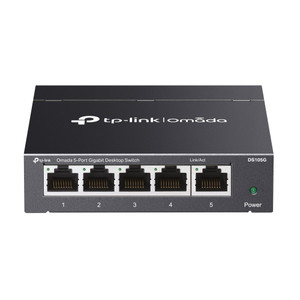
The TP-Link ES205G is a compact managed switch built for small-to-medium security deployments where you need wire-speed gigabit switching and centralized network control without the cost and complexity of enterprise-class hardware. Five 10/100/1000Mbps RJ45 ports deliver full 1 Gbps bandwidth simultaneously across all ports—a genuine advantage over unmanaged switches when running multiple IP cameras, access-control readers, or wireless access points from the same cabinet or desktop location. The ES205G integrates with TP-Link's Omada Software-Defined Networking (SDN) platform, letting you provision, monitor, and enforce policy across your entire network stack (cameras, switches, gateways) from a single web interface or mobile app—no vendor lock-in required.
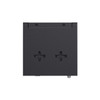
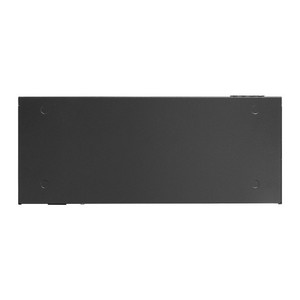
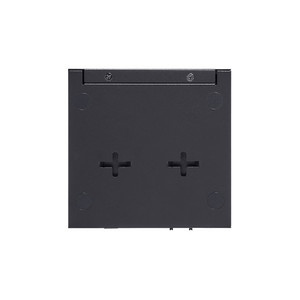
Steel chassis construction and a fanless design eliminate vibration and acoustic noise, making it suitable for retail, warehouse, or office environments. Desktop or wall-mounting flexibility means the ES205G fits edge deployments, temporary command centers, or fixed cabinet installations equally well. The model number ES205G appears on TP-Link's Omada product line, where it occupies the entry-to-small-business segment.
Key Features
- 5× Gigabit RJ45 Ports: Each port sustains full 1 Gbps throughput; the 10 Gbps switching capacity means all five ports can transmit simultaneously without internal congestion. Matters when you have 4–6 IP cameras or access-control devices pulling sustained bandwidth.
- 10 Gbps Switching Capacity & 7.4 Mpps Forwarding Rate: Eliminates packet loss under load. Real benefit: even if all five ports are pulling data at once (e.g., four 5MP cameras streaming, one NVR recording), you won't hit internal bottlenecks that degrade frame delivery or spike latency.
- VLAN Support (32 groups, 4K VID): Isolates camera traffic from admin or access-control networks on the same switch—critical for compliance and prevents unauthorized devices from eavesdropping on video streams. You partition your network without buying a second switch.
- QoS with 8 Priority Queues & Bandwidth Control: Guarantees video streams get priority over background data. If an IT staff member downloads a large file over the same switch, your camera streams stay smooth because QoS deprioritizes non-critical traffic.
- Port Mirroring (one-to-one, many-to-one, ingress/egress/both): Mirror traffic from any port to a packet sniffer or SIEM without touching the actual data flows. Enables forensic analysis or network troubleshooting without disrupting live video.
- Link Aggregation (LAG) – Static, up to 2 groups, 4 ports per group: Bond multiple ports for redundancy or higher throughput when feeding a core switch or NVR. If one port fails, traffic automatically reroutes through the remaining ports in the aggregate.
- IGMP Snooping (v1/v2/v3) with Fast Leave: Optimizes multicast traffic from IP cameras, reducing unnecessary frame replication across all ports. Saves bandwidth on the uplink and prevents multicast storms in larger deployments.
- Loopback Detection & Storm Control: Automatically suppresses broadcast storms and switching loops that can crash or freeze small networks. Prevents the cascading failures that occur when a misconfigured cable creates a loop.
- Omada Cloud Management & Zero-Touch Provisioning (ZTP): Deploy the ES205G with no manual configuration—ZTP discovers the device, applies templates, and joins the Omada controller automatically. Batch firmware updates and unified configuration across multiple sites from a single pane of glass.
- Fanless Design & Compact Footprint (3.9 × 3.9 × 1.0 in): No moving parts means no fan noise, lower failure risk, and easier cooling in confined spaces. Silent operation in retail or office ceilings where noise is a concern.
- Surge & ESD Protection (±6 kV common-mode, ±8 kV air ESD): Protects against lightning strikes on outdoor PoE runs or static discharge during installation. Real-world difference: reduces field failures from weather events or rough handling.
- 802.3x Flow Control & Jumbo Frame Support (15 KB): Handles large packets without fragmentation, improving throughput on high-speed uplinks or storage area network (SAN) traffic if you're recording to a remote NAS.
Integration & Compatibility
The ES205G works with any IP camera, access reader, or network device that speaks standard Ethernet—no proprietary cabling or protocols. The Omada platform integrates TP-Link access points, gateways, and other managed switches into a single network fabric. Web-based GUI and DHCP client support mean you can configure it from any browser, and Cable Diagnostics help troubleshoot physical layer issues (bad cables, shorts, open circuits) without disconnecting ports.
Hardware, software, or cloud-based Omada controllers provide flexibility: run a dedicated on-premises controller for air-gapped networks, deploy a software controller on a virtual machine, or use TP-Link's hosted cloud controller if you manage multiple sites remotely.
What's in the Box
The ES205G ships with the switch unit itself, a 5 VDC / 0.6 A power supply, and standard documentation. No cables, brackets, or accessories are included in the base package.
Frequently Asked Questions
Q: Can I use the ES205G in a wall-mounted enclosure?
A: Yes. The ES205G supports both desktop placement and wall-mount installation. Dimensions are 3.9 × 3.9 × 1.0 inches (99.8 × 98 × 25 mm), making it suitable for compact DIN-rail or shelf mounting inside security cabinets.
Q: Does the ES205G support PoE or PoE+ power delivery?
A: No. The ES205G is a managed switch only—it does not inject power into ports. You must power cameras and readers separately. However, it works perfectly in deployments where cameras and readers have local power supplies or are fed by a separate PoE injector or PoE switch upstream.
Q: What's the maximum number of VLANs I can create on the ES205G?
A: The ES205G supports up to 32 VLAN groups and a 4K VLAN ID range. This is sufficient for small-to-medium deployments; larger networks may require a higher-port-count managed switch.
Q: Can I monitor port traffic and statistics in real time?
A: Yes. The ES205G provides port statistics, traffic statistics, and port mirror status via the web GUI or Omada app. You can track bandwidth consumption, packet counts, and error rates per port.
Q: Is the ES205G fanless?
A: Yes. The ES205G has no fans, which means silent operation and no moving parts to fail. Operating temperature range is 0°C to 40°C, suitable for indoor deployments. In environments hotter than 40°C or with high ambient heat load, verify thermal headroom.
Q: What certifications does the ES205G carry?
A: The ES205G is certified CE, FCC, and RoHS compliant. Mean time between failures (MTBF) is 1,596,664 hours at 25°C.
I've deployed the ES205G in small-to-medium security networks where you need managed switching but don't have the budget or complexity tolerance for enterprise-class equipment. The 10 Gbps switching capacity and 7.4 Mpps forwarding rate mean the ES205G can handle simultaneous high-bandwidth flows across all five ports without internal packet loss—something unmanaged switches fail at consistently. If you're running four 5MP cameras streaming concurrently plus a PoE access reader on the same switch, this spec difference translates to smooth, glitch-free video without frame drops or latency spikes.
Technical Highlights:
- 32 VLAN groups with 4K VLAN ID support: Separates camera traffic from administrative networks on a single physical switch, preventing lateral reconnaissance and meeting compliance requirements for network segregation. No need to buy a second switch just to isolate subnets.
- 8 Priority Queues with Weighted Round Robin QoS: Guarantees video streams highest priority if an IT user initiates a large download over the same switch. Real benefit: bandwidth control per port prevents a single rogue device from starving your cameras.
- IGMP Snooping (v1/v2/v3) with Fast Leave: Optimizes multicast from IP cameras—especially critical if you have 4+ cameras multicast-enabled. Reduces unnecessary frame flooding to ports that don't need it, freeing bandwidth for unicast streams or uplink traffic.
- LAG (Link Aggregation) – up to 2 groups, 4 ports per group: Bond ports for redundancy or higher throughput to a core switch or NVR. If one physical port fails, traffic reroutes through the remaining aggregated ports transparently—no manual intervention.
Deployment Considerations:
- The ES205G does not provide PoE power—you must power cameras and readers separately or use external PoE injectors upstream. Plan your power architecture before deployment.
- Operating temperature is 0°C to 40°C; in hot server rooms or outdoor-adjacent enclosures, confirm you have airflow headroom. Fanless design helps, but passive thermal limits exist.
- The 64 Mbit flash and 4 Mbit packet buffer are adequate for small sites but can be constrained in sustained multicast or broadcast scenarios with 50+ devices on a single VLAN. Monitor buffer pressure in dense deployments.
The ES205G fits warehouse loading docks, small retail security rooms, or temporary command centers where you need managed switching without a full cabinet build. If your site has 4–6 powered devices and you want centralized Omada control, this is the right entry point—no oversizing, no waste.