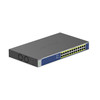
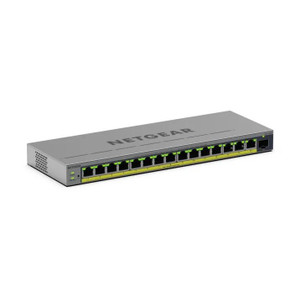
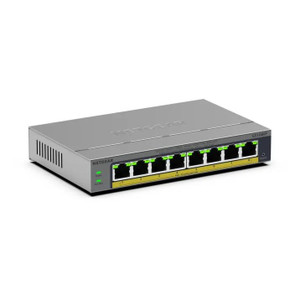
NETGEAR GS524PP-100NAS 24-Port Gigabit PoE+ Switch
Overview
The GS524PP-100NAS is a 24-port Gigabit Ethernet switch with integrated PoE+ (802.3at) on all 24 ports. It solves the core deployment problem: power and data distribution to distributed IP cameras and network devices without running separate power supplies to each device. At 190W total PoE budget, you can run approximately 15–18 full 802.3at cameras (30W each) or mix lighter PoE loads (12–15W domes, turrets, access control readers) across all 24 ports. The unmanaged architecture means zero configuration — plug in network cables and PoE devices, and they work immediately. Desktop or rack-mount form factor fits both server closets and equipment cabinets.
Compatibility
The GS524PP-100NAS works with any IP camera or PoE device that accepts 802.3at power input (48V DC). This includes Axis, Hikvision, Hanwha, Uniview, and Vivotek outdoor and indoor domes, bullets, turrets, and PTZ cameras that draw ≤30W per port. Also compatible with PoE-powered access control readers, IP intercoms, and wireless access points rated for 802.3at. Plug directly into standard RJ-45 ports — no special adapters or converters needed. If you have devices requiring PoE++ (802.3bt, 60–90W), this switch will not deliver that power; consider a PoE++ switch or separate injectors for high-power PTZ or specialty devices.
Installation Notes
Mount in a 19-inch rack (1U footprint) or sit on a shelf; includes mounting hardware for rack install. Run standard Cat5e or Cat6 Ethernet cables from the switch to each camera or PoE device — cable runs up to 100m (328 ft) are supported per Gigabit Ethernet specs. Verify your power supply can handle the total PoE load; simultaneous max draw is 190W. Use a UPS or managed power distribution if uptime during mains failure is critical. The switch itself requires 12V DC input (power supply included); locate it near a 120/240V outlet or battery backup.
What's in the Box
- 1x NETGEAR GS524PP-100NAS switch
- 1x 12V external power supply
- 1x mounting bracket kit (rack and desktop)
- Quick installation guide