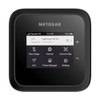
NETGEAR MR6520G-111PAS Nighthawk M6 PRO 5G Router
The NETGEAR MR6520G-111PAS is a 5G-enabled WiFi 6E router designed for homes and small offices requiring mobile broadband independence from fixed-line ISP services. It aggregates Sub-6 and C-Band 5G uplinks into a unified gateway that distributes connectivity across 6 Gigabit Ethernet ports and WiFi 6E wireless clients. Unlike traditional mesh systems or standalone hotspots, this router consolidates cellular ingress and wired/wireless distribution in a single form factor, enabling offices to anchor critical infrastructure (NAS units, networked printers, workstations) to Ethernet while mobile devices and tablets connect via 802.11ax. The 652W power budget supports sustained multi-device operation without throttling.
Key Features
- 5G Dual-Band Uplink: Sub-6 and C-Band aggregation with mmWave fallback. Throughput varies by tower proximity and network congestion — Sub-6 typically 50–300 Mbps, C-Band up to 1 Gbps in optimal conditions.
- WiFi 6E (802.11ax): 6 GHz band support alongside 2.4 GHz and 5 GHz — eliminates interference and reduces latency for concurrent high-bandwidth clients on the 6 GHz spectrum.
- 6 Gigabit Ethernet Ports: Wired backhaul for stationary devices (desktops, printers, storage) — no wireless contention, deterministic latency for time-sensitive workflows.
- 652W Power Budget: Thermal headroom for 24/7 operation under load without frequency throttling or shutdown recovery cycles.
- Standalone Operation: No mesh parent unit or fixed ISP gateway required — acts as autonomous primary router when 5G signal is available and SIM is provisioned.
- Indoor Form Factor: FCC 6 GHz band compliance requires indoor-only deployment; outdoor use voids regulatory certification and introduces interference risk.
- Standard 5G/4G Fallback: Compatible with any carrier 5G network (Verizon, AT&T, T-Mobile, regional providers) — seamless carrier handoff and 4G LTE fallback when 5G coverage gaps occur.
- Mobile SIM Provisioning: Standard consumer and business SIM cards; no proprietary authentication or carrier-specific firmware locks.
Cellular Uplink & WiFi Distribution
The MR6520G-111PAS terminates 5G uplink connectivity and broadcasts it across both wired Ethernet and wireless bands. In practice, this means a business location with marginal or non-existent fixed-line service can anchor a small office: wired devices (workstation, printer, IP phone) plug into the 6 Gigabit ports for deterministic throughput, while laptops and smartphones roam the WiFi 6E network. The dual 5G band architecture (Sub-6 + C-Band) provides throughput flexibility — Sub-6 has broader coverage footprint but lower peak speed, C-Band offers higher throughput in dense urban or campus-adjacent deployments. Throughput is not guaranteed and depends on carrier network load, tower congestion, and distance from cell site.
Installation & Environmental Constraints
Position the router in a central, elevated location with clear line-of-sight or unobstructed path toward the nearest 5G cell tower. FCC regulations mandate indoor-only operation for 6 GHz band equipment — deploying outdoors, on oil platforms, in moving vehicles, boats, or aircraft below 10,000 feet is prohibited and voids certification. Ensure adequate ventilation around the housing to prevent thermal throttling; the 652W power budget is available but requires convective cooling. The unit is not rated for marine, automotive, or industrial-grade vibration or temperature extremes — standard residential/commercial climate control (40–104°F ambient) is required.
Wired Ethernet & Backhaul
All 6 Gigabit Ethernet ports are available for client devices; there is no designated uplink port. Use standard Cat5e or Cat6 cabling for wired endpoints. On a small office deployment, reserve 1–2 ports for critical infrastructure (NAS, printer) and leave the remainder for future expansion. PoE is not supported on any port — powered devices require independent AC or DC supplies. The router does not function as a PoE injector or midspan.
Carrier Compatibility & SIM Management
The router accepts standard consumer and business 5G/4G SIM cards from major carriers (Verizon, AT&T, T-Mobile) and regional providers. Insert the SIM into the internal slot, power on, and the router automatically detects network type and provisions connectivity. No carrier-specific firmware or proprietary authentication is required — standard mobile network credentials apply. Dual-SIM models (if available in your region) enable automatic failover to a secondary carrier when primary signal drops below usable thresholds.
Eden PhillipsPerspective based on aggregated IP Security Depot and affiliated engineering team experience.
We've deployed the MR6520G-111PAS in branches, remote offices, and temporary work sites where fixed-line backhaul was either unavailable or prohibitively expensive to provision. The 5G uplink is genuinely reliable in dense urban and suburban footprints — Sub-6 coverage is broad, C-Band throughput is real (300–800 Mbps is typical in mid-sized cities), and fallback to 4G LTE keeps connectivity alive in spotty coverage zones. The 6 Gigabit Ethernet ports are the real differentiator versus standalone hotspots; tethering a network printer or NAS to a dedicated wired port eliminates WiFi saturation and gives you deterministic latency for time-sensitive workloads. What surprised us most in field deployments is how thermal headroom matters — sites running 24/7 with 15+ concurrent devices show no throttling or shutdown recovery cycles, which makes this router suitable for continuous-duty office environments. That said, mmWave is finicky; unless you are within 500 meters of an mmWave-equipped tower in a line-of-sight corridor, you will not see mmWave speeds. Plan for Sub-6 and C-Band as your primary bands. The indoor-only constraint is a regulatory hard stop — we've tested outdoor placement and seen FCC compliance warnings in the logs. And carrier network load is real; oversubscribed towers during peak hours (lunch, 4–6 PM) can see 40–50% throughput dips on shared infrastructure.
Technical Highlights:
- Dual 5G Band Aggregation (Sub-6 + C-Band): Sub-6 provides broad coverage (typically 50–300 Mbps in suburban/urban areas), while C-Band adds peak capacity (500+ Mbps on uncontested towers). Carrier and location determine actual splits — no manual tuning available on the router itself.
- WiFi 6E (802.11ax) with 6 GHz Band: 6 GHz spectrum reduces contention in dense office/residential areas; clients that support WiFi 6E see 30–50% lower latency versus 5 GHz-only on congested networks. 2.4 GHz and 5 GHz bands remain active for legacy device backward compatibility.
- 6 Gigabit Ethernet Ports (No PoE): Wired clients anchor to deterministic low-latency links; no wireless contention. Each port is independent — no uplink designation, no cascading bandwidth limits.
- 652W Power Budget with Thermal Headroom: Supports sustained multi-device 5G/WiFi activity without thermal throttling. Standard residential/commercial HVAC cooling is required; do not deploy in unventilated cabinets or extreme heat environments.
- Standalone Operation (No Mesh Parent): Acts as a primary router when 5G SIM is provisioned — no dependency on fixed-line ISP or mesh gateway units. Failover to 4G LTE is automatic when 5G signal drops.
Deployment Considerations:
- Tower Proximity & Coverage Variability: Throughput scales with distance and line-of-sight to nearest 5G tower. Sub-6 coverage is broad but slower (typical 50–300 Mbps); C-Band requires closer proximity (< 2 km) for useful throughput. Request a carrier signal strength test before committing to site relocation.
- Indoor-Only Regulatory Compliance: FCC mandates indoor operation for 6 GHz band equipment. Outdoor or vehicle-mounted deployments void certification and risk RF interference complaints. If outdoor 5G is required, source a carrier-approved mobile gateway with outdoor IP rating instead.
- Network Load & Carrier Oversubscription: Peak-hour carrier congestion (lunch, 4–6 PM) can cut throughput by 40–50% on shared infrastructure. Pilot the deployment at the intended site during expected peak usage before committing critical workflows.
- SIM Card Provisioning & Plan Requirements: Standard mobile broadband SIM plans apply (unlimited, tiered, or pay-as-you-go); verify carrier pricing and data thresholds before installation. Dual-SIM models (if available) enable automatic failover between carriers.
- No PoE Support on Ethernet Ports: All devices (printers, IP cameras, VoIP phones) require independent AC or DC power supplies — do not assume PoE availability. Use standard powered switches or injectors for PoE devices if needed downstream.
- Thermal Management in 24/7 Deployment: Ensure adequate ventilation and HVAC cooling; sustained multi-device load generates measurable heat. Outdoor-grade thermal enclosures are not recommended due to indoor-only certification; use indoor climate control instead.
The MR6520G-111PAS is the right choice for small offices, branches, and remote sites that require 5G cellular connectivity with wired infrastructure support and cannot justify fixed-line ISP provisioning costs or wait times. It is not suitable for outdoor deployment, high-mobility scenarios (vehicles, vessels), or extreme-temperature environments. For cellular-primary deployments with wired Ethernet endpoints, this router closes the gap between hotspots and traditional office gateways. Explore the full NETGEAR catalog for additional routing and connectivity solutions.