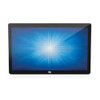
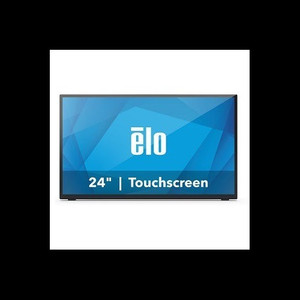
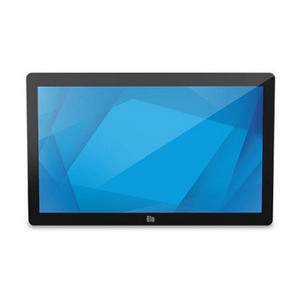
ELO Touch E126288 24-Inch Full HD Projected Capacitive Touch Monitor
Overview
The ELO Touch E126288 is a 24-inch Full HD (1920 × 1080) display built for point-of-sale and interactive kiosk environments where touch responsiveness and visual clarity matter. Model E126288 ships with a zero-bezel frame — important because the uninterrupted edge-to-edge surface reduces visual distractions and keeps the focus on your transaction or content. Projected capacitive 10-touch technology means the display responds to multiple simultaneous touches, a requirement if your workflow involves multi-finger gestures or concurrent operator input.
Key Features
- Projected Capacitive 10-Touch Input: Recognizes up to 10 simultaneous touch points. This matters for modern POS workflows or self-service kiosks where operators or customers may need to interact with multiple UI elements at once — no more single-touch bottlenecks.
- Full HD (1920 × 1080) Resolution: Adequate text and icon clarity at 24 inches. For typical POS applications, menu items, product images, and transaction details render without pixelation. If your deployment requires higher pixel density for small UI text or detailed graphics, this is a limitation worth noting.
- Zero-Bezel Frame Design: Eliminates the black border around the display perimeter. In multi-monitor setups or kiosk installations where screen real estate or visual continuity is critical, this design avoids the "frame gap" that can confuse end users or waste space.
- USB Connectivity: Simplifies integration with the host system. Touch events are transmitted via standard USB — no additional driver complexities beyond typical HID (Human Interface Device) support.
- VGA and HDMI Video Interface: Dual video inputs allow flexible source connectivity. HDMI is the modern standard for short-distance connections; VGA provides backward compatibility with legacy systems or existing cabling already in place. Choose the input that fits your infrastructure.
- No Stand Included: Ships as a display only. This is a cost optimization if you already have a compatible mount or stand, but means you'll need to source or mount hardware separately. VESA compatibility (if standard) would confirm desk arm or wall mount options, but exact VESA specification was not provided.
- Black Enclosure, Worldwide Specification: Standard color for professional environments. Listed as worldwide-compatible, meaning voltage/regulatory certifications cover typical global deployments.
Deployment Context
The E126288 suits countertop POS systems, self-service ordering kiosks, ticketing windows, and interactive display applications where reliability and multi-touch responsiveness are baseline expectations. Full HD resolution works well for standard UI layouts and transaction displays at typical viewing distances. If your deployment requires ultra-high DPI for small text (medical data entry, detailed design work) or significantly larger display real estate, a higher-resolution model or larger screen format may be more appropriate.
Integration & Compatibility
Because this is a display-only device (no embedded computing or processing), integration depends entirely on your host system. USB touch controller uses standard HID protocol, compatible with Windows, Linux, and other operating systems that support generic USB input devices. Video source can be any HDMI or VGA-equipped computer, media player, or industrial PC. Confirm your host system's USB port is available and your video source (HDMI or VGA adapter) connects cleanly to your infrastructure.
When to Choose a Different Model
If you need higher resolution for detailed content or small UI text, or if you require built-in computing (all-in-one POS terminals), consider alternatives in the ELO Touch product line that offer higher megapixel displays or integrated processors. For extreme durability in harsh, high-impact environments, confirm the impact rating and glass treatment of competing models against your specific washdown or dropping requirements.
Frequently Asked Questions
Q: Is the E126288 VESA-mountable?
A: VESA mount compatibility details were not provided in the available documentation. Contact the manufacturer or a pre-sales specialist to confirm VESA standard and available mounting options before purchasing a third-party mount.
Q: Does the E126288 work with all operating systems?
A: The USB touch controller uses standard HID (Human Interface Device) protocol, which is supported by Windows, Linux, and macOS. Video input (HDMI or VGA) depends on your host system's graphics output; confirm your source device has a matching port or adapter.
Q: Can I wall-mount the E126288?
A: The E126288 ships without a stand. Mounting will require a separate VESA-compliant wall or arm mount. Verify VESA compatibility with the manufacturer or your integrator before purchasing mounting hardware.
Q: What is the warranty on the E126288?
A: Full US warranty path is included with factory-new units sourced direct from the manufacturer or US direct manufacturer source. Contact the distributor for specific warranty duration and claim procedures.
The E126288 is a straightforward, no-frills 24-inch full HD touch display — and that simplicity is its strength in a POS or kiosk environment where you want one less thing to troubleshoot. The projected capacitive 10-touch technology is reliable once installed correctly; USB-driven input and dual video connectors (HDMI and VGA) give you flexibility in wiring, which reduces integration headaches on retrofit or mixed-vendor deployments.
Technical Highlights:
- 10-point Projected Capacitive Touch: Simultaneous multi-touch input is table-stakes for modern POS systems. You avoid the frustration of single-touch lag when operators or customers need to interact with multiple UI elements at once. Capacitive technology (versus resistive) also means no stylus required — fingertip input works cleanly.
- Dual Video Inputs (HDMI + VGA): HDMI is the connection you'll prefer for signal integrity and bandwidth; VGA is your fallback if your source hardware is older or you have legacy cabling already run to the display location. This redundancy is underrated and saves time on site visits when a single connector fails.
- Full HD at 24 Inches: 1920 × 1080 delivers about 92 pixels per inch at this diagonal — sufficient for transaction screens, menu layouts, and standard POS graphics. Don't expect medical-grade fine-detail rendering, but for retail and hospitality workflows, it's adequate.
Deployment Considerations:
- No Stand Included: You must provision mounting hardware separately. Factor in VESA compatibility verification and arm/wall bracket cost — this is an easy detail to overlook until the unit arrives at your site.
- USB Power and Connectivity: Confirm your host system provides sufficient USB bandwidth and power if the touch controller is bus-powered. Some industrial PCs or thin clients have limited USB ports; plan your cable runs accordingly.
Deploy the E126288 in retail countertop configurations, self-service kiosks, ticketing windows, or interactive digital signage where touch responsiveness and multi-user input matter. It's not overbuilt for harsh washdown environments or extreme impact scenarios, so if your location involves high water spray or frequent dropping, validate durability specs against competitor alternatives.