ATEN UC3430 4-Input HDMI to USB 4K Video Switcher
Overview
The ATEN UC3430 is a four-input HDMI video switcher that presents a single UVC/UAC USB video device to your host PC or Mac — no capture card drivers, no custom software required for basic operation. Designed for live streaming, virtual production, and AV-over-USB workflows, the UC3430 accepts HDMI sources up to 4096×2160 at 60p and passes the selected signal out over USB-C or USB-A as a standard UVC video stream with embedded audio. If you need to consolidate multiple cameras, presentation feeds, or video playback sources into a single USB capture endpoint, this is the device to evaluate. For broader ATEN AV and KVM solutions, explore the full catalog.
Key Features
- 4K60p HDMI Input Support: All four HDMI inputs accept signals up to 4096×2160 at 25/30/60p and 3840×2160 at 25/30/60p — covering both DCI 4K and UHD 4K source formats. Standard HD resolutions (720p50/60, 1080p25/30/50/60) are also supported, so mixing a 4K PTZ camera with a 1080p laptop output on separate inputs works without rescaling headaches. Input signals must be HDMI unencrypted (no HDCP-protected sources).
- UVC/UAC Plug-and-Play Output: The UC3430 enumerates as a standard USB Video Class and USB Audio Class device — meaning Windows 10 and above (with UVC/UAC v1.1) and macOS 10.13 and above recognize it without proprietary drivers. Any software that accepts a webcam or capture device (OBS, Teams, Zoom, Wirecast) can address it immediately. No driver installation step means faster deployment in managed IT environments.
- Unbalanced Audio Output via 6.35mm TRS: A dedicated analog audio output on a 6.35mm (quarter-inch) TRS connector lets you route program audio to a mixer or speaker system independently of the USB stream. Audio sampling is 16-bit PCM at 44.1 kHz and 48 kHz — standard rates compatible with broadcast and streaming workflows without sample-rate conversion artifacts.
- ATEN OnAir Lite App Integration: Windows 10 and above users can install the ATEN OnAir Lite app (available from the Microsoft Store) for scene switching, source management, and streaming controls beyond what bare UVC enumeration provides. Note that OnAir Lite is Windows-only; macOS users get clean UVC/UAC access but not the app-layer controls.
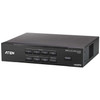
- Rack-Mount Form Factor: The UC3430 ships in a rack-mountable chassis — suitable for AV rack installations in broadcast control rooms, conference facilities, or production environments where desktop clutter is not acceptable. Rack integration keeps cabling organized and the unit accessible alongside other rack-mounted AV gear and network video recorders.
- Low Host Hardware Bar: Minimum host requirements are an Intel i3 dual-core at 2.8 GHz or higher with 4 GB RAM and a single USB-C or USB-A port. Most modern workstations and mini-PCs exceed this easily, but verify USB controller bandwidth if you are running multiple high-bandwidth USB devices on the same host — 4K60p USB video is bandwidth-intensive.
- Firmware Field-Upgradeable: Firmware v1.0.074 (released 2026-03-16) is the current release, and updates are delivered via zip package. Field firmware upgrades let you apply ATEN corrections and feature additions without returning the unit — relevant for deployed production environments where feature parity with evolving streaming platforms matters.
Integration and Compatibility
The UC3430 integrates into any UVC-aware streaming or conferencing stack on video conferencing platforms without additional middleware. On Windows, the OnAir Lite app adds a control layer on top of standard UVC. On macOS 10.13 and above, native UVC/UAC support handles basic capture. Sources must be HDMI unencrypted — plan your signal chain accordingly if any source (Blu-ray players, set-top boxes) outputs HDCP. For structured cabling and PoE switch planning in mixed AV/IP environments, verify that USB-C host ports on your capture workstation support the required bandwidth for 4K video throughput. The user manual (uc3430-user-manual-w.pdf, 7.62 MB, dated 2025-09-02) provides detailed connection diagrams and app configuration guidance.
Frequently Asked Questions
Q: Does the UC3430 work with macOS?
A: Yes — macOS 10.13 and above with native UVC/UAC support is compatible for capture. However, the ATEN OnAir Lite app is Windows-only (Windows 10 and above); macOS users get standard UVC device access without the app's scene-switching controls.
Q: Can the UC3430 accept HDCP-protected HDMI sources?
A: No. The UC3430 requires HDMI unencrypted input signals. Sources that output HDCP (Blu-ray players, certain streaming set-top boxes, some gaming consoles) will not pass through. Plan your source devices accordingly.
Q: What is the maximum input resolution the UC3430 supports?
A: The UC3430 accepts up to 4096×2160 (DCI 4K) at 25p, 30p, and 60p, as well as 3840×2160 (UHD 4K) at the same frame rates. Standard HD formats from 720p50 through 1080p60 are also supported.
Q: Does the UC3430 require a driver installation on Windows?
A: No driver installation is required. The UC3430 enumerates as a standard UVC/UAC v1.1 device on Windows 10 and above. The optional ATEN OnAir Lite app (downloadable from the Microsoft Store) adds scene and streaming controls but is not required for basic capture.
Q: What audio formats does the UC3430 support?
A: Audio is 16-bit PCM encoded at 44.1 kHz and 48 kHz sampling rates. An unbalanced analog output is available via a 6.35mm TRS connector for routing program audio to external mixers or monitor speakers.
Q: What are the minimum PC requirements to use the UC3430?
A: An Intel i3 dual-core processor at 2.8 GHz or higher, 4 GB RAM minimum, and one USB-C or USB-A interface are required. Windows 10 and above or macOS 10.13 and above is needed on the OS side.
The UC3430 solves a specific problem cleanly: you have four HDMI sources and need exactly one USB video device visible to your host — no driver negotiation, no proprietary capture SDK. The 4K60p ceiling on all four inputs means you are not artificially capped by the switcher if your sources and downstream workflow can handle it, and 16-bit PCM audio at both 44.1 and 48 kHz covers the two rates you actually encounter in broadcast and conferencing contexts without a sample-rate mismatch.
Technical Highlights:
- 4096×2160 @ 60p Input: DCI 4K at 60 frames is the ceiling — meaningful if you are switching between a high-frame-rate PTZ and a 4K presentation feed without stepping down to 1080p at the switcher level.
- UVC/UAC v1.1 Native Enumeration: Windows 10 and macOS 10.13 recognize the device without driver installation — removes the driver-compatibility variable from managed workstation deployments and simplifies IT approval workflows.
- 6.35mm TRS Analog Audio Out: Discrete analog output means you can split program audio to a physical mixer or IEM system without tapping the USB stream — useful in live production where latency on the USB audio path is unacceptable for in-ear monitoring.
Deployment Considerations:
- HDCP sources will not pass — audit every planned input device before installation. A single HDCP-locked source (a corporate laptop with certain HDMI drivers enabled) silently drops that input.
- OnAir Lite scene switching is Windows 10 and above only; if your production workstation runs macOS, you will need a third-party switcher app or rely on OBS/similar to manage input selection via the UVC device interface.
This unit fits well in fixed-install broadcast booths, corporate AV production racks, and house-of-worship video teams that have standardized on USB capture workstations and need a clean, driver-free way to switch between four HDMI camera or graphics feeds without adding a dedicated capture appliance per source.