
Best PoE Switches for Hotels
PoE switches for hotels and hospitality — powering guest-room and common-area Wi-Fi access points, cameras and VoIP, with VLANs separating guest and property networks.

Eden Phillips
Networking & Infrastructure Specialist · Working integrator
Bottom line
Hotel PoE switch selection hinges on guest-room density, temperature extremes (lobby vs. equipment rooms), and power-per-port budgets for APs and cameras. For typical mid-size properties, a managed 24-port PoE+ unit offers the right mix of density and redundancy; for edge deployments or outdoor/extreme-temp zones, ruggedized 8–11 port models with wide temperature ratings and dual power inputs are the practical choice.
What This Setup Needs
Choosing the right PoE switch for hospitality means balancing port count, power delivery per port, environmental tolerance, and management overhead—while keeping guest and staff networks isolated.
- Port count vs. physical space: Guest rooms typically need 1–2 PoE devices per room (AP + optional camera); calculate ports as (rooms × 2) + common areas (lobby, hallways, parking). A 24-port unit suits 10–15 rooms; 48-port for 20+ rooms or high-density venues. Oversizing avoids future restacking.
- Power budget per port: Modern Wi-Fi 6 APs draw 15–20 W; IP cameras 5–10 W; VoIP endpoints 5 W. PoE+ (30 W per port) is the practical minimum for mixed payloads. Verify that all ports deliver full wattage under load—some switches de-rate shared power across ports.
- Temperature rating and placement: Interior, climate-controlled rooms and lobbies tolerate 0°C–50°C (standard commercial range). Outdoor areas, equipment rooms, or unheated lobbies require -40°C capability. Check if the switch needs a sealed enclosure or can sit on a shelf; IP rating matters for pool-area or outdoor-facing installs.
- Managed vs. unmanaged: Unmanaged switches are cheaper and install faster but offer no VLAN support—critical for separating guest Wi-Fi from property networks. Managed switches cost more but let you isolate traffic and monitor link health; essential for 20+ room properties or PCI-DSS compliance.
- Redundant power input (AC/DC dual option): Hotels often have both AC mains and UPS backup. Switches with AC/DC inputs let you feed one rail from mains and one from UPS, ensuring uptime during power loss without a separate power supply unit.
- Bandwidth and backplane: For small properties (8–11 ports), gigabit switching is sufficient; for 24+ ports, confirm non-blocking backplane so all ports can transmit simultaneously without congestion. PoE power and data throughput are independent—a switch can be power-limited but bandwidth-rich.
- Management and monitoring: Web UI or SNMP access lets you troubleshoot power faults, check per-port wattage draw, and set up port profiles. In multi-switch setups (multiple floors or wings), centralized management or stack-capability reduces headaches.
Our Picks
Selected from our catalog by spec-fit. All channel-direct and factory-new — not ranked by price.
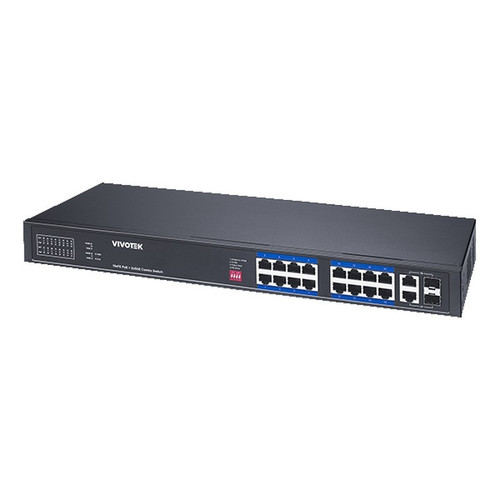
Vivotek IHT-1271
8-Port PoE
Vivotek's 8-port PoE+ unit is well-suited for small branch hotels, boutique properties, or single-wing expansions where space and cost are tight. The -40°C to 75°C rating makes it viable for unheated storage rooms or outdoor shelters; PoE+ delivers 30 W per port for modern APs and small cameras.
View product →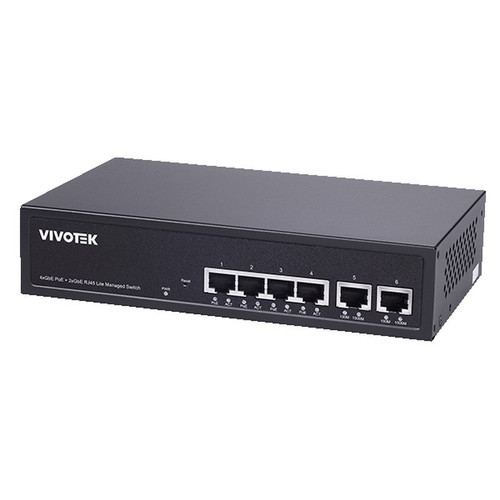
Vivotek GEV-288A-370
24-Port PoE
A 24-port PoE option that fits mid-size hotels (10–15 rooms per floor). Standard operating range (-10°C to 50°C) suits climate-controlled spaces; the 24-port density reduces floor footprint compared to stacked 8-port units and simplifies cabling to a single uplink.
View product →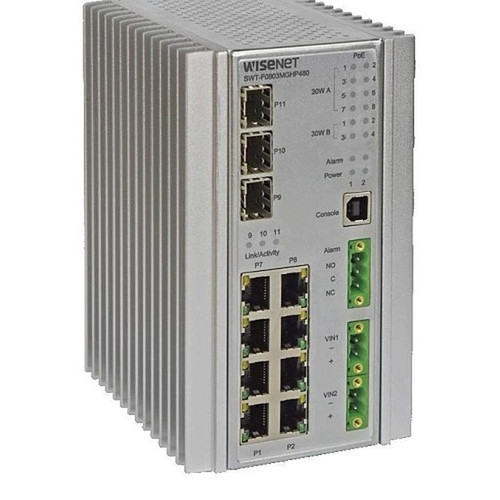
Hanwha SWT-F11MGHP
11-Port PoE
Hanwha's 11-port with AC/DC dual power input and -40°C to 75°C tolerance is a strong fit for properties with UPS backup or unstable mains power, and for equipment rooms in non-climate-controlled buildings. Port-level power limits (60 W on 1–4, 30 W on 1–8) require careful load planning but keep total draw manageable.
View product →
Hanwha SWT-G11MGHP
11-Port PoE
Similar to the F11MGHP in port count and temperature resilience (-40°C to 75°C), with AC/DC dual power for redundancy. The 11-port size bridges small single-room installations and larger properties; useful when you need edge switching with minimal power consumption in auxiliary spaces.
View product →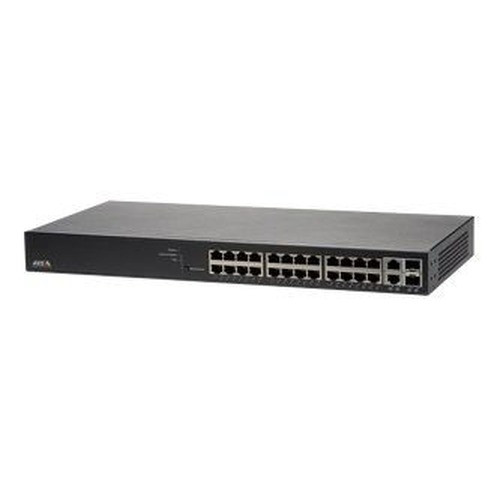
Axis T8524
24-Port PoE
Axis T8524's 24-port PoE+ with Axis ecosystem integration is well-suited for hotels standardized on Axis cameras and preferring single-vendor management. The 0°C to 50°C range is standard commercial; PoE+ ensures consistent power to APs and mid-range cameras across all ports.
View product →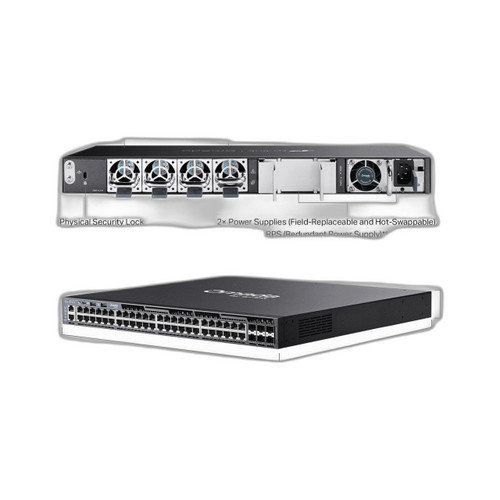
TP-Link SG6654XHP
48-Port non-PoE
TP-Link's 48-port PoE+ delivers high density for large hotels or properties with 20+ guest rooms per floor. All ports supply PoE+; the 48-port backplane reduces stacking footprint. Standard temperature range (typical 0–50°C) requires air-conditioned placement, but the cost-per-port is competitive for scaling.
View product →Frequently Asked Questions
Do I need a managed switch, or will unmanaged work for a small hotel?
Unmanaged switches are simpler and cheaper, but without VLAN support you cannot isolate guest traffic from property (staff, cameras, PMS) networks—a security and compliance issue. For any property with more than 5–6 rooms or that handles payment cards, a managed switch is essential. Even a low-cost managed unit lets you configure separate VLANs and monitor per-port power draw.
What happens if I exceed the power budget on a PoE switch?
Most managed PoE switches will selectively power-down ports or reduce power delivery to stay within the total wattage budget—you'll lose connectivity to some devices. Unmanaged switches may simply shut down without warning. Calculate your peak load (all APs + cameras on simultaneously) and choose a switch with at least 20% headroom; dual-power-input models give you the option to split the load across AC and UPS lines.
Can I use an 8-port switch and stack multiple units for a 24-room hotel?
Yes, technically, but it complicates cabling and management. Each stack requires separate power and uplinks to your core network; you lose the simplicity of a single managed unit. A single 24-port is usually better: fewer power cords, one management interface, and lower latency. Reserve stacking for geographic splits (different floors or buildings) where long cable runs are impractical.
Should I buy PoE+ or is standard PoE enough for hotel APs and cameras?
PoE+ (30 W per port) is the practical standard for modern deployments. Wi-Fi 6 APs and powered cameras increasingly approach or exceed 15–20 W; standard PoE (15 W per port) leaves no margin for future upgrades or simultaneous charging of nearby devices. PoE+ costs slightly more but future-proofs your installation.
Why does temperature rating matter if my hotel is always climate-controlled?
Equipment rooms, outdoor covered areas, unheated storage, and parking structures often lack full climate control. If you're consolidating switches in a central location or planning any outdoor AP coverage, the wider temperature range (-40°C to 75°C) gives you flexibility and prevents thermal shutdown during extreme heat or cold spells.
What's the difference between AC/DC dual-input and a single AC switch?
AC/DC dual-input lets you connect one power rail to mains and one to a UPS battery backup. If mains fails, the switch stays online. A single-AC switch will go offline unless you add a separate power conditioner (extra cost and bulk). For hotels where guest Wi-Fi and cameras must stay up during power events, dual-input is worth the investment.
Related Resources
- Network Switch comparisons — head-to-head spec matchups
- Network Switch Buying Guide for IP Cameras & PoE
- Best PoE Switch for a 16-Camera Install
- Best PoE Switch for an 8-Camera System
- All product comparisons
Speccing this for a project?
Send us your requirements and our senior specialists will confirm specs, compatibility, availability and pricing — free, usually within one business day. Channel-direct, factory-new, serving commercial integrators since 2014.
Get a Free QuoteComparing for a project?
Send us the models you are weighing and our team will confirm specs, compatibility, availability, and pricing — free, usually within one business day.