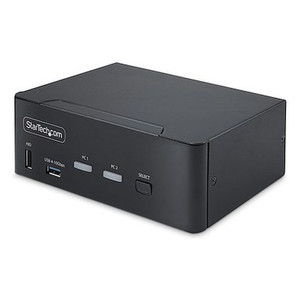
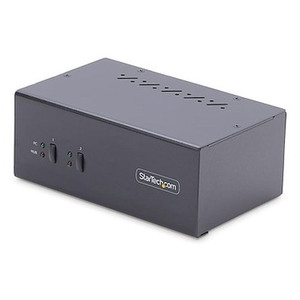
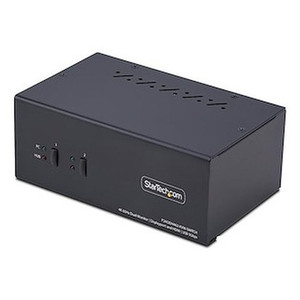
StarTech SV231QDPU34K 2-Port Quad-Monitor DisplayPort KVM Switch
Overview
The StarTech SV231QDPU34K is a 2-port KVM switch built for operators who run dual quad-monitor workstations off a single keyboard, mouse, and monitor set — think network operations centers, video wall control rooms, and multi-system security consoles where switching between two PCs or servers needs to happen without touching a single cable. Each port supports up to four DisplayPort monitors at 3840 x 2160 resolution at 60Hz, so a full 4K quad-display layout stays intact no matter which connected system is active. With SV231QDPU34K on the desk, an operator monitoring VMS workstations and a separate management PC can flip between both full 4-monitor sessions with one hotkey press or a front-panel button.
Key Features
- 2 KVM Ports, 4 Monitors Each: Switch between two source computers while keeping all four connected displays active on whichever system is selected — no need to re-arrange windows or re-detect monitors after a switch.
- 3840 x 2160 at 60Hz per Display: Full 4K at a true 60Hz refresh across all four monitors simultaneously, so video wall or multi-camera VMS layouts stay sharp and motion stays smooth instead of judder-prone 30Hz fallback.
- DisplayPort 1.2 with HDCP 2.2: Passes protected 4K content without triggering blank-screen HDCP handshake failures — relevant if any connected source plays back protected media or uses a DP 1.2-dependent GPU output mode.
- 2x USB 3.0 Hub Ports at 5Gbps: Share USB peripherals — external drives, capture dongles, badge readers — between both connected computers at full SuperSpeed throughput, not throttled down to USB 2.0 rates.
- 4x USB Type-A HID Ports: Connect keyboard, mouse, and other human-interface devices once and have them follow the active KVM selection automatically across both hosts.
- Hotkey and Push-Button Switching: Change the active computer from the keyboard or the unit's physical button — useful when a monitor is out of easy reach in a rack or console mount.
- Steel Housing: A metal enclosure holds up to continuous rack or console duty better than a plastic shell, and helps with EMI shielding around dense cable runs.
- Compact Footprint (6.3 x 3.9 x 3.6 in, 2.2 lb): Small enough to mount under a desk or tuck into a console shelf without eating usable rack or desk space.
- External 100-240V AC Power Supply: The 12V DC / 3A adapter accepts worldwide input voltage, so the same unit works on US or international mains without a separate power supply.
- 36W Power Consumption: Low enough draw that it won't be a meaningful factor in a console's overall power budget.
- 0~40C Operating Range: Rated for standard office and control-room environments; this is not an outdoor or unconditioned-space rated unit.
Integration & Compatibility
SV231QDPU34K is built around DisplayPort 1.2 video and standard USB HID, so it integrates with any two DisplayPort-equipped workstations or servers that need shared quad-monitor output — a common pairing in network video recorder and VMS control-room builds where an operator toggles between a live-monitoring PC and an administrative or backup system. Because switching is instant at the hardware level, there's no software agent or driver dependency tying it to a specific VMS platform. For sites planning a full console build-out, pairing SV231QDPU34K with a KVM switch lineup review and a PoE network switch for the camera side keeps video and control infrastructure cleanly separated. Review the VMS architecture guide when planning how many operator seats and switch units a control room actually needs, and browse the broader StarTech catalog for matching cabling and adapter accessories.
What's in the Box
Package contents were not confirmed in available manufacturer data for this listing.
Frequently Asked Questions
Q: How many monitors can the SV231QDPU34K drive per computer?
A: Up to four DisplayPort monitors per connected computer, each at up to 3840 x 2160 resolution at 60Hz.
Q: Does the SV231QDPU34K support 4K at full 60Hz refresh?
A: Yes — all four displays support 3840 x 2160 at 60Hz simultaneously via DisplayPort 1.2.
Q: How do I switch between the two connected computers?
A: Either a keyboard hotkey combination or the push-button control on the unit itself.
Q: What's the USB hub speed on the SV231QDPU34K?
A: The two USB 3.0 hub ports run at 5Gbps SuperSpeed, shared between the two connected computers.
Q: What power input does the SV231QDPU34K require?
A: An external adapter accepting 100-240V AC input and outputting 12V DC at 3A, drawing up to 36W.
Q: What's the warranty on the SV231QDPU34K?
A: 2 years.
What stands out on the SV231QDPU34K is that it holds 3840 x 2160 at a full 60Hz across all four monitors on both ports — a lot of 2-port KVMs quietly drop to 30Hz once you stack four displays per source, and that's a visible difference on a live video wall.
Technical Highlights:
- 4K60 x4 per port: Both connected computers keep native 3840x2160/60Hz across all four displays — no re-detection lag or resolution renegotiation on switch.
- DisplayPort 1.2 + HDCP 2.2: Handles protected content handshakes cleanly, which matters if any source GPU or playback app expects HDCP 2.2 compliance end to end.
- 5Gbps USB 3.0 hub: Two SuperSpeed ports mean shared peripherals (external storage, dongles) don't bottleneck down to USB 2.0 speeds when switched between hosts.
Deployment Considerations:
- Steel housing and a compact 6.3 x 3.9 x 3.6 in / 2.2 lb footprint make this an easy fit under a console desk or on a rack shelf near the operator position.
- Operating range is rated 0~40C — this is an indoor console unit, not something to place in an unconditioned equipment closet or outdoor enclosure.
I'd spec the SV231QDPU34K for a security operations center console where one operator needs to flip between a live VMS monitoring workstation and a secondary admin or backup server, without losing the quad-monitor 4K layout on either side of the switch.