StarTech P2DD46A22-KVM-SWITCH 2-Port Dual-Monitor DisplayPort KVM Switch
Overview
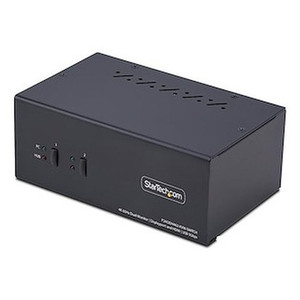
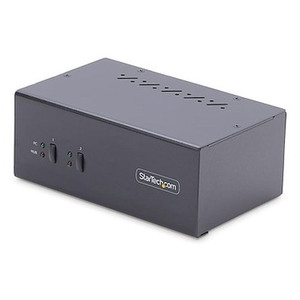
The StarTech P2DD46A22-KVM-SWITCH is a 2-port dual-monitor KVM switch built for desks running two computers against a matched pair of DisplayPort displays — think a trading desk, NOC workstation, or engineering bench where you need to jump between a primary workstation and a secondary machine (or a secure/air-gapped system) without unplugging cables or juggling a second keyboard and mouse. It routes video, USB 3.2 peripherals, and audio through a single push-button, hotkey, or OSD-driven switch, keeping both monitors in sync when you flip sources. This is a desktop utility switch, not a rack device — at 10.0 x 5.1 x 1.6 in and 2.4 lb, it sits comfortably next to a monitor stand or under a desk riser.
Key Features
- 2 KVM Ports: Connects two source PCs to one shared keyboard, mouse, and dual-monitor DisplayPort setup — the core use case for anyone running a primary and backup or isolated machine off the same desk.
- Dual-Monitor Support (2 Monitors): Both displays switch together as a matched pair, so you're not left with a mismatched single-source/dual-source screen split when you toggle between PCs.
- 4K 60Hz Maximum Resolution (3840 x 2160): Drives modern 4K monitors at full 60Hz refresh — important for anyone running CAD, video review, or multi-window desktop work where a dropped-down 30Hz signal would introduce visible motion judder.
- DisplayPort 1.2 Video Revision: Matches current DisplayPort display and GPU output standards, so compatibility with recent workstation and desktop graphics cards is not a guessing game.
- USB 3.2 Gen 1 PC Interface (5Gbps): Peripherals and USB storage connected through the switch run at full 5Gbps — meaningful if you're moving files off a USB drive or running a fast external SSD through the shared hub rather than a slow USB 2.0 bottleneck.
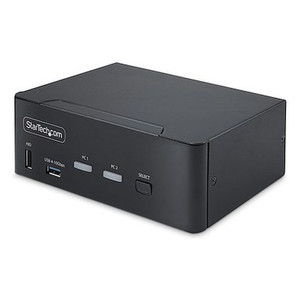
- Push Button, Hotkey, and OSD Port Selection: Three ways to switch sources — a physical button for quick manual swaps, keyboard hotkeys for switching without reaching for the device, and an on-screen display for confirming which PC is active without guesswork.
- Maximum Data Transfer Rate of 5Gbps: Sets the ceiling for connected USB peripherals and storage, keeping file transfers and peripheral response responsive under the switch rather than throttled down to legacy USB speeds.
- Universal Input Power (100-240V AC): Runs on any standard AC mains voltage worldwide, so the same unit works whether it's deployed domestically or shipped to an international office without a separate power adapter.
- 12V DC / 3A External Power Supply: Delivers stable power independent of USB bus power, which matters when driving dual 4K60 monitors and USB peripherals simultaneously — bus power alone typically can't cover that load reliably.
- Operating Range 0C to 40C, Storage -20C to 60C: Rated for standard office and light industrial environments — fine for a climate-controlled desk or equipment closet, but not intended for uncontrolled outdoor or extreme-heat installs.
- 0% to 90% RH Humidity Tolerance: Covers typical office and server-room humidity swings without added dehumidification, one less environmental variable to plan around.
- 2-Year Warranty: Backs the switch for two years from date of purchase, giving a defined coverage window for a device that's likely to sit in daily use on a workstation.
Integration & Compatibility
Because the P2DD46A22-KVM-SWITCH standardizes on DisplayPort 1.2 and USB 3.2 Gen 1, it pairs cleanly with most current desktop and workstation GPUs that output native DisplayPort — check that both source PCs and both monitors use DisplayPort connections, since this model is not an HDMI or DVI switch. It's a natural fit alongside a broader network switches deployment on the same desk or rack, and if you're standardizing multiple workstations at once, it's worth reviewing a PoE and network planning guide before finalizing cabling runs. For teams building out full StarTech desktop infrastructure, browse the complete StarTech catalog for matching docking stations, adapters, and cable management accessories, or check cables and adapters to confirm DisplayPort cable lengths before install. If this two-source model doesn't cover your seat count, look at a higher-port-count switch in the same StarTech family rather than daisy-chaining two 2-port units.
Frequently Asked Questions
Q: How many computers and monitors does the P2DD46A22-KVM-SWITCH support?
A: It supports 2 source PCs sharing one keyboard, mouse, and a pair of DisplayPort monitors (2 monitors, dual-monitor switching).
Q: What's the maximum resolution the P2DD46A22-KVM-SWITCH can pass through?
A: Up to 3840 x 2160 (4K) at 60Hz over DisplayPort 1.2.
Q: How do I switch between the two connected computers?
A: Three methods: the physical push button on the unit, keyboard hotkeys, or the on-screen display (OSD) menu.
Q: What's the warranty on the P2DD46A22-KVM-SWITCH?
A: 2 years from date of purchase.
Q: What USB speed do connected peripherals get through the switch?
A: USB 3.2 Gen 1, rated for up to 5Gbps data transfer.
Q: Does the P2DD46A22-KVM-SWITCH need its own power supply?
A: Yes — it uses an external power adapter accepting 100-240V AC input and outputting 12V DC at 3A, so it isn't limited to USB bus power alone.
What stands out on the P2DD46A22-KVM-SWITCH is that it drives dual 4K monitors at a full 60Hz through DisplayPort 1.2 — a lot of budget KVM switches cap out at 30Hz on 4K and nobody notices until they're scrolling a spreadsheet and it stutters. This one doesn't have that problem.
Technical Highlights:
- 3840 x 2160 @ 60Hz max resolution: Full 4K60 across both monitors simultaneously, not a downgraded fallback mode when both displays are active.
- USB 3.2 Gen 1 at 5Gbps: Shared peripherals and any USB storage routed through the switch keep full-speed transfer rates instead of bottlenecking at USB 2.0's 480Mbps.
- 12V/3A external power supply on 100-240V AC input: Sized to carry the load of dual 4K60 output plus USB peripherals without relying on marginal bus power, and the universal AC input means no voltage-specific SKU to track.
Deployment Considerations:
- Both source PCs and both monitors need to be DisplayPort — there's no HDMI or DVI path on this model, so confirm your GPU outputs before ordering.
- At 0C to 40C operating range, this is a desk or equipment-room device, not something to mount in an uncontrolled outdoor enclosure.
Good fit for a dual-PC workstation setup — a trader or engineer running a primary machine plus a secondary or isolated system off the same two monitors, switching sources with a hotkey instead of physically swapping cables.