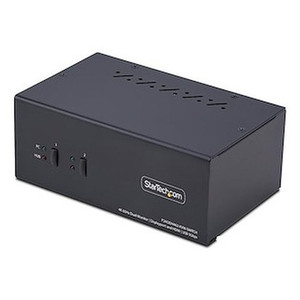
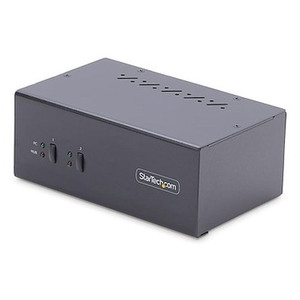
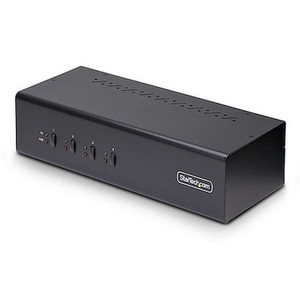
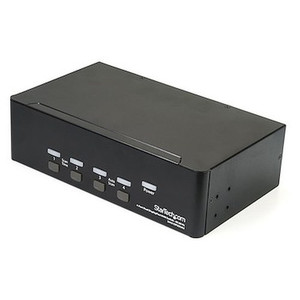
StarTech P2CDD143-KVM-SWITCH 2-Port Dual-Monitor DisplayPort 1.4 KVM Switch
Overview
The StarTech P2CDD143-KVM-SWITCH is a two-port, dual-monitor KVM switch built for workstations where display fidelity is non-negotiable. It supports DisplayPort 1.4 across both monitor outputs, delivering 8K at 60Hz or 4K at 144Hz — the kind of resolution and refresh-rate headroom that matters for CAD, video production, and high-density security monitoring workstations that drive multiple large displays. Switching between two connected PCs takes either a front-panel push button or keyboard hotkeys, keeping hands off the mouse during transitions. The enclosure is all-metal, which handles the heat dissipation and physical durability demands of a device running at up to 36W continuously on a desktop or rack shelf.
Key Features
- DisplayPort 1.4 at 8K 60Hz / 4K 144Hz: Both monitor ports carry full DP 1.4 bandwidth, so you're not downscaling or frame-capping when you switch. If you're driving a pair of 4K 144Hz monitors for a high-refresh editing or monitoring rig, both screens stay at full spec on whichever PC is active — no resolution compromise on switch.
- USB 3.2 Gen 2 at 10Gbps (2x USB-A): The two high-speed USB-A ports on the console side run at 10Gbps, which means an attached NVMe enclosure or high-speed capture device stays usable without saturating the connection. This is the spec that separates this switch from older USB 3.0 KVMs where external storage felt sluggish.
- 4x USB-A HID Ports: Four additional USB-A ports handle keyboard, mouse, and any low-speed peripherals. Separating HID from high-speed USB means hotkey switching doesn't interfere with data transfers in progress on the 10Gbps ports.
- Dual-Monitor Console Output: Two DisplayPort outputs on the console side means both monitors switch simultaneously with a single keypress or button press — you don't need to manually swap display cables or manage separate KVM units per screen.
- 3.5mm Stereo Audio Port: The single 3.5mm stereo female jack on the console side lets you connect headphones or powered speakers that follow the active PC. For workstations where audio context matters (video review, call center supervisor stations), this keeps audio and video in sync across both machines.
- Push Button and Hotkey Switching: Both switching methods are supported simultaneously. Push button works when you're at the desk; hotkeys work when you don't want to reach for the unit. No configuration required to use either method.
- ESD Protection (8kV Air / 6kV Contact): The 8kV air discharge and 6kV contact ESD ratings give the switch meaningful protection against static events common in carpeted offices or low-humidity environments — the kind of spec that reduces unexpected resets or port damage in real-world deployments.
- Wide Input Voltage (100–240V AC): The universal power input handles any standard outlet worldwide without a voltage converter. The included power supply steps down to 12V DC at 3A for the switch itself.
- Metal Enclosure: The all-metal chassis handles both heat dissipation at 36W operating power and physical durability at a shared workstation. Plastic-body KVMs at this power level tend to run hot and warp over time.
- Operating Temperature 0°C to 40°C: Rated for standard office and control-room environments. Not rated for uncontrolled industrial environments — deploy in conditioned spaces.
Integration and Compatibility
The P2CDD143-KVM-SWITCH connects two PCs via their DisplayPort outputs and shares the console (two monitors, keyboard, mouse, USB peripherals, and audio) between them. Each PC needs two DisplayPort outputs to fully populate both monitor connections. The 10Gbps USB 3.2 Gen 2 ports on the console side support attached storage, docking accessories, and high-bandwidth capture devices without bottlenecking. The HID USB ports handle standard keyboards and mice. Hotkey switching is a built-in feature requiring no driver installation on supported operating systems — the switch operates at the hardware level. Power is drawn from the included external adapter (12V DC, 3A); the switch does not draw power from the host PCs' USB buses. The compact footprint — 6.3 in × 3.9 in × 2.4 in at 1.7 lb — fits on a desk surface or a shallow rack shelf without requiring a dedicated rack unit. P2CDD143-KVM-SWITCH (often searched as P2CDD143 KVM SWITCH) is compatible with any host system presenting standard DisplayPort 1.4 and USB outputs.
Frequently Asked Questions
Q: What is the maximum supported resolution on the P2CDD143-KVM-SWITCH?
A: The switch supports up to 8K at 60Hz or 4K at 144Hz per monitor via DisplayPort 1.4. Both monitor outputs carry full DP 1.4 bandwidth simultaneously.
Q: How many USB ports are available on the console side?
A: There are six USB-A ports total on the console: two USB-A ports running at USB 3.2 Gen 2 (10Gbps) for high-speed peripherals and storage, plus four USB-A HID ports for keyboard, mouse, and low-speed devices.
Q: Does the P2CDD143-KVM-SWITCH require driver installation to use hotkey switching?
A: The switch operates at the hardware level. Hotkey and push-button switching do not require driver installation — the unit handles input switching independently of the host operating system.
Q: What power supply does the P2CDD143-KVM-SWITCH use?
A: It uses an external AC adapter with a universal input of 100–240V AC, outputting 12V DC at 3A. The switch does not draw power from the connected PCs' USB ports.
Q: Can the P2CDD143-KVM-SWITCH be used in an industrial or uncontrolled environment?
A: The operating temperature range is 0°C to 40°C, which covers standard office and conditioned control-room environments. It is not rated for uncontrolled industrial spaces with temperatures outside that range.
Q: What is the warranty on the P2CDD143-KVM-SWITCH?
A: StarTech provides a 2-year manufacturer warranty on this product.
The spec that makes the P2CDD143-KVM-SWITCH worth evaluating seriously is the USB 3.2 Gen 2 throughput at 10Gbps on the two high-speed console ports. Most dual-monitor KVMs in this class still ship with USB 3.0 (5Gbps) on the data ports, which creates a real bottleneck the moment you attach an external NVMe drive or a high-bandwidth capture card. At 10Gbps, that constraint disappears — and paired with DP 1.4's 4K 144Hz capability, this unit can anchor a genuinely high-performance shared workstation rather than just a display-switching convenience.
Technical Highlights:
- DisplayPort 1.4 Bandwidth: Supports 8K 60Hz or 4K 144Hz per output — both screens run at full spec on the active PC, with no resolution or refresh-rate penalty on switch.
- USB 3.2 Gen 2 at 10Gbps: Two dedicated high-speed USB-A ports on the console side handle external storage or capture peripherals at full 10Gbps throughput, separated from the four HID ports to prevent data interruption during PC switching.
- ESD Protection: 8kV air / 6kV contact discharge ratings are meaningful in shared workstation environments where static events from repeated handling are a real risk — not just a checkbox spec.
Deployment Considerations:
- Each connected PC requires two DisplayPort 1.4 outputs to populate both monitor connections fully. Confirm your workstation GPU outputs before ordering — a single DP + HDMI system won't work here without an active adapter, which can affect refresh-rate support.
- The 36W power draw means this unit must run from the included external adapter — it is not bus-powered. Budget a dedicated outlet at the workstation, and verify the 12V 3A adapter is present in the box before first install.
This switch fits best in a dual-operator broadcast editing suite, a security operations center supervisor station, or a CAD workstation where two engineers share a high-refresh dual-display setup and need fast, no-lag switching without downgrading their display pipeline.