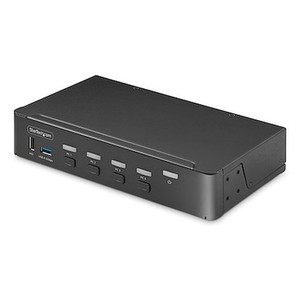
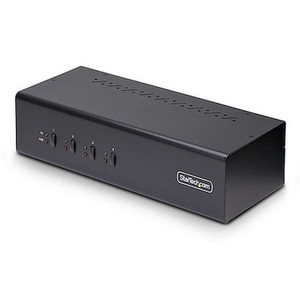
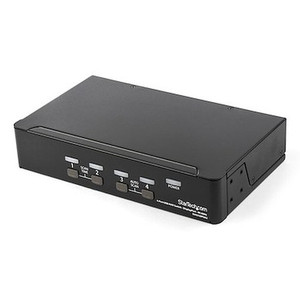
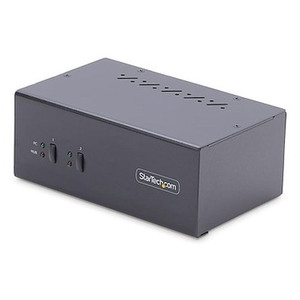
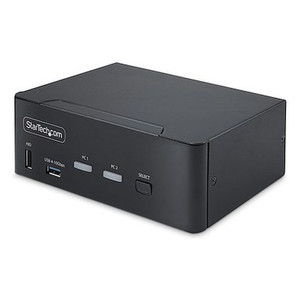
StarTech SV431DPDDUA2 4-Port Dual DisplayPort 4K 60Hz KVM Switch
Overview
The StarTech SV431DPDDUA2 is a 4-port KVM switch built for workstations and control room desks running two high-resolution monitors simultaneously. It lets a single operator control up to four computers — keyboard, mouse, and dual displays — without rewiring anything. Each connected PC outputs to two DisplayPort monitors at up to 3840x2160 at 60Hz, which means you keep full 4K sharpness on both screens regardless of which source you've switched to. If you're managing multiple servers at a trading desk, a broadcast control room, or a security operations workstation, this is the hardware layer that eliminates the extra keyboards and monitors without any video downgrade.
Key Features
- Dual 4K 60Hz DisplayPort Output: Both console display ports drive 3840x2160 at 60Hz — not 30Hz, not 4K with a refresh penalty. For video wall management, color-graded media, or security footage review, frame rate matters as much as resolution. You won't be looking at stuttery 4K here.
- 4-Computer Source Switching: Switch between four PCs from a single console. At a security operations center with a dedicated VMS workstation, an admin PC, a spare, and a remote viewer, that's four distinct machines on one desk with no manual cable swaps.
- Push Button and Hotkey Port Selection: Front-panel push buttons handle quick switching when you're at the desk; hotkey sequences let you switch without lifting your hands from the keyboard. Both methods are confirmed supported — useful in environments where operators need fast transitions.
- USB 2.0 Keyboard and Mouse Console: The console side provides two USB Type-A ports for HID devices plus two additional USB Type-A ports, delivering up to 500 Mbps data transfer. Standard USB peripherals work without drivers or special firmware — straightforward to deploy in locked-down enterprise environments.
- Dual 3.5mm Audio: Two 3.5mm mini-jack ports on the console handle headset or speaker audio per source, so your audio follows the active computer without a separate audio switcher. Useful in monitoring stations where alert tones or intercom audio are PC-sourced.
- Universal AC Input (100–240V): The internal power supply accepts 100–240V AC at 0.6A input and outputs 12V DC at 1.5A, drawing 18W total. That's a standard IEC input you can plug into any regional outlet without a step-down transformer — relevant for deployments in mixed-voltage facilities or international installations.
- Compact Desktop Form Factor: At 8.5 x 5.0 x 2.5 inches and 2.6 lbs, this unit sits on a desk or mounts in a shallow shelf without dominating the workspace. Control room builds with limited desk real estate benefit from the footprint.
- 0°C to 40°C Operating Range: Rated for standard office and control room environments. Not hardened for outdoor or industrial enclosures — keep it in a temperature-controlled space and it will run without thermal issues.
Integration and Compatibility
The SV431DPDDUA2 connects to host PCs via DisplayPort video cables and USB Type-B (PC side) for HID control. Each of the four PC ports carries display and USB signals, so the cable run per machine is two cables minimum. The console side exposes two DisplayPort outputs for your monitors, two USB Type-A ports for keyboard and mouse, two additional USB Type-A ports, and two 3.5mm audio jacks. Standard DisplayPort 1.2 or higher monitors at 4K 60Hz are required to realize the full resolution output — connecting a lower-spec monitor won't break the switch, but you'll cap at that monitor's native resolution. USB 2.0 HID devices (keyboards, mice, and compatible peripherals) connect directly without any additional software layer in most enterprise OS environments.
Frequently Asked Questions
Q: What is the maximum resolution the SV431DPDDUA2 supports?
A: The SV431DPDDUA2 supports up to 3840x2160 (4K UHD) at 60Hz on both DisplayPort console outputs simultaneously.
Q: How many computers can I connect to the SV431DPDDUA2?
A: The SV431DPDDUA2 supports four host computers (PC ports), all shareable from a single keyboard, mouse, and dual-monitor console.
Q: What switching methods does the SV431DPDDUA2 support?
A: You can switch between sources using front-panel push buttons or keyboard hotkey sequences — both methods are supported.
Q: Does the SV431DPDDUA2 require external power?
A: Yes. The unit includes an internal power supply accepting 100–240V AC and consuming 18W. It is not bus-powered through USB.
Q: What is the warranty on the SV431DPDDUA2?
A: The SV431DPDDUA2 carries a 2-year manufacturer warranty.
Q: Does the SV431DPDDUA2 support audio switching?
A: Yes. Two 3.5mm mini-jack ports on the console side handle audio, so sound follows the active computer source without a separate audio switcher.
The SV431DPDDUA2 is one of the few desktop KVM switches I'd confidently recommend for a dual-display 4K 60Hz security operations workstation. The 3840x2160 at 60Hz spec on both console outputs is the differentiator here — a lot of competing units cap at 30Hz at 4K, which creates visible judder when panning through live camera feeds or scrubbing recorded footage. That's not acceptable at a serious monitoring station.
Technical Highlights:
- Dual 4K 60Hz Output: Both DisplayPort console ports sustain 3840x2160 at 60Hz — critical for VMS operators reviewing high-resolution footage across two screens without refresh degradation.
- 500 Mbps USB Data Rate: USB 2.0 at 500 Mbps on the console is sufficient for HID devices and most KVM use cases; don't plan to use these ports for bulk USB storage transfers to a server, but for keyboard and mouse they're solid.
- 18W Total Power Draw: At 18W from a 100–240V universal input, this switch adds minimal load to a UPS-protected control room circuit — easy to account for in power budgeting for a protected workstation rack or desk PDU.
Deployment Considerations:
- Plan your cable runs before mounting: each of the four PC connections requires a separate DisplayPort cable plus a USB cable back to the host. In a rack-adjacent desk build, use right-angle DP connectors on the switch side to manage bend radius cleanly.
- The 0–40°C operating range is standard office spec — if this switch is going into a comms closet or equipment room without active cooling, verify ambient temperature before installing. It's not rated for elevated-temperature environments.
For a four-operator-seat security control room where each seat rotates between a VMS workstation, an access control terminal, and a spare administrative PC on a dual-4K display setup, the SV431DPDDUA2 is the right tool — it eliminates four extra monitor pairs and keeps the operator experience consistent across every source switch.