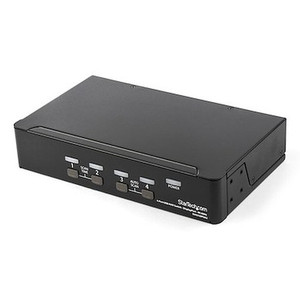
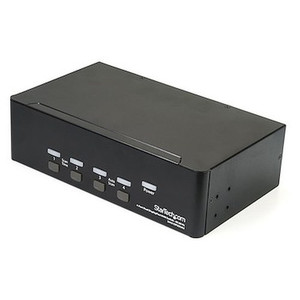
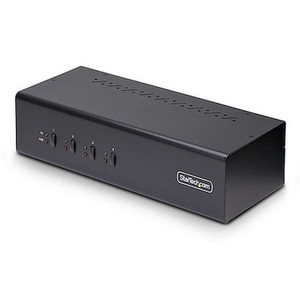
StarTech P4AD122-KVM-SWITCH 4-Port DisplayPort KVM Switch with USB 3.2 and 4K Support
Overview
The StarTech P4AD122-KVM-SWITCH is a four-port, single-monitor KVM switch built around DisplayPort 1.2 and USB 3.2 Gen 1 — the right hardware for IT workstations, engineering stations, or control room desks where you need to drive one high-resolution display from up to four computers without repatching cables. At 4096x2160 @ 60Hz, it covers 4K workflows cleanly, and because it requires no drivers or software, it commissions in minutes on any OS.
The metal chassis, 8kV air / 6kV contact ESD protection, and wide 100–240V AC input range make the P4AD122-KVM-SWITCH a practical fit for commercial environments where equipment longevity and input flexibility matter. Port switching is handled by front-panel push buttons or keyboard hotkeys — no mouse clicks, no application to manage.
Key Features
- 4K DisplayPort 1.2 at 60Hz: Maximum resolution of 4096x2160 at 60 frames per second means full 4K content renders without dropped frames — relevant for CAD, video editing, or dense surveillance VMS layouts where you need every pixel of a 4K monitor working for you.
- USB 3.2 Gen 1 (5Gbps) host interface: Each of the four computers connects via USB 3.2 Type-B at 5Gbps, so USB 3.x peripherals shared through the console — external drives, high-speed card readers — move data at real USB 3 speeds rather than being throttled to USB 2. The console side provides two USB 3.2 Type-A ports for exactly this use case.
- Four additional USB 2.0 console ports: The console interface includes four USB 2.0 Type-A ports alongside the two USB 3.2 ports — enough to handle keyboard, mouse, and two additional peripherals simultaneously without a hub in the chain.
- Analog and DisplayPort audio switching: Both a DisplayPort audio path (2-channel) and a 3.5mm analog stereo output are present on the console side, with 3.5mm stereo inputs on each of the four host connections. Audio follows the active port, so you get clean audio handoff between systems without a separate audio switch.
- Push-button and hotkey port selection: Switch between computers using front-panel buttons or configurable keyboard hotkeys — useful in control room or NOC environments where taking your hands off the keyboard to click a mouse defeats the purpose of a KVM.
- No drivers or software required: Works on any OS at plug-in without a driver installation step. In multi-OS environments (Windows, Linux, macOS on different nodes), this eliminates compatibility headaches during commissioning.
- ESD protection — 8kV air, 6kV contact: Built-in ESD protection at these levels reduces the risk of switching-induced damage to connected workstations, which matters in raised-floor data center environments or dry climates where static discharge is a real concern.
- Wide-input power supply — 100–240V AC: The included 12V DC / 3A power supply (36W max consumption) accepts any mains voltage globally, so the same unit deploys across international sites without a step-down transformer.
- Metal chassis: Unlike plastic-bodied consumer KVM units, the all-metal enclosure handles the minor physical abuse of a shared desk environment — cable tension, accidental impacts — without flex or cracking over time.
Integration and Compatibility
The P4AD122-KVM-SWITCH connects up to four computers via DisplayPort and USB 3.2 Type-B, and presents a unified console of one DisplayPort monitor output, six USB ports (2x USB 3.2 + 4x USB 2.0), and a 3.5mm audio jack. Because it operates without drivers, it is compatible with any keyboard and mouse that enumerates as a standard HID device, and any monitor with a DisplayPort 1.2 input. Operating temperature range is 0°C to 40°C — standard for conditioned office and control room spaces. It is not rated for industrial or unconditioned environments. If your rack or desktop workspace needs a structured DisplayPort KVM solution that also shares USB 3.x storage, this model covers that combination without a separate USB hub or audio switch. For multi-monitor setups or deployments requiring video output to more than one display per connected PC, this single-output model is not the right fit — consider a multi-monitor KVM switch with dual or quad video outputs instead.
Frequently Asked Questions
Q: Does the P4AD122-KVM-SWITCH support 4K at 60Hz?
A: Yes. The maximum supported resolution is 4096x2160 at 60Hz over DisplayPort 1.2.
Q: Do I need to install drivers or software to use this KVM switch?
A: No. The P4AD122-KVM-SWITCH requires no drivers or software on any connected operating system. It enumerates as a standard HID device on plug-in.
Q: How many USB ports are available on the console (shared) side?
A: The console provides six USB ports total: two USB 3.2 Gen 1 Type-A ports (5Gbps) and four USB 2.0 Type-A ports — plus one 3.5mm stereo audio output and one DisplayPort video output.
Q: What is the warranty on the P4AD122-KVM-SWITCH?
A: StarTech provides a 2-year manufacturer warranty on this unit.
Q: Can I switch between computers without a keyboard or mouse using the KVM?
A: Yes. The front panel includes push buttons for direct port selection, so you can switch the active computer without using hotkeys or any connected input device.
Q: Does this KVM switch support more than one monitor per computer?
A: No. The P4AD122-KVM-SWITCH provides a single DisplayPort console output, meaning one monitor is shared across all four connected computers. For multi-monitor configurations, a different model with multiple video outputs is required.
The spec that actually defines this unit's deployment fit is the USB 3.2 Gen 1 host interface running at 5Gbps per port — the P4AD122-KVM-SWITCH is one of the few four-port DisplayPort KVMs in this form factor that doesn't throttle shared USB peripherals back to USB 2.0 speeds. If you're sharing an external SSD or a high-speed card reader across workstations, that distinction is immediate and measurable.
Technical Highlights:
- 4096x2160 @ 60Hz DisplayPort 1.2: Full 4K throughput without frame rate compromise — this is the ceiling for current 4K/60 content pipelines and covers most professional display use cases without needing DisplayPort 1.4.
- 6 console USB ports (2x USB 3.2 + 4x USB 2.0): Enough to run keyboard, mouse, and still have three ports free for peripherals — without adding a hub to the console desk, which introduces another failure point.
- 8kV air / 6kV contact ESD protection: Switching between computers repeatedly in a dry environment creates static discharge risk. This protection level is meaningful in raised-floor server rooms or facilities with low humidity.
Deployment Considerations:
- The 36W power draw requires the included 12V/3A barrel-connector supply — plan for a dedicated outlet or a UPS tap. This is not a bus-powered unit and will not function without external power, even if connected computers are on.
- Operating temperature ceiling is 40°C — fine for conditioned office and control room environments, but do not deploy this in an unconditioned equipment closet or outdoor enclosure without active cooling.
This unit fits cleanly in a security operations center or engineering workstation cluster where four Linux or Windows machines share one 4K display and a common set of USB 3.x peripherals — the driver-free operation means it won't create OS-specific issues during a mixed-platform rollout.