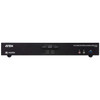
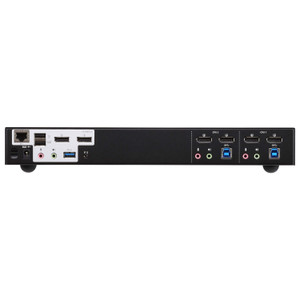
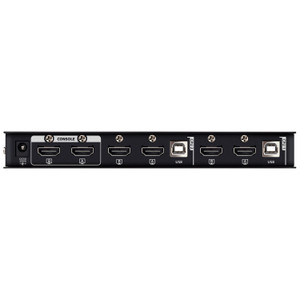
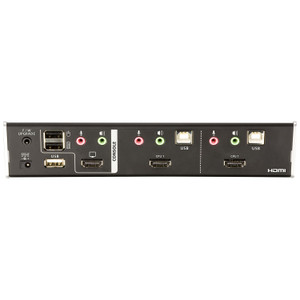
ATEN CS1842 2-Port USB 3.0 4K HDMI Dual-Display KVMP Switch
Overview
The ATEN CS1842 is a 2-port dual-display KVMP switch that handles 4K HDMI video at up to 4096 x 2160 @ 60 Hz — letting you drive two monitors from a single keyboard, mouse, and USB hub while switching cleanly between two computers. It's the right tool for power users and engineers who run a workstation alongside a server or secondary machine and can't afford the desk footprint or workflow friction of two full input setups. ATEN's KVM switch lineup covers everything from desktop to rack-mounted configurations; the CS1842 lands in the desktop/rack-convertible tier aimed at dual-display workstation environments.
The integrated USB 3.1 Gen1 hub means peripherals like external drives or cameras connected to the switch transfer at up to 5 Gbps regardless of which computer is active — no unplugging and re-plugging when you switch sources. That alone justifies the step up from a passive KVM in any workflow involving frequent file transfers between machines.
Key Features
- Dual 4K HDMI Output at 60 Hz: Supports up to 4096 x 2160 @ 60 Hz across both display outputs — true 4K DCI resolution at full frame rate. For CAD, video editing, or security workstation environments running high-resolution layouts, this eliminates the frame-rate compromise you'd see on cheaper switches capped at 30 Hz at 4K. Also supports 2560 x 1440 @ 144 Hz, which matters for operators who prefer high-refresh QHD monitors for fluid cursor tracking.
- Five-Method Port Selection: You can switch between computers via front-panel pushbutton, keyboard hotkey, mouse (scroll wheel or button combo), RS-232 serial commands, or an external Remote Port Selector. The RS-232 command path is particularly useful in rack or broadcast environments where the switch is mounted out of arm's reach and needs to be driven by an automation controller or script — most desktop KVMs don't offer this.
- USB 3.1 Gen1 Hub (2 Ports): Two Type-A USB 3.1 Gen1 ports (one front, one rear, both blue) follow the active computer, so a USB drive or webcam connected to the switch is always visible to whichever machine is selected. Front port is handy for quick-connect peripherals; rear port suits always-on devices like a hardware security key or audio interface.
- Slide Switch Station Selection: A dedicated slide switch on the unit provides direct, tactile station control independent of hotkey sequences — useful in environments where keyboard shortcuts conflict with application bindings or where operators prefer a physical control they can identify by touch.
- Configurable Scan Interval (1–99 Seconds): The auto-scan interval is adjustable from 1 to 99 seconds (default 5 sec), so you can set a pace that matches your monitoring cadence without constant manual switching. Useful for supervision workflows where you need periodic visual confirmation across both sources.
- Audio Pass-Through (3.5 mm): Three 3.5 mm audio connections (green) follow the active port, keeping your speakers or headset tied to whichever computer is in focus without a separate audio switcher. Eliminates a common source of desk clutter in dual-machine setups.
- Firmware Upgradeable: The switch supports field firmware upgrades (current release v1.1.107, dated 2025-08-01) via a shared firmware package that also covers the CS1844. This means bug fixes and compatibility improvements can be applied without replacing hardware — relevant for long-lifecycle deployments in enterprise or broadcast environments.
- Humidity Tolerance 0–80% RH Non-Condensing: Rated for standard commercial environments up to 80% relative humidity without condensation — suitable for typical office, control room, or server room conditions. Not rated for wet or outdoor environments.
Integration and Compatibility
The CS1842 connects to host computers via USB (keyboard and mouse) and dual HDMI, making it compatible with any modern workstation, server, or mini-PC with HDMI output. The RS-232 command interface allows integration with room control systems, broadcast switchers, or custom automation scripts — a meaningful advantage over hotkey-only switches in managed environments. Explore desktop KVM switches for side-by-side comparison with other port counts and connector types in the same family.
The USB 3.1 Gen1 hub is fully compatible with standard USB-A peripherals; no special drivers are required for basic hub operation. For firmware updates, the shared cs1842-cs1844-v1.1.107.zip package covers both the 2-port and 4-port variants of this family — useful to know if you're deploying both models in the same environment, as a single firmware management workflow covers both. Review rack-mount KVM solutions if your deployment requires centralized multi-server switching beyond two sources.
For workstation deployments that also involve peripheral management, pairing the CS1842 with a dedicated USB hub downstream of the built-in hub ports extends connectivity further without sacrificing the switching benefit. If your environment requires audio routing beyond the built-in 3.5 mm pass-through, consult your audio infrastructure before assuming the switch alone covers all signal paths.
Frequently Asked Questions
Q: What is the maximum video resolution supported by the CS1842?
A: The CS1842 supports up to 4096 x 2160 at 60 Hz on both HDMI outputs. It also supports 2560 x 1440 at 144 Hz for high-refresh-rate QHD monitor setups.
Q: How many ways can I switch between computers on the CS1842?
A: Five methods are supported: front-panel pushbutton, keyboard hotkey, mouse action, RS-232 serial commands, and an external Remote Port Selector. The RS-232 option is particularly useful for rack-mounted or automation-controlled environments.
Q: Does the CS1842 include a USB hub, and what speed does it support?
A: Yes. The CS1842 includes two USB 3.1 Gen1 Type-A ports (one on the front panel, one on the rear), both operating at up to 5 Gbps. The active hub follows whichever computer port is currently selected.
Q: Can the CS1842 firmware be updated in the field?
A: Yes. ATEN provides field-upgradeable firmware; the current release is v1.1.107 (released 2025-08-01). The firmware package (cs1842-cs1844-v1.1.107.zip) covers both the CS1842 and the CS1844, so the same file works across both models in a mixed deployment.
Q: What audio connections does the CS1842 provide?
A: The CS1842 includes three 3.5 mm audio connections (green). Audio follows the active computer port, routing your speakers or headset to whichever source is currently selected without requiring a separate audio switcher.
Q: Is the CS1842 suitable for rack mounting?
A: The CS1842 is rack-mount compatible. Note that ATEN's documentation states that for rack-mount products, physical dimensions are expressed in LxWxH format rather than the standard WxDxH convention — worth confirming when planning rack unit allocation.
The CS1842 earns its place in dual-workstation environments specifically because of the RS-232 command interface — a feature you rarely see on 2-port desktop KVMs at this price tier. That single port means you can drive source switching from a room control system, a Raspberry Pi automation script, or a broadcast controller without any keyboard emulation tricks. Combined with the 4096 x 2160 @ 60 Hz dual HDMI capability, the CS1842 positions itself squarely for high-resolution operator desks where manual hotkey switching isn't always practical.
Technical Highlights:
- 4096 x 2160 @ 60 Hz Dual HDMI: Full 4K DCI at 60 fps on both outputs simultaneously — no frame-rate penalty at maximum resolution. The 2560 x 1440 @ 144 Hz support is a secondary win for operators running high-refresh QHD panels who want fluid motion without dropping to 1080p.
- USB 3.1 Gen1 Hub (Front + Rear): Having one port on the front and one on the rear is a genuine ergonomic decision — front for transient connections (thumb drives, test devices), rear for permanent peripherals. Both follow the active KVM port at up to 5 Gbps, so there's no speed penalty versus plugging directly into the host.
- 1–99 Second Scan Interval: The wide scan range (default 5 sec, adjustable to 99 sec) gives supervision use cases real flexibility. A 30-second dwell time on a security monitoring desk is very different from a 2-second rapid-cycle check — the CS1842 handles both without reprogramming.
Deployment Considerations:
- RS-232 integration requires a serial controller or USB-to-serial adapter on the control side — verify your automation system has a COM port or compatible adapter before specifying this as the primary switching method.
- The humidity ceiling of 80% RH non-condensing is standard for commercial electronics — this is not rated for industrial or outdoor enclosures. If the installation environment exceeds this (e.g., a warehouse dock with humidity spikes), consider an enclosed rack cabinet with climate control.
The CS1842 is the right call for a dual-machine operator desk in a security operations center, broadcast production suite, or engineering workstation environment where 4K dual-display output, serial-command switching, and a live USB hub need to coexist in a single, rack-compatible unit.