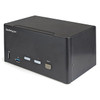
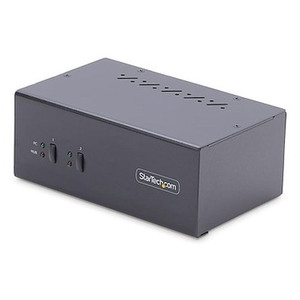
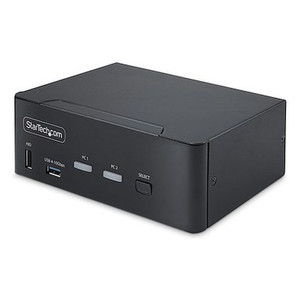
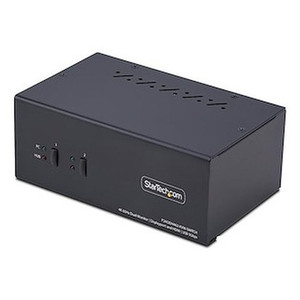
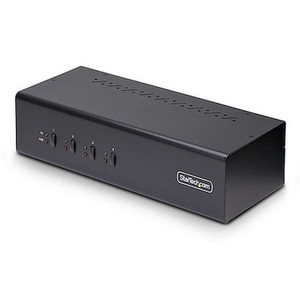
StarTech SV231TDPU34K 2-Port Triple Monitor DisplayPort KVM Switch
Overview
The StarTech SV231TDPU34K is a two-port, three-monitor KVM switch built for power users and engineers who need to share a full triple-display workstation — keyboard, mouse, three 4K screens, USB peripherals, and multichannel audio — across two host computers without touching a cable. It runs on DisplayPort 1.2 natively and pushes 3840 x 2160 at 60 Hz across all three outputs simultaneously, making it a practical fit for financial trading desks, CAD/engineering workstations, security operations centers, and broadcast edit suites where downgrading to 1080p or 30 Hz just to share a switch is not an option.
The steel housing measures 6.3 in × 3.9 in footprint with a 7.5 cm (roughly 3 in) height — compact enough to sit on a desk without dominating it. At 1.9 lb it stays put without anchoring. Switching between hosts is handled either by the front-panel push button or keyboard hotkeys, so operators never need to reach for the unit once it is deployed.
Key Features
- 3840 × 2160 @ 60 Hz across all three displays: Full 4K UHD at 60 Hz is the spec that separates this unit from budget KVMs that cap at 4K/30 Hz or drop to 1080p on the third output. If your workstation monitors are 4K and your GPU pushes 60 Hz, you will not lose frame rate or resolution at the switch. HDR signaling is also preserved via HDCP 2.2 support — relevant for color-critical work where HDR tone-mapping matters.
- DisplayPort 1.2 on all PC inputs and monitor outputs: DP 1.2 supports the bandwidth needed for 4K/60 Hz without compression artifacts. Both host PCs connect via DisplayPort, so there is no HDMI-to-DP conversion bottleneck in the signal chain.
- HDCP 2.2 compliance: Protected content (streaming services, DRM-licensed media, encrypted video feeds) passes correctly to all three displays. Without HDCP 2.2, a 4K HDR stream will refuse to play or downscale on downstream monitors — this switch handles it natively.
- USB 3.0 hub with 2 ports at 5 Gbps: The two USB 3.0 hub ports deliver full SuperSpeed 5 Gbps throughput to whichever host is active. Plug in an external SSD or high-speed card reader and transfers remain fast regardless of which PC has control — no separate dock needed for storage peripherals.
- 4 USB HID ports for keyboard and mouse: Four dedicated HID ports mean you can attach a full keyboard/mouse set plus additional input devices (graphics tablet, presentation clicker) without consuming the USB 3.0 hub bandwidth. HID and data traffic stay on separate buses.
- 5.1 surround audio switching: Multichannel 5.1 audio follows the active host, so producers and audio engineers working with surround monitoring do not lose channel assignments when switching. Most KVMs at this price point only handle stereo — the 5.1 capability is a differentiator for broadcast and post-production environments.
- Push-button and hotkey switching: Both switching methods are supported simultaneously. Hotkeys are faster for keyboard-centric workflows; the physical button is useful in environments where hotkey sequences conflict with applications (DAWs, remote desktop sessions, game engines).
- Universal AC input (100–240 V, 1.0 A): The internal power supply accepts any mains voltage globally, drawing up to 36 W at full load. No external brick is needed — the unit has its own integrated power supply, which keeps the desk cleaner and eliminates a single-point-of-failure wall adapter.
- Steel housing rated 0–40 °C operating: The steel enclosure handles standard office and light industrial ambient temperatures. If the switch will be in a rack-adjacent location or near heat-generating equipment, verify the ambient stays below 40 °C — this is a desktop unit, not a rack-mount chassis, and does not have active cooling.
Integration and Compatibility
The SV231TDPU34K connects to any host PC with a DisplayPort 1.2 output. It does not require driver installation for KVM switching or HID functions — plug-and-play USB HID means the keyboard and mouse enumerate normally on both hosts. The USB 3.0 hub ports will require the host OS to enumerate the hub on each switch event, which introduces a brief reconnect delay for USB storage devices — plan accordingly if you are running time-sensitive file transfers. HDCP 2.2 compliance means protected-content applications will authenticate correctly on both hosts without re-prompting. The unit is compatible with Windows, macOS, and Linux host environments that support standard USB HID and DP 1.2. For KVM cable sets, confirm your host-to-switch cables support DP 1.2 full bandwidth (not DP 1.1 or passive adapters) to avoid resolution caps.
Frequently Asked Questions
Q: Can the SV231TDPU34K run all three monitors at 4K 60 Hz simultaneously on both hosts?
A: Yes. The switch supports 3840 × 2160 at 60 Hz on all three DisplayPort outputs. Both connected host PCs can drive three 4K 60 Hz monitors — the resolution and refresh rate are preserved on the active host at the time of switching.
Q: Does the SV231TDPU34K support HDR content on the connected displays?
A: The switch includes HDCP 2.2 support, which is required for HDR-protected content delivery to downstream displays. HDR signaling from compatible sources will pass through to HDCP 2.2-compliant monitors.
Q: What is the USB data transfer speed on the SV231TDPU34K hub ports?
A: The two USB 3.0 hub ports operate at 5 Gbps (SuperSpeed USB 3.0). This is separate from the four USB HID ports used for keyboard and mouse input, so peripheral bandwidth is not shared with input devices.
Q: How do I switch between the two connected computers?
A: The SV231TDPU34K supports both a front-panel push button and keyboard hotkey sequences. Either method works independently — you do not have to choose one or the other at setup.
Q: What is the warranty on the SV231TDPU34K?
A: StarTech provides a 2-year manufacturer warranty on the SV231TDPU34K.
Q: Does this KVM switch require external power or a separate power supply?
A: The SV231TDPU34K has an integrated power supply that accepts 100–240 V AC input at 1.0 A, with a maximum draw of 36 W. No separate external adapter is required.
The spec I keep coming back to on the SV231TDPU34K is the 5.1 multichannel audio switching — most two-port desktop KVMs in this form factor top out at stereo, and the moment you put this on a broadcast edit desk or a color-grading suite with a surround monitor setup, that difference matters immediately. Pair that with three simultaneous 4K 60 Hz DP 1.2 outputs and you have a switch that does not force any compromise on the display side either.
Technical Highlights:
- 4K 60 Hz on all three outputs: 3840 × 2160 at 60 Hz is maintained across all three DisplayPort 1.2 connections — no resolution or refresh-rate penalty on the third display, which is the failure mode on cheaper triple-monitor switches.
- Dual USB bus architecture: Four HID ports handle keyboard and mouse on one bus; two USB 3.0 ports deliver 5 Gbps data throughput on a separate bus. Plugging in a fast external SSD will not throttle your input devices.
- Integrated 100–240 V AC supply at 36 W max: No wall-wart adapter to lose or replace. The internal PSU handles global mains voltages, which matters when equipment moves between facilities in different regions.
Deployment Considerations:
- Plan for a brief USB enumeration delay on storage devices (USB 3.0 hub ports) each time you switch hosts — this is normal behavior for any USB hub in a KVM context and is not a defect, but do not initiate a large file transfer immediately before switching.
- Operating temperature ceiling is 40 °C — this is a desktop unit without active cooling. If it will be installed in a closed AV cabinet or near heat-generating gear, verify ambient temperature stays within spec or add ventilation.
For a dual-workstation security operations center or broadcast production desk where operators run three 4K monitors, need fast USB 3.0 peripheral sharing, and monitor with a 5.1 speaker system, the SV231TDPU34K is the specific configuration to spec — not a generic recommendation, but a direct match to that workflow.