
Printheads
Showing Results for Printheads
-

Zebra
SKU: P1112640-064
Zebra P1112640-064 Linerless Platen Roller Kit 300 dpi
Linerless platen roller kit for 300 dpi Zebra thermal printers
- Supports 300 dpi thermal printing for high-density label output in demanding environments.
- Compatible with both direct thermal and thermal transfer modes for flexible deployment.
- Linerless media design eliminates liner waste, reducing consumable overhead in high-volume runs.
$150.62 $116.99 Save $33.63 -

Zebra
SKU: P1112640-210
Zebra P1112640-210 Printhead Open Sensor Kit ZD421T
Printhead open sensor kit for Zebra ZD421T direct thermal printer
- Detects open printhead in real time, preventing jams and print quality errors.
- Direct replacement kit engineered for ZD421T direct thermal printer platforms.
- Supports Wi-Fi-connected ZD421T deployments for distributed warehouse printing.
$35.88 $34.99 Save $0.89 -

Zebra
SKU: P1112640-216
Zebra P1112640-216 Platen Roller for ZD421T Printer
OEM platen roller for Zebra ZD421T thermal printer at 203 dpi
- Genuine OEM part ensures factory-spec fit for ZD421T with no adapters required.
- Optimized for 203 dpi thermal transfer output, maintaining consistent label quality.
- Backed by a 1-year warranty, reducing lifecycle risk in high-volume print deployments.
$28.68 $22.99 Save $5.69 -

Zebra
SKU: P1112640-217
Zebra P1112640-217 Platen Roller Kit 300 dpi ZD421T
OEM platen roller kit for Zebra ZD421T direct thermal printers
- Genuine OEM part ensures full compatibility with ZD421T thermal printers.
- Supports 300 dpi resolution for sharp, scannable barcodes and compliance labels.
- Complete kit format minimizes downtime during scheduled maintenance cycles.
$28.68 $27.99 Save $0.69 -

Zebra
SKU: P1112640-218
Zebra P1112640-218 Thermal Printhead 203 DPI
OEM thermal printhead for Zebra ZD421T label printers, 203 DPI
- 203 DPI resolution produces sharp, scannable barcodes for warehouse and logistics labels.
- Genuine OEM component for ZD421T ensures consistent thermal transfer print quality.
- 1-year warranty coverage supports planned maintenance cycles and minimizes downtime risk.
$179.09 $178.99 Save $0.10 -

Zebra
SKU: P1112640-219
Zebra P1112640-219 Thermal Printhead Kit 300 DPI
300 DPI thermal printhead kit for Zebra ZD421T desktop printers
- 300 DPI resolution ensures sharp, scannable barcodes on warehouse and shipping labels.
- Thermal transfer method supports ribbon-based printing for durable, smudge-resistant output.
- Direct-fit replacement for ZD421T desktop printers minimizes downtime during maintenance.
$373.80 $294.99 Save $78.81 -

Zebra
SKU: P1112640-240
Zebra P1112640-240 Thermal Printhead 203 dpi
Drop-in thermal printhead for ZD621T/R printers, 203 dpi
- 203 dpi thermal transfer output ensures reliable barcode scan rates across label formats.
- Drop-in fit for ZD621T and ZD621R requires no firmware changes or recalibration.
- 1-year warranty coverage supports depot and fleet maintenance planning.
$179.09 $178.99 Save $0.10 -

Zebra
SKU: P1112640-241
Zebra P1112640-241 Printhead 300 dpi Kit
300 dpi thermal printhead kit for ZD621T/ZD621R industrial printers
- 300 dpi resolution produces crisp, scannable barcodes for reliable supply chain labeling.
- Direct-fit replacement for ZD621T and ZD621R eliminates compatibility guesswork during swap-outs.
- Kit format includes all required components, reducing downtime and parts-sourcing delays.
$373.80 $296.99 Save $76.81 -

Zebra
SKU: P1112640-244
Zebra P1112640-244 Printhead Open Sensor Kit
Head open sensor for ZD621T/R thermal printers with Wi-Fi alerts
- Detects printhead open status in real time, preventing unattended print job failures.
- Engineered specifically for ZD621T and ZD621R thermal transfer printers—no firmware changes needed.
- Wi-Fi support enables remote head-open alerts, reducing manual checks on distributed printer fleets.
$35.88 $27.99 Save $7.89 -

Zebra
SKU: P1112640-251
Zebra P1112640-251 Platen Roller Kit 203 dpi ZD621T
Genuine Zebra platen roller kit for ZD621T/ZD62 thermal printers
- Genuine OEM replacement maintains 203 dpi print quality on ZD621T and ZD62 printers.
- Drop-in installation requires no firmware updates or configuration changes on target printers.
- 1-year warranty coverage supports depot maintenance cycles and minimizes unplanned downtime.
$28.68 $27.99 Save $0.69 -

Zebra
SKU: P1112640-252
Zebra P1112640-252 Platen Roller Kit 300 DPI
OEM platen roller kit for ZD621T/R thermal printers at 300 DPI
- Genuine OEM fit for ZD621T and ZD621R eliminates compatibility risk during swap-out.
- 300 DPI precision restores sharp barcode definition and eliminates print voids or streaking.
- 1-year warranty coverage supports depot maintenance cycles and minimizes unplanned downtime.
$28.68 $27.99 Save $0.69 -

Zebra
SKU: P1112750-009
Zebra P1112750-009 203 dpi Printhead Kit ZE511
203 dpi printhead kit for Zebra ZE511 thermal printers
- 203 dpi resolution delivers crisp barcodes and text for compliance and shipping labels.
- Includes both right-hand and left-hand assemblies, covering full ZE511 engine configurations.
- Supports direct thermal and thermal transfer modes, compatible with a wide range of label stock.
$469.01 $369.99 Save $99.02 -

Zebra
SKU: P1112750-010
Zebra P1112750-010 300 DPI Printhead Kit ZE511
300 DPI printhead kit for Zebra ZE511 right-hand engines
- 300 DPI resolution produces sharp barcodes and compliance labels in a single pass.
- Supports both direct thermal and thermal transfer, covering diverse label media needs.
- Complete kit with all mounting components eliminates additional sourcing before install.
$746.17 $588.99 Save $157.18 -

Zebra
SKU: P1112750-011
Zebra P1112750-011 Printhead Kit 600 dpi ZE511
Dual-config 600 dpi printhead kit for Zebra ZE511 thermal printers
- 600 dpi resolution ensures sharp barcodes and fine-detail labels in industrial workflows.
- Includes both RH and LH assemblies, covering dual mounting configs in a single purchase.
- Compatible with direct thermal and thermal transfer modes on ZE511 platforms; no firmware changes needed.
$1,705.52 $1,344.99 Save $360.53 -
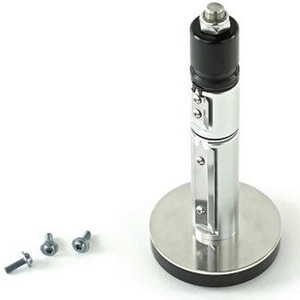
Zebra
SKU: P1112750-012
Zebra P1112750-012 Printhead Kit 203 dpi ZE521
203 dpi printhead kit for Zebra ZE521 industrial label printers
- 203 dpi resolution delivers reliable 1D and 2D barcode output for industrial label runs.
- Single kit covers both right-hand and left-hand ZE521 engine configs, simplifying spares inventory.
- Supports direct thermal and thermal transfer modes, eliminating ribbon swaps for DT label stock.
$1,193.87 $941.99 Save $251.88 -

Zebra
SKU: P1112750-013
Zebra P1112750-013 Printhead Kit 300 dpi
Dual 300 dpi printhead kit for Zebra ZE521 label systems
- 300 dpi resolution ensures barcode legibility for GS1, UPC, and alphanumeric label compliance.
- Dual right-hand and left-hand printheads cover full ZE521 system replacement in a single SKU.
- Supports both direct thermal and thermal transfer modes, eliminating media-specific hardware swaps.
$1,364.40 $1,083.99 Save $280.41
Printheads
Replacement printheads for thermal and thermal transfer label printers. OEM and compatible print elements in 203, 300, and 600 dpi resolutions restore print quality and extend printer lifespan across industrial, desktop, and mobile labeling platforms.
Plan Your Deployment
- Match printhead part number to exact printer model and current firmware revision
- Select resolution: 203 dpi for shipping, 300 dpi for retail, 600 dpi for fine-pitch labels
- Track printhead life by linear inches and replace proactively to avoid mid-shift failures
- Specify corner-edge or flat-head type for direct thermal vs. thermal transfer applications
- Confirm warranty terms and OEM vs. compatible printhead certification
Printheads — Engineering-Grade Warehouse Data Capture for Commercial Deployments
This category covers 343 working models of printheads sourced manufacturer-direct or through channel-direct US distribution. Build the rest of your system around the architectural choices below — compatibility, environmental rating, and lifecycle decisions made here propagate through every downstream component you specify.
What to Look For
Read range and barcode symbology drive scanner choice. Linear (1D) scanners read UPC, Code 128, EAN. 2D imagers read QR, DataMatrix, Aztec — increasingly required for compliance labels, mobile payment, and DSCSA pharma serialization. Long-range scanners reach 20-30 feet for high-rack inventory; short-range handhelds work at arm's length on conveyors.
Form factor and connectivity affect operator throughput. Handheld scanners, ring scanners, mobile computers, and presentation scanners each suit different workflows. Wireless (Bluetooth, Wi-Fi) scanners free operators from cable but require battery management. Mobile computers (Zebra TC, Honeywell CT) bundle scanning into a phone-style device with apps for inventory, picking, and put-away.
Label printer choice depends on volume, media type, and durability requirements. Thermal-transfer printing uses a ribbon and produces durable labels for outdoor or chemical exposure. Direct-thermal needs no ribbon but labels fade in sun and heat; correct for shipping labels and short-term applications. Print volume per shift dictates desktop versus industrial printer (Zebra ZT, Honeywell PD/PX, TSC TTP).
Media compatibility and ribbon-printer matching is the slow-burn problem of label-printing deployments. Cheap mismatched ribbon/media combinations cause printhead wear, smudging, and label adhesion failure. Use the manufacturer's recommended ribbon/media pairings — the slight cost premium pays back in printhead life. Plan ribbon and media inventory together; running out of either stops the operation.
Key Specs in This Category
| Spec | Available Options |
|---|---|
| IP Rating | IP54 |
| Connectivity | Wired, Wi-Fi |
| Channels | 1 |
| Type | Printer, Accessory, Spare Part, Printhead Assembly, Mobile Computer, Thermal, Scanner, Cable |
| Night Vision | Yes |
Top Brands in This Category
Frequently Asked Questions
Should I buy a handheld scanner or a mobile computer?
Handheld scanners (Zebra DS, Honeywell Granit, Code CR) are best for high-volume single-purpose scanning — receiving, shipping, point-of-sale. Mobile computers (Zebra TC, Honeywell CT, Datalogic Skorpio) bundle scanning into a device that runs picking, inventory, and warehouse-management apps. For operations where the operator needs more than scan-and-confirm, mobile computers are worth the additional cost. Pure scan-and-confirm workflows are cheaper with handhelds.
What's the difference between direct-thermal and thermal-transfer printing?
Direct-thermal printing applies heat to chemically-treated labels — no ribbon needed. Labels fade in sun and heat, so it's correct for short-term applications like shipping. Thermal-transfer printing melts ribbon ink onto durable label stock — used for permanent asset tags, outdoor labels, and chemical-exposure labels. Choose direct-thermal for cost on short-term labels and thermal-transfer for durability on long-life labels.
How long does a label printer printhead last?
Industrial printheads last 30-50 million inches of printing on a well-maintained printer with matched ribbon and media. Desktop printers run 20-30 million inches. Mismatched ribbon/media, abrasive labels, and inadequate cleaning shorten life dramatically — to under 5 million inches in worst cases. Schedule printhead inspection at every label-roll change and cleaning at every shift.
Can I use generic ribbons in any printer?
Technically yes for ribbons in compatible width — practically no without quality risk. Manufacturer-recommended ribbons match the printhead's resistance, dot timing, and ink chemistry. Generic ribbons often cause faded prints, increased printhead wear, or static buildup that damages electronics. The cost savings on ribbon rarely justify the operational risk; stick with the manufacturer's recommended consumables for production printers.
What barcode symbology should I print?
Code 128 is the universal default for 1D barcodes — high density, alphanumeric. UPC-A and EAN-13 are required for retail goods. QR and DataMatrix are required for compliance, mobile payment, and many compliance labels (pharma DSCSA). Code 39 is older and lower-density — used in legacy systems. For new applications, lead with Code 128 (1D) and DataMatrix (2D) and add others only when required.
Need help choosing? Talk to a Senior Specialist — direct line 877-277-7147 or request a quote.