
Monitors & Displays
Showing Results for Monitors & Displays
-

ELO Touch
SKU: E510259
ELO Touch Elo 2270L 22-inch wide LCD Monitor Full HD - E510259
- Full HD 1920×1080 at 22 inches ensures sharp text in POS and WMS dashboards.
- Projected capacitive 10-touch input works without calibration or stylus dependency.
- VGA, DisplayPort, and HDMI connectivity supports both legacy and modern host systems.
$464.00 $432.99 Save $31.01 -

ELO Touch
SKU: E511214
ELO Touch Elo 2270L 22-inch wide LCD Monitor Full HD - E511214
- Projected-capacitive 10-touch surface needs no calibration, reducing kiosk maintenance overhead.
- 1920×1200 Full HD resolution delivers extra vertical space for POS menus and signature capture.
- HDMI, DisplayPort, and VGA inputs support flexible integration across mixed AV infrastructure.
$496.00 $461.99 Save $34.01 -

ELO Touch
SKU: E330620
ELO Touch Elo 2294L 21.5-inch wide FHD LCD WVA (LED - E330620
- 1920×1080 IPS panel delivers stable color at 178° H/V for multi-operator installs.
- HDMI, VGA, and DisplayPort inputs active simultaneously for flexible source switching.
- USB touch interface enables plug-and-play HMI integration on Windows, Linux, and embedded OS.
$677.00 $622.99 Save $54.01 -

ELO Touch
SKU: E146083
ELO Touch Elo 2295L 21.5-inch wide FHD LCD WVA (400nit - E146083
- 1920×1200 FHD WVA panel maintains color accuracy at wide mounting angles.
- 400-nit LED backlight sustains readability in high-ambient retail and kiosk sites.
- 10-point PCAP touch over USB eliminates calibration drift and resistive wear cycles.
$790.00 $731.99 Save $58.01 -
ELO Touch
SKU: E275486
ELO Touch Elo 23.8-inch I-Series 3 with Intel Chrome - E275486
- 1920x1080 Full HD on 23.8" panel delivers readable POS screens at 4–8 ft counter distance.
- Chrome Flex OS auto-updates with managed security patches; enrolls in cloud console for remote lock and app push.
- Fanless Intel Celeron design with 8GB RAM runs cloud POS apps and multi-tab sessions without thermal noise.
$1,919.00 $1,760.99 Save $158.01 -
ELO Touch
SKU: E275675
ELO Touch Elo 23.8-inch I-Series 3 with Intel Chrome - E275675
- 1920×1080 Full HD, 10-point PCAP touch survives gloves, moisture, and repeat cleaning.
- Intel Core i3 with 8GB RAM and 128GB SSD handles multi-app POS workflows without lag.
- Chrome Flex OS enables instant boot and automatic patching across distributed deployments.
$2,377.00 $2,176.99 Save $200.01 -
ELO Touch
SKU: E275889
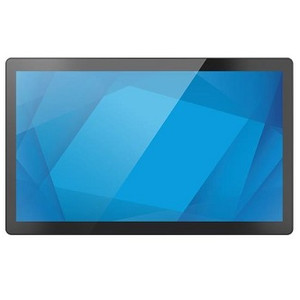
ELO Touch Elo 23.8-inch I-Series 3 with Intel Chrome - E275889
- 1920×1080 Full HD panel ensures POS UI legibility at standard 24–36 in. counter distances.
- 10-point PCAP touch eliminates resistive wear and supports glove-friendly operation.
- Intel Core i5 with 8 GB RAM handles concurrent transactions without queue buildup at peak load.
$2,725.00 $2,494.99 Save $230.01 -
ELO Touch
SKU: E607901
ELO Touch Elo 23.8-inch I-Series 3 with Intel No OS - E607901
- 23.8-inch I-Series 3 Intel touchscreen terminal (no OS)
- 1920x1080 Full HD with projected capacitive touch
- Adequate real estate for side-by-side register layouts
$1,866.00 $1,712.99 Save $153.01 -
ELO Touch
SKU: E608275
ELO Touch Elo 23.8-inch I-Series 3 with Intel No OS - E608275
- 23.8-inch 1920×1080 display supports clear cashier and customer-facing workflows.
- 10-point projected capacitive touch enables signature capture and gesture input simultaneously.
- No-OS configuration lets integrators deploy Windows, Linux, or custom retail OS freely.
$2,323.00 $2,128.99 Save $194.01 -
ELO Touch
SKU: E608662
ELO Touch Elo 23.8-inch I-Series 3 with Intel No OS - E608662
- 23.8-inch 1920×1080 IPS panel maintains color accuracy at wide cashier-side viewing angles.
- Intel Core i5 6th-gen at up to 3.1 GHz handles concurrent POS, KDS, and payment workloads.
- Bluetooth connectivity supports wireless peripheral pairing without additional interface cards.
$2,658.00 $2,433.99 Save $224.01 -
ELO Touch
SKU: E432375
ELO Touch Elo 23.8-inch I-Series 3 with Intel Win - E432375
- 1920×1080 Full HD PCAP 10-touch display eliminates stylus and speeds multi-user POS lanes.
- Fanless Intel Celeron design removes cooling maintenance risk in 24/7 retail or kitchen deployments.
- Integrated Wi-Fi, Gigabit Ethernet, and Bluetooth 5.2 reduce peripheral hardware at each terminal.
$2,058.00 $1,886.99 Save $171.01 -
ELO Touch
SKU: E432576
ELO Touch Elo 23.8-inch I-Series 3 with Intel Win - E432576
- 23.8-inch 1920×1080 PCAP 10-touch display supports complex POS and workflow overlays.
- Intel Core i3 with 8GB RAM and 256GB SSD enables fast boot and offline transaction caching.
- Bluetooth connectivity and Windows 11/10 support simplify peripheral pairing and IT management.
$2,614.00 $2,393.99 Save $220.01 -
ELO Touch
SKU: E432771
ELO Touch Elo 23.8-inch I-Series 3 with Intel Win - E432771
- 23.8-inch 1920×1080 PCAP 10-touch display supports glove-capable input in high-traffic lanes.
- Intel Core i5 with 8GB RAM and 256GB SSD handles concurrent POS, payment, and inventory workloads.
- Bluetooth 5.2 plus Wi-Fi and Ethernet deliver three independent network paths to minimize downtime.
$2,966.00 $2,715.99 Save $250.01 -

ELO Touch
SKU: E126288
ELO Touch Elo 2402L 24-inch wide LCD Monitor Full HD - E126288
- 1920×1080 Full HD panel renders POS menus and transaction detail without pixelation.
- 10-point projected capacitive touch supports multi-finger gestures and concurrent input.
- Zero-bezel frame enables seamless multi-monitor kiosk layouts with no distracting borders.
$692.00 $643.99 Save $48.01 -
ELO Touch
SKU: E381452
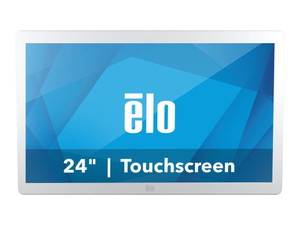
ELO Touch Elo 2403LM 24-inch wide LCD Medical Grade - E381452
- DICOM Part 14 calibration delivers diagnostic-grade grayscale accuracy out of box.
- Projected capacitive 10-touch supports multi-user gloved input in sterile clinical settings.
- 1920×1200 Full HD 16:10 panel reduces vertical scrolling in EMR and imaging workflows.
$1,162.00 $1,074.99 Save $87.01 -
ELO Touch
SKU: E659195
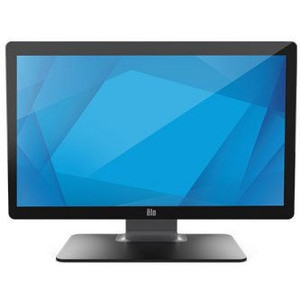
ELO Touch Elo 2403LM 24-inch wide LCD Medical Grade - E659195
- DICOM Part 14 factory calibration eliminates post-install grayscale setup overhead.
- 1920×1200 Full HD resolution supports diagnostic image review on PACS workstations.
- 10-touch PCAP interface enables zoom, pan, and rotate via USB or serial connection.
$1,230.00 $1,141.99 Save $88.01
Monitors & Displays
Surveillance monitors and displays provide reliable visual output for control rooms, security desks, and video walls. Commercial-grade displays are designed for continuous operation, consistent image clarity, and integration with modern video management systems.
Plan Your Deployment
- Screen size and viewing distance requirements
- 24/7 operation and duty cycle expectations
- Resolution compatibility with NVR or VMS output
- Mounting method (desk, wall, video wall configuration)
- Input types and connection standards (HDMI, DisplayPort, etc.)
Monitors & Displays — Engineering-Grade Video Recording & Storage for Commercial Deployments
This category covers 45 working models of monitors & displays sourced manufacturer-direct or through channel-direct US distribution. Build the rest of your system around the architectural choices below — compatibility, environmental rating, and lifecycle decisions made here propagate through every downstream component you specify.
What to Look For
Channel count and supported resolution define the recorder's ceiling. A 16-channel NVR rated for 8MP per channel is a different product from a 16-channel rated for 2MP — the latter throttles your future camera upgrades. Read the per-channel and aggregate bitrate ceilings (often expressed in Mbps incoming/outgoing). A safe rule: target an NVR with at least 50% headroom on bitrate, and channel count one step above current need.
Storage architecture matters as much as raw capacity. Surveillance-grade drives (WD Purple, Seagate SkyHawk) are tuned for 24/7 write loads and a small concurrent read count; desktop drives fail in months under the same workload. RAID levels affect both fault tolerance and write performance — RAID 5 for general retention with one drive of redundancy, RAID 6 or 10 for larger arrays where two-drive failure isn't recoverable in RAID 5.
VMS choice locks you into a vendor ecosystem more than any camera decision will. Genetec, Milestone, Hanwha Wisenet WAVE, Avigilon, and Axis Camera Station differ on per-camera licensing cost, third-party integrations (access control, video analytics, identity), and analyst workflow. Demo the operator interface with the people who will actually use it before committing — analyst frustration drives more replacements than technical limits.
Plan for off-site or redundant storage. Single-site recorders fail or get stolen. Cloud-archive licensing, NAS replication, and multi-site federation become important the moment a chain customer asks for centralized investigation tools. Recorders that bury cloud-archive in a per-camera SaaS bundle drive long-term costs much higher than a one-time NAS expansion.
Key Specs in This Category
| Spec | Available Options |
|---|---|
| Resolution | 2MP, 5MP |
| Connectivity | Wi-Fi |
| Power | PoE, AC/DC, PoE+, Battery |
| Storage | microSD |
| Type | NVR, Monitor, DVR, Accessory, Mobile Computer, Intercom, Cable, UPS |
| Durability | Indoor |
Top Brands in This Category
Frequently Asked Questions
How many drives can fit in a typical NVR?
Compact desktop NVRs hold 1-2 drives — typically capping around 16TB usable. Mid-size rack-mount NVRs hold 4-8 drives, often 32-64TB usable in RAID 5/6. Enterprise NVRs and dedicated storage servers scale to 16+ drives with hot-swap and JBOD expansion. Match drive count to your retention math; running out of drive bays mid-project means a recorder replacement, not just a drive add.
Should I use surveillance-grade or enterprise drives?
Surveillance-grade drives (WD Purple, Seagate SkyHawk) are correct for most NVRs — they're tuned for many concurrent write streams from cameras with low read count. Enterprise drives (WD Gold, Seagate IronWolf Pro, Exos) are appropriate for high-channel-count systems with many concurrent investigator clients reading recorded video. Avoid desktop drives entirely; they're rated for 8x5 light duty and fail quickly in 24/7 NVR loads.
What's the difference between an NVR and a hybrid recorder?
An NVR records exclusively from IP cameras over Ethernet. A hybrid (or tribrid) recorder accepts both IP cameras and legacy analog/HD-over-coax cameras on dedicated BNC inputs, useful for migrations where you can't replace coax runs immediately. Hybrid units cost more per channel and add complexity; if you're starting fresh or fully replacing analog, a pure NVR is simpler and almost always cheaper per usable channel.
Can I expand storage on an existing NVR?
Most rack NVRs and storage servers accept storage expansion via empty drive bays, eSATA/SAS JBOD shelves, or iSCSI targets. Desktop NVRs with only 1-2 bays generally do not. Before buying, check the recorder's supported expansion architecture and the maximum raw and usable capacity — many sub-$2,000 NVRs cap below the 24TB threshold most projects need within three years.
Do I need a dedicated VMS workstation?
For a few cameras and one or two simultaneous operators, the NVR's built-in client interface is enough. For 32+ cameras, multiple investigator seats, video walls, or wall-of-monitors operations, a dedicated workstation (or thin client) running the VMS client is standard. The workstation needs adequate GPU decode capacity for the simultaneous stream count — H.265 decode acceleration is essential at scale.
Need help choosing? Talk to a Senior Specialist — direct line 877-277-7147 or request a quote.