
Monitors & Displays
Showing Results for Monitors & Displays
-

Posiflex
SKU: LM4011R0000
Posiflex LM4011R0000 Monitor 10.1" 2ND Rear Mount Blk Rt
- 1280×800 resolution delivers sharp customer-facing confirmations on a 10.1" panel.
- Rear-mount bracket integrates directly with Posiflex RT 16" terminals—no extra stand needed.
- Serial connectivity routes signal through the terminal, eliminating separate adapters or power supplies.
$300.00 $176.99 Save $123.01 -

Posiflex
SKU: LM5011LC100000
Posiflex LM5011LC100000 10-In Rear Customer Display for 15-In GT
- Mounts natively to Posiflex 15-in GT chassis — no brackets, adapters, or separate power.
- USB connectivity simplifies host terminal integration and reduces cable management overhead.
- 10.1-in rear-facing display positions transaction data directly in the customer's sightline.
$333.00 $206.99 Save $126.01 -

Posiflex
SKU: LM6101E100L7
Posiflex LM6101E100L7 2nd LCD disp 12.1in 1024x768 Rear Bs Mnt
- 12.1-inch LCD at 1024×768 delivers clear transaction prompts at counter distances.
- USB connectivity simplifies integration without adding dedicated video card outputs.
- Rear base mount enables tabletop deployment with organized cable routing behind counter.
$406.00 $239.99 Save $166.01 -
Posiflex
SKU: LM621040
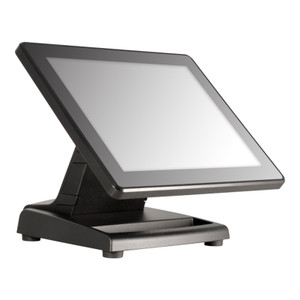
Posiflex LM621040 9.7-Inch LCD Monitor USB Black
- Single USB cable delivers both video and power, eliminating separate power brick runs.
- 1024x768 native resolution renders POS UI elements at full pixel density without scaling.
$310.00 $204.99 Save $105.01 -

Posiflex
SKU: LM6801E100
Posiflex LM6801E100 2nd LCD disp 12.1" Res:1024x768 RearBase
- 12.1-inch screen at 1024×768 supports 2–3 readable transaction columns without scaling.
- Rear base mount eliminates side-arm brackets, preserving counter space and routing cables cleanly.
- Passive module with HDMI connectivity replaces independently, causing zero primary terminal downtime.
$406.00 $239.99 Save $166.01 -

Posiflex
SKU: PD2600S
Posiflex PD2600S Pole Display 2X20 Vfd 9MM Charserial 300
- 2×20 VFD matrix delivers clear transaction data readable at typical counter distances.
- 9mm character height ensures operator legibility without oversized display footprint.
- Serial RS-232 connectivity integrates directly with legacy POS and payment terminal systems.
$183.00 $182.99 Save $0.01 -

Posiflex
SKU: PD2602S-B
Posiflex PD2602S-B Pole Display For All Ks SERIES9MM Vfd
- 2×20 VFD panel with 9mm characters ensures clear customer-facing readability.
- Serial connectivity integrates directly into Posiflex KS Series POS without adapters.
- Rear-base pole mount enables clean cable routing and fast repositioning on-site.
$138.00 $137.99 Save $0.01 -
Posiflex
SKU: PD2602U-B
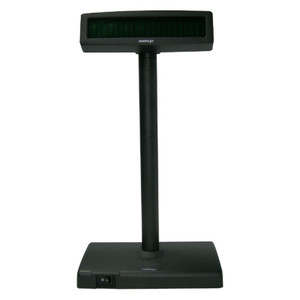
Posiflex PD2602U-B Pole Display For All Ks SERIES9MM Vfd
- 2x20 VFD pole display for POS customer-facing feedback
- 12.5-inch pole mount form factor for retail counters
- USB connectivity for terminal-direct deployment
$138.00 $137.99 Save $0.01 -

Posiflex
SKU: PD2602UE011EP
Posiflex PD2602UE011EP Vfd Pole Dis Hgt:9mm USB Tp/Ksbk Bluflt
- 2×20 VFD matrix with 9mm characters ensures clear customer-facing readout at checkout.
- USB and VirtualCOM dual-protocol support simplifies driver integration across POS environments.
- Pole-mount design at 12.5-inch fixed height aligns sightlines across standard counter depths.
$150.00 $149.99 Save $0.01 -

Posiflex
SKU: PD2603U-B
Posiflex PD2603U-B FT Series Customer Pole DISPLY9MM Vfd
- 2×20 VFD character display delivers high-contrast readability in bright retail lighting.
- USB-HID interface requires no proprietary driver—recognized on Windows 7+ and Linux HID.
- Pole-mount form factor positions the screen at customer eye level without occupying counter space.
$156.00 $155.99 Save $0.01 -

Posiflex
SKU: PD2604X00FEP
Posiflex PD2604X00FEP Cust Display 2X20 Vfd 9MM Charusb (Rear
- 2×20 VFD panel renders 40 characters across two lines, readable at 3–6 ft.
- USB connectivity attaches directly to POS terminal with no serial adapters needed.
- Rear-mount pole bracket routes cables behind the counter, reducing disconnect risk.
$150.00 $88.99 Save $61.01 -
Posiflex
SKU: PD2605UH011EP
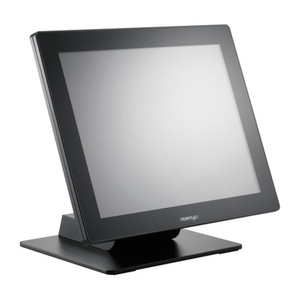
Posiflex PD2605UH011EP Cust Pole Disp 2x20VFD 9mmChar VirtulUSB
- 2×20 VFD with 9mm characters stays legible at 3–6 ft for customer-facing displays.
- USB-HID and virtual COM support eliminates dedicated serial infrastructure at the terminal.
- Rear base bracket mount fits standard 12.5-inch countertop poles with no additional adapters.
$158.00 $157.99 Save $0.01 -
Posiflex
SKU: PD2605W00FEP
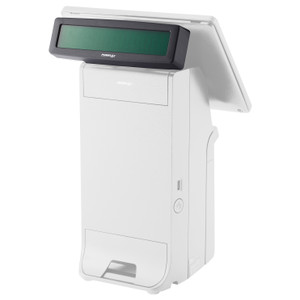
Posiflex PD2605W00FEP Pole Display 2x20 VFD 9mm Chrctr Serial
- 2x20 VFD panel with 9mm characters delivers glare-free readability at arm's length.
- RS-232 serial interface integrates with legacy and modern POS systems without IP config.
- Rear-base pole bracket supports standard checkout lane and kiosk mounting configurations.
$158.00 $157.99 Save $0.01 -
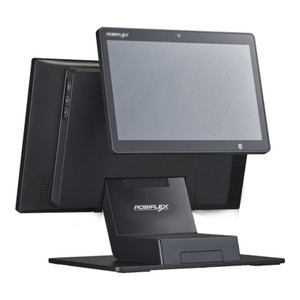
Posiflex
SKU: PD2607UE011EP
Posiflex PD2607UE011EP Customer Display 2x20 VFD 9mm USB-HID
- 2×20 VFD at 9mm height delivers clear transaction data readable at 3–4 ft.
- USB-HID and Virtual COM support enables drop-in integration with most POS platforms.
- Bus-powered via USB eliminates external PSU, simplifying checkout cable management.
$129.00 $80.99 Save $48.01 -

Posiflex
SKU: PD2608R0011EP
Posiflex PD2608R0011EP Pole Display 2X20 Vfd Ser Rear Mount
- 2×20 VFD matrix with 9mm characters delivers clear readability at counter distances.
- RS-232 serial interface integrates directly with legacy POS terminals and cash registers.
- Rear-mount bracket enables clean pole installation on existing retail counter structures.
$138.00 $137.99 Save $0.01 -

Posiflex
SKU: PD2608UE011
Posiflex PD2608UE011 Cstmr Display 2x20 VFD 9mm Characters
- 2x20 VFD layout provides 40-character capacity for price, total, and payment confirmation.
- 9mm character height ensures clear readability at 3–6 ft counter distance without extra lighting.
- USB HID and virtual COM dual-protocol support simplifies integration with modern and legacy POS.
$131.00 $77.99 Save $53.01
Monitors & Displays
Surveillance monitors and displays provide reliable visual output for control rooms, security desks, and video walls. Commercial-grade displays are designed for continuous operation, consistent image clarity, and integration with modern video management systems.
Plan Your Deployment
- Screen size and viewing distance requirements
- 24/7 operation and duty cycle expectations
- Resolution compatibility with NVR or VMS output
- Mounting method (desk, wall, video wall configuration)
- Input types and connection standards (HDMI, DisplayPort, etc.)
Monitors & Displays — Engineering-Grade Video Recording & Storage for Commercial Deployments
This category covers 45 working models of monitors & displays sourced manufacturer-direct or through channel-direct US distribution. Build the rest of your system around the architectural choices below — compatibility, environmental rating, and lifecycle decisions made here propagate through every downstream component you specify.
What to Look For
Channel count and supported resolution define the recorder's ceiling. A 16-channel NVR rated for 8MP per channel is a different product from a 16-channel rated for 2MP — the latter throttles your future camera upgrades. Read the per-channel and aggregate bitrate ceilings (often expressed in Mbps incoming/outgoing). A safe rule: target an NVR with at least 50% headroom on bitrate, and channel count one step above current need.
Storage architecture matters as much as raw capacity. Surveillance-grade drives (WD Purple, Seagate SkyHawk) are tuned for 24/7 write loads and a small concurrent read count; desktop drives fail in months under the same workload. RAID levels affect both fault tolerance and write performance — RAID 5 for general retention with one drive of redundancy, RAID 6 or 10 for larger arrays where two-drive failure isn't recoverable in RAID 5.
VMS choice locks you into a vendor ecosystem more than any camera decision will. Genetec, Milestone, Hanwha Wisenet WAVE, Avigilon, and Axis Camera Station differ on per-camera licensing cost, third-party integrations (access control, video analytics, identity), and analyst workflow. Demo the operator interface with the people who will actually use it before committing — analyst frustration drives more replacements than technical limits.
Plan for off-site or redundant storage. Single-site recorders fail or get stolen. Cloud-archive licensing, NAS replication, and multi-site federation become important the moment a chain customer asks for centralized investigation tools. Recorders that bury cloud-archive in a per-camera SaaS bundle drive long-term costs much higher than a one-time NAS expansion.
Key Specs in This Category
| Spec | Available Options |
|---|---|
| Resolution | 2MP, 5MP |
| Connectivity | Wi-Fi |
| Power | PoE, AC/DC, PoE+, Battery |
| Storage | microSD |
| Type | NVR, Monitor, DVR, Accessory, Mobile Computer, Intercom, Cable, UPS |
| Durability | Indoor |
Top Brands in This Category
Frequently Asked Questions
How many drives can fit in a typical NVR?
Compact desktop NVRs hold 1-2 drives — typically capping around 16TB usable. Mid-size rack-mount NVRs hold 4-8 drives, often 32-64TB usable in RAID 5/6. Enterprise NVRs and dedicated storage servers scale to 16+ drives with hot-swap and JBOD expansion. Match drive count to your retention math; running out of drive bays mid-project means a recorder replacement, not just a drive add.
Should I use surveillance-grade or enterprise drives?
Surveillance-grade drives (WD Purple, Seagate SkyHawk) are correct for most NVRs — they're tuned for many concurrent write streams from cameras with low read count. Enterprise drives (WD Gold, Seagate IronWolf Pro, Exos) are appropriate for high-channel-count systems with many concurrent investigator clients reading recorded video. Avoid desktop drives entirely; they're rated for 8x5 light duty and fail quickly in 24/7 NVR loads.
What's the difference between an NVR and a hybrid recorder?
An NVR records exclusively from IP cameras over Ethernet. A hybrid (or tribrid) recorder accepts both IP cameras and legacy analog/HD-over-coax cameras on dedicated BNC inputs, useful for migrations where you can't replace coax runs immediately. Hybrid units cost more per channel and add complexity; if you're starting fresh or fully replacing analog, a pure NVR is simpler and almost always cheaper per usable channel.
Can I expand storage on an existing NVR?
Most rack NVRs and storage servers accept storage expansion via empty drive bays, eSATA/SAS JBOD shelves, or iSCSI targets. Desktop NVRs with only 1-2 bays generally do not. Before buying, check the recorder's supported expansion architecture and the maximum raw and usable capacity — many sub-$2,000 NVRs cap below the 24TB threshold most projects need within three years.
Do I need a dedicated VMS workstation?
For a few cameras and one or two simultaneous operators, the NVR's built-in client interface is enough. For 32+ cameras, multiple investigator seats, video walls, or wall-of-monitors operations, a dedicated workstation (or thin client) running the VMS client is standard. The workstation needs adequate GPU decode capacity for the simultaneous stream count — H.265 decode acceleration is essential at scale.
Need help choosing? Talk to a Senior Specialist — direct line 877-277-7147 or request a quote.