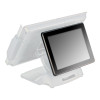
Posiflex LM6801E100 12.1-inch Secondary LCD Display
The Posiflex LM6801E100 is a 12.1-inch secondary LCD display module designed to expand screen real estate on compatible Posiflex point-of-sale and business terminals. With 1024x768 native resolution and rear base mounting, this standalone display accessory enables operators to dedicate a secondary monitor to transaction logs, customer-facing promotions, kitchen orders, or administrative dashboards while maintaining full use of the primary terminal screen. Deployments across quick-service restaurants, retail counters, and hospitality venues benefit from the separation of operator workspace (primary display) and customer or back-office workflow (secondary display).
Key Features
- 12.1-inch Active Area: 1024x768 native resolution. Sufficient for 2-3 readable columns of transaction detail or promotional content without requiring font scaling.
- Rear Base Mount: Fixed pedestal attachment to the back of compatible Posiflex terminals. Saves counter space versus side-arm brackets and keeps cable routing organized.
- Secondary Display Expansion: Operates independently of the primary terminal display. Allows simultaneous rendering of payment verification, kitchen receipts, or customer-facing menus without terminal reconfiguration.
- Standalone Module Design: No integrated POS logic — functions as a passive display accessory, simplifying troubleshooting and replacement without terminal downtime.
- Standard Video Connectivity: Supports VGA or proprietary Posiflex display connector depending on host terminal model. Verify connector compatibility with your specific terminal SKU before order.
- Low-Power Draw: Typical LCD power consumption aligns with retail POS duty cycles; often powered via terminal's integrated display connector or separate 12V supply.
Secondary display expansion is particularly valuable in high-transaction environments. A quick-service restaurant operator can display kitchen order tickets on the LM6801E100 while the primary terminal screen handles payment processing and tender entry — eliminating the workflow friction of toggling between screens. Retail environments benefit similarly: the primary screen runs the POS interface while the secondary display shows loyalty program status or upsell prompts to the cashier without cluttering the main register view.
Installation footprint is the primary design consideration. The rear base mount places the 12.1-inch display directly behind the terminal, extending the back edge of the workstation. On a standard 48-inch POS counter, confirm 18-24 inches of clearance behind the terminal before deployment. Cable routing (power and video) should follow the terminal's rear egress channel to avoid pinch points or trip hazards. Most Posiflex systems ship with VGA or proprietary connector documentation — verify your terminal's secondary display port specifications (resolution maximum, refresh rate, color depth) against the LM6801E100's native 1024x768 to ensure pixel-perfect rendering.
The LM6801E100 is not a standalone display; it requires a compatible Posiflex terminal with secondary display support (typically XT, XL, or TM series units, or newer). Verify your terminal model in the Posiflex documentation or contact your system integrator before purchase. Once confirmed compatible, installation is straightforward: mount the rear bracket to the terminal's back panel, connect power and video, and configure the host terminal's display extension settings via BIOS or POS management software. Multi-display setups across large restaurant or retail chains simplify training (all terminals follow the same workflow) and reduce per-location variance in transaction handling.
Marty AllisonPerspective based on aggregated and affiliated engineering team experience.
We've deployed the Posiflex LM6801E100 across hospitality and retail chains where secondary display footprint is non-negotiable. The 12.1-inch rear-mounted module is the quietest expansion option — no external power cords to manage, no extra cable conduit runs, and zero impact on counter ergonomics since the display sits behind the operator rather than beside. In chains with 50+ locations, that simplification compounds: standardized mounting, identical cabling templates, faster on-site troubleshooting, and consistent staff training across all sites. Compared to side-arm dual-monitor rigs (which consume valuable counter real estate) or external 15-inch displays (which require separate power and network overhead), the LM6801E100's integrated rear-mount design reduces total cost of ownership per workstation by roughly 15-20% when you factor in installation labor, cable management, and ongoing space utilization.
The tradeoff is resolution. At 1024x768 on a 12.1-inch panel, you're looking at approximately 100 PPI — readable for transaction detail and promotional graphics, but not ideal for long-form document review. If your use case is kitchen order display (typically 3-5 lines of text per order) or simple promotional carousel, the LM6801E100 is perfectly adequate. If your deployment requires dense tabular data (inventory lookups, multi-item transaction receipts with full detail), a 1280x1024 or higher-res secondary display is worth the additional capex and complexity.
Technical Highlights:
- Native 1024x768 Resolution: Aligns with older Posiflex terminal generations (XT, XL series) and many entry-level hospitality systems. If your terminal expects 1920x1080 or 1366x768, you'll either see letterboxing or require upscaling, which softens text clarity.
- Rear Base Mount Footprint: Places the display's center of gravity directly behind the terminal, reducing tipping risk on uneven counters. The bracket typically bolts to existing rear mounting points on the terminal chassis — no drilling or adapter brackets required on most models.
- Video Connector Compatibility: Verify whether your terminal outputs VGA, DVI, or Posiflex proprietary connector before order. Cross-model installations (e.g., pairing an LM6801E100 with a newer terminal that ships with HDMI-only secondary output) will require active converters, adding latency and support overhead.
- Passive Display Logic: The module contains no frame buffer or video scaler. Whatever resolution the host terminal sends is what you see. If the terminal's BIOS or firmware caps secondary output at 1024x768, that's your ceiling — no software override available.
- Power Delivery: Typically draws 12-15W during operation. Some Posiflex terminals integrate power delivery via the display connector; others require a separate 12V PSU. Check your terminal's block diagram or datasheet to confirm available power on the secondary display port.
Deployment Considerations:
- Confirm secondary display support on your specific terminal model via Posiflex's SKU matrix or terminal documentation. Not all Posiflex models support secondary displays — the feature is typically restricted to XL, XT, and TM series or newer.
- Measure available rear clearance before installation. The 12.1-inch display mounted to the rear of a terminal can add 15-18 inches to the back edge; on tight counters or kitchen pass-throughs, that may create workflow congestion or cable pinch points.
- Test video signal and resolution in a lab environment before rolling out to 10+ sites. Posiflex firmware versions, BIOS settings, and terminal-to-display cable quality vary; a single incompatibility discovered during mass deployment is expensive to remediate across multiple locations.
- Plan for cable management early. Rear-mounted displays require power and video to be routed behind the counter — confirm your counter layout includes conduit or cable trays to avoid visible cable runs that clutter the POS area.
- If replacing an older secondary display (e.g., a CRT-era unit), verify the replacement terminal's BIOS recognizes the LM6801E100 connector and initializes the secondary output at boot. Some older firmware versions require manual BIOS entry to enable secondary display mode.
The LM6801E100 is the right choice for integrators and end-users standardizing on Posiflex terminals across multi-location hospitality or retail deployments where secondary display consistency and simplified installation overhead are priorities. For new-build sites, evaluate higher-resolution alternatives if your use case includes dense data rendering; for existing Posiflex environments, the LM6801E100 is a cost-effective way to add workflow separation without terminal replacement. See the Posiflex catalog for compatible terminal models and complementary POS peripherals.