Product images are provided for reference and may not represent the exact model, configuration, or included components.

Overview

SKU: VC010
UPC: 672792004179
Condition: New
Write a Review 48% OFF

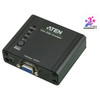
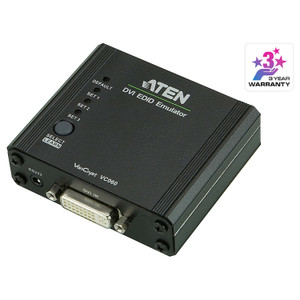
ATEN VGA Edid Emulator - VC010

ATEN VC010 VGA EDID EmulatorOverviewThe ATEN VC010 is a VGA EDID emulator that eliminates the display handshake failures that occur when a source devi…

$124.00 $64.99 SAVE $59
Ships same business day
In stock

Quantity:

Adding to cart… The item has been added
Compatibility guidance available for your deployment
Senior specialists for pre and post-sales support
Authorized sourcing and documentation support
Shipping and lead-time confirmation before install

Laura Bennett, IPSD Senior Specialist

Talk to Laura

200+ hrs training • U.S - based

Senior Specialist • 877-277-7147

ATEN VGA Edid Emulator - VC010

$124.00
$64.99

Overview

SKU: VC010
UPC: 672792004179
Condition: New

No Bots, Just Experts

Questions about this product? Free pre-sales support from a senior specialist — product questions, compatibility checks, BOM quotes, price confirmation — typically answered within one business day. Need camera placement or system design work? Engineering time is $175 per hour (qty 1 = 1 hour). Hardware buyers get up to one hour ($175) credited back on their order.

Description

ATEN VC010 VGA EDID Emulator

Overview

The ATEN VC010 is a VGA EDID emulator that eliminates the display handshake failures that occur when a source device — a PC, switcher, or KVM — loses its EDID signal because the monitor is powered off, switched away, or physically absent. Without a valid EDID response, many graphics cards and extenders default to a reduced resolution or fail to output entirely. The VC010 holds a stored EDID profile and presents it to the source at all times, keeping the video signal stable at up to WUXGA (1920 × 1200) regardless of downstream display state. This is the specific scenario it was built for: fixed installations where display connectivity is intermittent but the source must always output at the correct resolution.

Compatibility

The VC010 works with any VGA source device — desktop GPUs, embedded controllers, KVM switches, matrix switchers, and signal extenders — that relies on DDC/EDID negotiation to set output resolution. It is compatible with the ATEN EDID Wizard utility (Windows, v1.0.069), which allows you to capture a real monitor's EDID profile (Learn mode) or build a fully custom EDID (Customized mode) rather than relying on the built-in Default mode. This makes it applicable across mixed-display environments where the default 1920 × 1200 EDID profile does not match the downstream display's native resolution. The 75 Ω impedance matches standard VGA cabling without signal reflection issues, and the 2.25 Gbps data rate covers all standard VGA resolutions through WUXGA.

Installation Notes

Power is supplied via a single DC jack — an external power source is required; the VC010 does not draw power from the VGA line. Operate within 0–80% RH non-condensing humidity limits. Firmware is field-upgradeable (current release v1.1.101, dated 2018-05-23); apply via the ATEN EDID Wizard tool on Windows. Three EDID modes are selectable: Default (factory EDID at WUXGA), Learn (captures EDID from a connected display), and Customized (user-defined via EDID Wizard). Select Learn mode during initial commissioning while the target display is connected, then disconnect the display — the VC010 will continue presenting the captured profile to the source.

Specifications
Mount Type: Rack
Data Rate: 2.25 Gbits
Max. Video Resolution: WUXGA (1920 x 1200)
Impedance: 75 Ω
Edid Settings: EDID Mode: Default / Learn / Customized (EDID Wizard support)
Humidity: 0 - 80% RH,  Non-Condensing
Carton Lot: 5 pcs
Firmware Upgrade: v1.1.101
s: Description
Windows: EDID Wizard
Q&A
Reviews
Have Questions?

RELATED PRODUCTS

System Design, Deployment & Technical Support

Support services and planning resources for commercial surveillance, access control, and infrastructure deployments.

Fixed scope • Fixed price

System Design Assistance

  • Get help validating product compatibility
  • Coverage requirements
  • Storage planning and deployment architecture before you buy.
Request Design Help

Deployment & Configuration Support

  • Access fixed-scope support for rollout planning
  • User setup guidance
  • Migration and system standardization across single-site or multi-site deployments
View Support Services

Guides, Tools & Calculators

  • PoE requirements
  • Storage retention
  • Camera selection and deployment methodology
Open Technical Resources