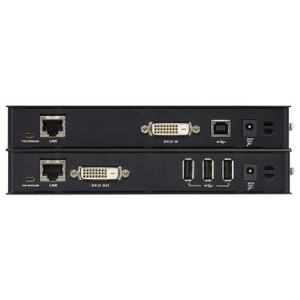
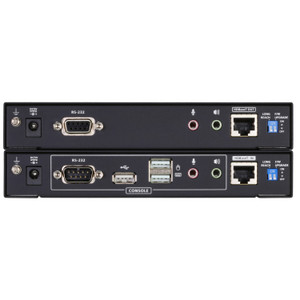
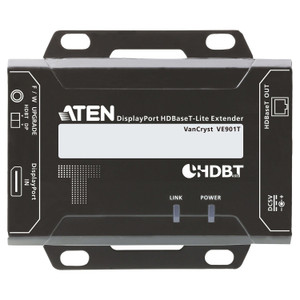
Product images are provided for reference and may not represent the exact model, configuration, or included components.

Overview

SKU: CE920
UPC: 672792008726
Condition: New
Write a Review 31% OFF

ATEN USB Displayport Hdbaset 2.0 KVM Extender 4K at 330FT - CE920

ATEN CE920 USB DisplayPort HDBaseT 2.0 KVM ExtenderOverviewThe CE920 is the remote-unit (receiver) half of ATEN's HDBaseT 2.0 KVM extender pair, desig…

$1,302.00 $900.99 SAVE $401
Ships same business day
In stock

Quantity:

Adding to cart… The item has been added
Compatibility guidance available for your deployment
Senior specialists for pre and post-sales support
Authorized sourcing and documentation support
Shipping and lead-time confirmation before install

Laura Bennett, IPSD Senior Specialist

Talk to Laura

200+ hrs training • U.S - based

Senior Specialist • 877-277-7147

ATEN USB Displayport Hdbaset 2.0 KVM Extender 4K at 330FT - CE920

$1,302.00
$900.99

Overview

SKU: CE920
UPC: 672792008726
Condition: New

No Bots, Just Experts

Questions about this product? Free pre-sales support from a senior specialist — product questions, compatibility checks, BOM quotes, price confirmation — typically answered within one business day. Need camera placement or system design work? Engineering time is $175 per hour (qty 1 = 1 hour). Hardware buyers get up to one hour ($175) credited back on their order.

Description

ATEN CE920 USB DisplayPort HDBaseT 2.0 KVM Extender

Overview

The CE920 is the remote-unit (receiver) half of ATEN's HDBaseT 2.0 KVM extender pair, designed to place a keyboard, mouse, and 4K DisplayPort display up to 330 ft (100m) from the host system over a single Cat 6 or Cat 6a run. That matters in deployments where the workstation or server must stay in a secure equipment room while operators work at a remote console — control rooms, broadcasting workflows, medical imaging stations, or any environment where separating the compute from the operator is a physical or security requirement. The CE920 carries USB, video, and power signaling over one structured-cable run, eliminating the need for separate extender paths for each signal type.

Compatibility

The CE920R receiver pairs exclusively with the CE920L local transmitter unit (sold separately) as a matched set. Video distances depend on cable category: 4K (4096×2160 or 3840×2160 at 30Hz 4:4:4) is supported up to 90m on Cat 5e and up to 100m on Cat 6, Cat 6a, or ATEN 2L-2910 Cat 6 cable. 1080p extends to 100m on Cat 5e, Cat 6, or Cat 6a. Note that DisplayPort v1.1 caps 4K output at 30Hz — confirm your source and display both operate within that ceiling before deploying. The CE920-AT variant includes Ethernet pass-through over the HDBaseT link; the CE920-ATA does not — verify which SKU you have before relying on network connectivity at the remote end.

Installation Notes

The unit-to-unit link uses a single RJ-45 female port. A firmware upgrade slide switch and a wakeup push button are accessible on the remote unit — the wakeup button allows the remote console to bring a sleeping host back online without physical access to the equipment room. Operating humidity tolerance is 0–80% RH, non-condensing; do not install in condensing environments such as uncontrolled outdoor enclosures. Use the ATEN 2L-2910 Cat 6 cable for guaranteed 4K performance at the full 100m run length if third-party cable performance is uncertain.

Specifications
Function: CE920R
Unit To Unit: 1 x RJ-45 Female (Black)
Video Output: 1 (Orange)
Firmware Upgrade: 1 x Slide Switch
Wakeup Button: 1 x Push button
Video: Up to 4K@90m (Cat 5e) / 100m (Cat 6/6a/ATEN 2L-2910 Cat6)1080P@100m (Cat 5e/6/6a)*4K supported:4096 x 2160 / 3840 x 2160 @ 30Hz (4:4:4)
Humidity: 0–80% RH, Non-condensing
Ce820-Ce920-User-Manual-W.Pdf (2.63 Mb: 2025-06-27
Q&A
Reviews
Have Questions?

RELATED PRODUCTS

System Design, Deployment & Technical Support

Support services and planning resources for commercial surveillance, access control, and infrastructure deployments.

Fixed scope • Fixed price

System Design Assistance

  • Get help validating product compatibility
  • Coverage requirements
  • Storage planning and deployment architecture before you buy.
Request Design Help

Deployment & Configuration Support

  • Access fixed-scope support for rollout planning
  • User setup guidance
  • Migration and system standardization across single-site or multi-site deployments
View Support Services

Guides, Tools & Calculators

  • PoE requirements
  • Storage retention
  • Camera selection and deployment methodology
Open Technical Resources