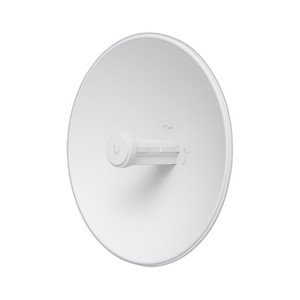
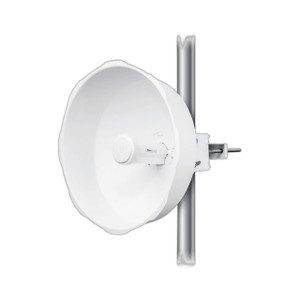
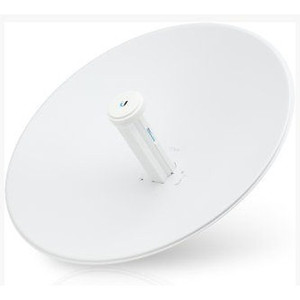
Ubiquiti PBE-M2-400-US PowerBeam Wireless Bridge
Overview
The Ubiquiti PBE-M2-400-US is a dedicated outdoor point-to-point wireless bridge engineered for infrastructure deployments requiring fixed, high-reliability connectivity between discrete network segments. Operating at a sustained throughput of 150 Mbps, the PBE-M2-400-US bridges Ethernet segments across distances where fiber or copper deployment is impractical or cost-prohibitive. This unit is part of the Ubiquiti wireless infrastructure family and delivers the carrier-class performance profile expected from the PowerBeam line—no mesh overhead, no user density constraints, no dynamic failover complexity. The bridge operates transparently at Layer 2, meaning it requires no routing configuration or subnet modifications on either end.
Key Features
- 150 Mbps sustained throughput: Delivers consistent data rates suitable for non-user-facing infrastructure links (campus backbone, remote site backhaul, temporary network extensions). This throughput is adequate for video surveillance backhaul, aggregate traffic from small remote offices, or redundant site connectivity where 150 Mbps meets SLA requirements—but insufficient for high-density user access or capacity-intensive applications.
- Outdoor-rated CPE form factor: The 35.1-pound unit mounts externally to rooftops, towers, or wall structures, eliminating the need to route cabling through buildings. This form factor also means installation requires proper grounding, weatherproofing of entry points, and rigid mounting hardware rated for the unit's weight and local wind loading.
- Layer 2 transparent bridging: The PBE-M2-400-US bridges Ethernet frames without requiring any IP configuration or routing table modifications. Both ends connect via standard RJ-45 Ethernet; the bridge learns MAC addresses and forwards frames transparently. This simplicity reduces commissioning time but also means link failures are not announced to the network—monitoring must be implemented at Layer 3 if failover logic is required.
- Point-to-point alignment requirement: Achieving 150 Mbps throughput depends on clear line-of-sight between the two units and adequate Fresnel zone clearance (typically the area between the two antennas). Obstructions, trees, or buildings in the Fresnel zone degrade throughput significantly. Site survey and link budget analysis before order placement are non-negotiable steps.
- Outdoor durability: The unit is rated for outdoor mounting and is designed to withstand environmental exposure. However, no IP rating specification is provided in the available evidence. Proper cable glands, grounding, and weatherproofing of all entry points are essential to prevent water ingress and electrical hazards.
- Minimal power footprint: As an outdoor bridge with no processing intelligence, power consumption is low relative to managed switches or video appliances. This makes the PBE-M2-400-US suitable for deployments powered by battery backup or small UPS systems, though exact power draw is not specified in available documentation.
Deployment Scenarios
The PBE-M2-400-US excels in scenarios where 150 Mbps meets operational requirements and wired infrastructure is impractical. Campus interconnects—bridging separate buildings without running trenches or fiber—represent the core use case. Remote site backhaul (a small branch office connected to a central network) is another natural fit. Temporary network extensions during infrastructure transitions (demolition, renovation, staged fiber upgrades) benefit from rapid wireless deployment without the time and cost of cable installation.
The bridge is not suitable for high-density user access, dense video surveillance (multi-camera, full-resolution recording), or applications requiring sub-100ms latency guarantees. If your requirement is to extend Wi-Fi coverage or provide user access, you need an access point, not a bridge. If you need sub-150 Mbps performance, consider other wireless infrastructure products optimized for lower throughput or different frequencies.
Integration and Commissioning
Installation of the PBE-M2-400-US requires site survey to confirm line-of-sight and Fresnel zone clearance. Both units must be aligned with minimal obstructions between them; even partial blocking reduces throughput below specification. The bridge operates on a fixed frequency (exact frequency not specified in available documentation), so verify regional regulatory compliance and frequency availability before deployment.
Network commissioning is straightforward: connect Ethernet cabling to both units, power both via appropriate outdoor power supplies or PoE injectors, and verify bridge operation at Layer 2. No DHCP, IP addressing, or routing configuration is required on the bridge itself. However, monitoring the link status typically requires a management interface or SNMP polling from a network monitoring system to detect failures quickly.
Installation and Mounting
The 35.1-pound weight demands secure mounting hardware—oversized u-bolts, lag bolts, or wall anchors rated for at least 50 pounds of static load (accounting for wind load multipliers in your region). Cable entry points must be sealed with outdoor-rated cable glands; standard office-grade connectors will fail. Grounding is mandatory: run a #6 or #8 copper ground wire to the building ground rod or lightning protection system to minimize risk of lightning-induced damage.
Power delivery should use an outdoor-rated PoE injector or industrial 12VDC/24VDC power supply with weatherproof connectors. Ethernet cabling must be outdoor-rated Cat6 or higher; standard indoor cable degrades signal integrity over long runs and fails under UV exposure.
Frequently Asked Questions
Q: What frequency band does the PBE-M2-400-US operate on?
A: Exact frequency is not specified in available documentation. Consult the product datasheet or contact the manufacturer to confirm regulatory compliance in your region before ordering.
Q: Can I daisy-chain multiple PBE-M2-400-US units to extend the network distance?
A: No. The PBE-M2-400-US is a point-to-point bridge only. Each unit bridges two Ethernet segments directly. To extend distance further, you would install a second bridge at the remote site connected to the first, creating a chain—but this introduces a second wireless hop and halves throughput. Plan for direct bridging whenever possible.
Q: Does the PBE-M2-400-US include a PoE injector?
A: Available evidence does not specify what is included in the box. Consult the product packaging information or datasheet, or confirm with a pre-sales engineer, to verify whether PoE injectors or power supplies are bundled.
Q: What is the maximum distance the PBE-M2-400-US can bridge?
A: Maximum distance depends on antenna gain, transmit power, receiver sensitivity, and local propagation conditions. Available documentation does not specify a maximum range. A site survey with link budget analysis is required to determine feasibility for your distance and environment.
Q: Is line-of-sight (LoS) required?
A: Yes. Point-to-point bridges require clear line-of-sight and adequate Fresnel zone clearance between the two units. Trees, buildings, or terrain in the Fresnel zone will degrade throughput below the 150 Mbps specification.
Q: Can the PBE-M2-400-US be used indoors?
A: It is designed as an outdoor CPE unit. While it may function indoors, it is optimized for external mounting and lacks the form factor and environmental rating suitable for clean indoor deployment. Use an indoor-rated bridge for indoor applications.
Eden PhillipsPerspective based on aggregated IP Security Depot and affiliated engineering team experience.
The Ubiquiti PBE-M2-400-US fills a specific infrastructure role: bridging two points across 150 Mbps of wireless capacity where cable deployment is unrealistic. It's not a flexible tool—it's a straightforward point-to-point appliance. The 35.1-pound weight and outdoor-only form factor mean site survey and structural analysis are not optional. Verify Fresnel zone clearance and line-of-sight before purchase; post-installation troubleshooting of a marginal RF path is expensive and frustrating.
Technical Highlights:
- 150 Mbps sustained throughput: Adequate for campus backbone or remote office backhaul, but not for high-density video or user access. This is a fixed specification—no dynamic adaptation or load balancing.
- Layer 2 transparent bridging: No IP configuration required, which accelerates commissioning. However, link failure is silent at Layer 3—you must implement monitoring at the network level to detect outages.
- 35.1-pound outdoor unit: Requires industrial-grade mounting hardware and grounding. Undersized mounts lead to RF misalignment and performance loss under wind load.
Deployment Considerations:
- Line-of-sight and Fresnel zone clearance are non-negotiable. Perform a site survey with a link budget calculator before committing to purchase or network design.
- Power and cabling must be outdoor-rated; standard indoor components fail under UV exposure and moisture. Budget for PoE injectors, outdoor cable glands, and grounding hardware.
- No redundancy built in. If the link fails, there is no automatic fallback. Design for dual bridges (one primary, one backup) if high availability is required.
The PBE-M2-400-US justifies its position in deployments where a single point-to-point link at 150 Mbps bridges an operational gap—campus fiber cut, remote office temporary connection, or staged infrastructure upgrade. It is not a flexible platform and should not be treated as such.