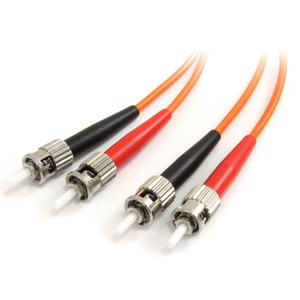
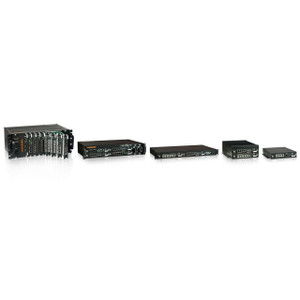
Product images are provided for reference and may not represent the exact model, configuration, or included components.

Overview

SKU: FDC2S
UPC: 0845770006308
Condition: New
Write a Review 37% OFF

Comnet Two Channel Fiber Optic Cable Break Monitor sm 2 fiber - FDC2S

Comnet FDC2S Dual Channel Fiber Optic Cable Break MonitorOverviewThe Comnet FDC2S is a dual-channel fiber optic cable break monitor designed to detect…

$630.00 $397.99 SAVE $232
Ships same business day
In stock

Quantity:

Adding to cart… The item has been added
Compatibility guidance available for your deployment
Senior specialists for pre and post-sales support
Authorized sourcing and documentation support
Shipping and lead-time confirmation before install

Laura Bennett, IPSD Senior Specialist

Talk to Laura

200+ hrs training • U.S - based

Senior Specialist • 877-277-7147

Comnet Two Channel Fiber Optic Cable Break Monitor sm 2 fiber - FDC2S

$630.00
$397.99

Overview

SKU: FDC2S
UPC: 0845770006308
Condition: New

No Bots, Just Experts

Questions about this product? Free pre-sales support from a senior specialist — product questions, compatibility checks, BOM quotes, price confirmation — typically answered within one business day. Need camera placement or system design work? Engineering time is $175 per hour (qty 1 = 1 hour). Hardware buyers get up to one hour ($175) credited back on their order.

Description

Comnet FDC2S Dual Channel Fiber Optic Cable Break Monitor

Overview

The Comnet FDC2S is a dual-channel fiber optic cable break monitor designed to detect signal loss on single-mode fiber runs. Deploy it where you need immediate notification of fiber cuts or damage—surveillance installations spanning long distances, backbone links between remote sites, or any critical fiber segment where a break means lost video feed. The FDC2S monitors two independent fiber channels and triggers configurable relay outputs (NO/NC) when signal loss is detected, integrating with your existing alarm or automation infrastructure without requiring additional network overhead.

Compatibility

The FDC2S works with any single-mode fiber infrastructure already in use for video transmission. If your surveillance system uses fiber-optic media converters, repeaters, or long-haul links (typical in campus deployments, inter-building backbone runs, or industrial sites with EMI-heavy environments), the FDC2S monitors the fiber itself independent of the video signal—it detects physical fiber breaks, sharp bends, or connector issues that would cut signal before any video device reports a problem. Relay outputs integrate with access control panels, security management systems, or standalone alarm logic that already responds to sensor input.

Installation Notes

Mount the FDC2S on a wall, 19-inch rack, or DIN-rail depending on your infrastructure layout. Operating range is −40 to +75 °C, suitable for outdoor cabinets, heated/cooled shelters, or indoor utility closets. Ensure single-mode fiber is properly terminated and connected to the monitor's input ports—loose or damaged connectors will trigger false positives. Configure relay outputs (NO or NC per channel) before deploying so your alarm system responds correctly to a break event.

Specifications
Channels: Dual
Fiber Type: Single Mode
Operating Temperature: -40 to +75 C
Mounting: Wall, Rack, DIN-rail
Relay Output: NO/NC Configurable
Q&A
Reviews
Have Questions?

RELATED PRODUCTS

System Design, Deployment & Technical Support

Support services and planning resources for commercial surveillance, access control, and infrastructure deployments.

Fixed scope • Fixed price

System Design Assistance

  • Get help validating product compatibility
  • Coverage requirements
  • Storage planning and deployment architecture before you buy.
Request Design Help

Deployment & Configuration Support

  • Access fixed-scope support for rollout planning
  • User setup guidance
  • Migration and system standardization across single-site or multi-site deployments
View Support Services

Guides, Tools & Calculators

  • PoE requirements
  • Storage retention
  • Camera selection and deployment methodology
Open Technical Resources