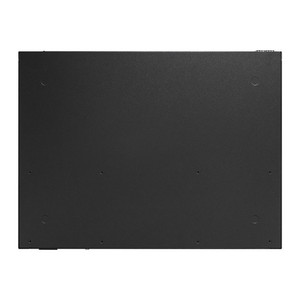
TP-Link XGZ030 10 Gigabit XGS-PON Fiber Subscriber Unit
The XGZ030 is a single-port XGS-PON subscriber functional unit (SFU) that terminates next-generation fiber access at the customer premise. It bridges a 10 Gigabit Ethernet LAN port to an SC/APC XGS-PON optical interface, supporting simultaneous 10 Gbps upstream and downstream transmission per ITU-T G.9807.1 and G.984.x specifications. Deploy this when legacy PON infrastructure must be upgraded to multi-gigabit residential or small-business service without replacing the optical distribution network (ODN).
Overview
The XGZ030 terminates the fiber drop from an optical line terminal (OLT) and bridges Layer 2 traffic to a single 10GE Ethernet port. Bridge mode operation enables transparent forwarding without requiring customer-side VLAN configuration, simplifying managed-service deployments. Dual image support and schedule-reboot capability allow firmware updates and planned maintenance without service interruption. Remote management via OMCI (ONT Management Control Interface), Telnet, or web UI lets network operators provision and monitor the unit from the headend without truck rolls.
Compatibility
The XGZ030 pairs with any XGS-PON OLT and ODN supporting ITU-T G.9807.1 Class E1 specifications. Consult your OLT documentation for authentication seed, SN-based provisioning, and T-CONT allocation. Typical deployments include fiber-to-the-premises (FTTP) networks transitioning from GPON (2.5 Gbps) to XGS-PON (10 Gbps) while reusing existing fiber runs and splitter infrastructure.
Installation Notes
Mount the unit near the customer NID or router using the wall-bracket footprint (6.19 × 4.42 × 1.46 inches). Connect the SC/APC fiber drop directly to the XGS-PON port; ensure proper cleaning and polarity. Connect downstream equipment (router, gateway, PC) to the 10GE LAN port using CAT6A or better cabling for full 10G throughput. Supply 12V/1A via the external power connector; the unit draws minimal current in power-saving mode. Factory reset is available via the front reset button if needed for re-provisioning.
What's in the Box
- 1x TP-Link XGZ030 XGS-PON SFU
- 1x 12V/1A external power supply
- 1x wall-mounting bracket
- Documentation