TP-Link TL-SG105MPE 5-Port Gigabit PoE Switch
Overview
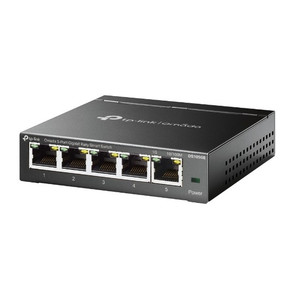
The TL-SG105MPE consolidates Gigabit connectivity and PoE power delivery in a compact desktop enclosure—purpose-built for small office and branch deployments where you need to power 3–4 IP cameras, wireless access points, or VoIP phones from a single injection point without separate power supplies. Four ports deliver IEEE 802.3af/at PoE (120W total budget), and a fifth Gigabit uplink port connects to your core network or NVR. The integrated easy-smart management layer (web UI or Windows/Mac utility) handles VLAN tagging, QoS, and IGMP snooping without the complexity or cost of a fully managed switch.
Compatibility
Deploy the TL-SG105MPE with standard Gigabit PoE devices: 5–15W IP cameras (Axis, Hikvision, Dahua, Uniview, and equivalent vendors), lightweight PoE wireless access points, IP intercoms, and VoIP phones. The 120W budget accommodates three typical 15W cameras plus one 5–10W access point simultaneously. Uplink via the non-PoE fifth port to NVRs, managed switches, firewalls, or management workstations over standard Gigabit Ethernet. Not suitable for high-power PoE+ devices (30W+) or outdoor deployment. Desktop steel enclosure; no DIN-rail or wall-mount variants available on this model.
Installation Notes
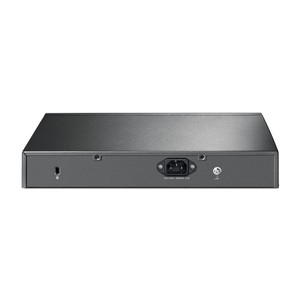
Wall mounting is optional via two screw holes on the bottom panel (mounting hole distance and screw specifications provided in the manufacturer mounting guide—consult the datasheet for exact screw standard and spacing). Mount upright with ports and LEDs accessible for troubleshooting. Indoor use only; keep in dry environments away from direct moisture or temperature extremes. PoE Auto Recovery automatically restarts powered ports after a fault, reducing manual intervention in unattended installations. Plug-and-play operation requires only a power supply connection; no additional configuration needed unless you deploy VLANs or port security.
What's in the Box
- 1x TL-SG105MPE 5-port switch
- 1x power adapter
- Documentation and utility CD (Windows/Mac network configuration)