TP-Link RE315 AC1200 Wi-Fi Range Extender
Overview
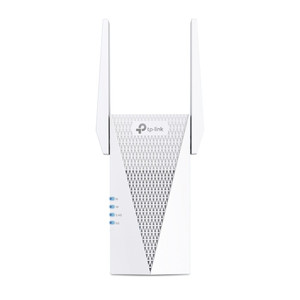
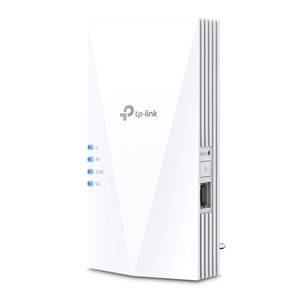
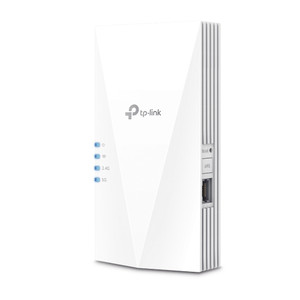
The RE315 extends 802.11ac Wi-Fi coverage across warehouses, multi-floor facilities, and industrial automation zones without requiring additional wired backhaul infrastructure. Dual-band operation delivers 300 Mbps on 2.4 GHz and 867 Mbps on 5 GHz—sufficient throughput for IoT sensor networks, desk phones, and light video surveillance feeds across extended areas. Wall-plug form factor eliminates rack footprint and mounts directly into any standard outlet positioned mid-path between dead zones and your primary router. The single 10/100 Mbps Ethernet port functions as fallback uplink or connection point for stationary devices where wireless is unreliable.
Compatibility
The RE315 operates in both Range Extender (RE) and Access Point (AP) modes, supporting OneMesh and EasyMesh protocols for seamless bridging with compatible TP-Link mesh Wi-Fi systems—no separate configuration overhead required. Compatible with standard 802.11ac routers and mesh nodes from any manufacturer, though OneMesh features unlock only with TP-Link mesh ecosystems. Access Control and Power Schedule features allow network segment isolation and scheduled on-off cycles, reducing standby draw in unmanned zones. The Tether mobile app provisions setup, monitoring, and remote LED control—valuable for distributed multi-site deployments where physical access is limited.
Installation Notes
Two external antennas permit manual orientation adjustment for optimal signal direction around metallic obstructions or in tight spaces. Wall-plug mounting requires a standard 120V outlet within effective range of the primary router; position the extender mid-path between the dead zone and access point to maximize coverage gain. The 10/100 Mbps port bandwidth limits wired uplink throughput—use the Ethernet connection only for non-critical, lower-speed devices (IoT sensors, desk phones); for high-bandwidth extension (video surveillance, bulk file transfer), rely on 5 GHz wireless bridging instead. Two external antennas can be adjusted for optimal coverage in spaces with metallic obstructions.