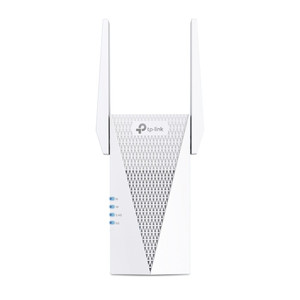
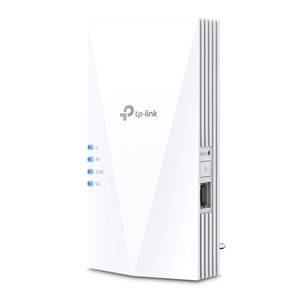
TP-Link RE600X AX1800 Wi-Fi 6 Range Extender
Overview
The RE600X is a plug-in Wi-Fi 6 (802.11ax) range extender designed to expand network coverage in spaces where wired backhaul is impractical. It bridges coverage gaps in warehouses, multi-floor facilities, and distributed office deployments where wireless clients need stronger signal but full access point installation is not justified. The AX1800 throughput designation reflects dual-band 802.11ax operation across 2.4 GHz and 5 GHz bands. Deploy the RE600X in areas already served by a compatible Wi-Fi 6 or Wi-Fi 5 access point where signal attenuation exceeds acceptable thresholds for mobile endpoints, tablets, or IoT sensor networks. It operates in repeater mode, receiving and rebroadcasting the primary network without requiring ethernet backhaul — this simplifies installation in retrofit scenarios or temporary coverage expansion, but introduces latency typical of half-duplex repeaters. Not suitable for real-time video streaming or low-latency command-and-control links.
Compatibility
The RE600X extends networks from any IEEE 802.11ax (Wi-Fi 6) or 802.11ac (Wi-Fi 5) access point. It does not require a specific vendor ecosystem — configuration occurs via web UI or mobile app once paired to an existing network. In enterprise settings with strict VLAN or guest-network segregation, confirm that extender placement will not bypass access control policies.
Installation Notes
Plug directly into a standard AC outlet within range of the target access point. Position midway between the primary AP and coverage dead zone to maximize signal strength. Avoid metal obstructions and high-RF-interference areas (microwave ovens, industrial machinery). Allow 2–5 minutes for boot and Wi-Fi synchronization after power application.