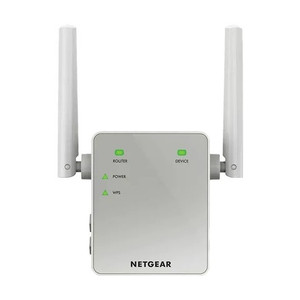
Product images are provided for reference and may not represent the exact model, configuration, or included components.

Overview

SKU: RE305
UPC: 845973097998
Condition: New
Availability: Backorder Available — Contact for ETA
Warranty Manufacturer Warranty
Write a Review

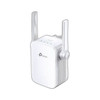
TP-Link RE305 AC1200 WiFi Range Extender Wall Plug

TP-Link RE305 AC1200 WiFi Range Extender Wall PlugOverviewThe TP-Link RE305 is a compact dual-band wall-plug extender that fills coverage gaps in 802.…

$59.99
Special Order
Ships in 2-3 Weeks

Quantity:

Adding to cart… The item has been added
Compatibility guidance available for your deployment
Senior specialists for pre and post-sales support
Authorized sourcing and documentation support
Shipping and lead-time confirmation before install

Laura Bennett, IPSD Senior Specialist

Talk to Laura

200+ hrs training • U.S - based

Senior Specialist • 877-277-7147

TP-Link RE305 AC1200 WiFi Range Extender Wall Plug

$59.99

Overview

SKU: RE305
UPC: 845973097998
Condition: New
Availability: Backorder Available — Contact for ETA
Warranty Manufacturer Warranty

No Bots, Just Experts

Questions about this product? Free pre-sales support from a senior specialist — product questions, compatibility checks, BOM quotes, price confirmation — typically answered within one business day. Need camera placement or system design work? Engineering time is $175 per hour (qty 1 = 1 hour). Hardware buyers get up to one hour ($175) credited back on their order.

Description

TP-Link RE305 AC1200 WiFi Range Extender Wall Plug

Overview

The TP-Link RE305 is a compact dual-band wall-plug extender that fills coverage gaps in 802.11ac networks without consuming a standard desk outlet—the power prongs integrate directly into a wall socket. It broadcasts 867 Mbps on 5GHz (for latency-sensitive traffic) and 300 Mbps on 2.4GHz (for older clients and broader range), making it suitable for warehouse automation networks, retail environments, or office buildings where you need to extend signal into isolated work areas or steel-frame structures without running new backbone cabling. The RE305 operates in either Range Extender mode (wireless backhaul from your existing router) or Access Point mode (wired backhaul via its single 10/100M Ethernet port), giving you flexibility to isolate extender traffic when wireless mesh loops are a risk.

Compatibility

The RE305 connects to any standard 802.11a/b/g/n/ac router or access point—no proprietary pairing required. The 10/100M LAN port supports wired-backhaul scenarios, allowing you to deploy the unit as an access point fed by Ethernet rather than wireless relay. WPS button pairing works with any WPS-compatible router. Configuration and management occur via the TP-Link Tether mobile app; web browser access is not available in this model.

Installation Notes

Wall-outlet insertion requires only standard outlet space—no drilling, brackets, mounting plates, or separate power supply. The two fixed external antennas cannot be repositioned; physical orientation during placement directly affects coverage directionality and dead-zone fill. Press and hold the WPS button to pair with compatible routers. Access control features allow you to restrict device connections, useful in multi-tenant or shared facility deployments where client isolation is required.

What's in the Box

  • 1x TP-Link RE305 wall-plug extender
  • 1x quick-start guide
Specifications
Source: 1
Product Type: Dual-Band Wi-Fi Range Extender
Frequency: 2.4GHz / 5GHz
Operating_Modes: Range Extender mode / Access Point mode
Ports: 1
Speed: 867 Mbps (5GHz) + 300 Mbps (2.4GHz)
Throughput: AC1200
Brand: TP-Link
MPN: RE305
Type: WiFi Range Extender Wall Plug
Connectivity: Ethernet
Power: 11V AC
Ethernet_Rate: Port
Length: 100M
Compatible With: AP-mode
Max_Range: 100M
Product_Type: WiFi Range Extender Wall Plug
Q&A
Reviews
Have Questions?

RELATED PRODUCTS

System Design, Deployment & Technical Support

Support services and planning resources for commercial surveillance, access control, and infrastructure deployments.

Fixed scope • Fixed price

System Design Assistance

  • Get help validating product compatibility
  • Coverage requirements
  • Storage planning and deployment architecture before you buy.
Request Design Help

Deployment & Configuration Support

  • Access fixed-scope support for rollout planning
  • User setup guidance
  • Migration and system standardization across single-site or multi-site deployments
View Support Services

Guides, Tools & Calculators

  • PoE requirements
  • Storage retention
  • Camera selection and deployment methodology
Open Technical Resources