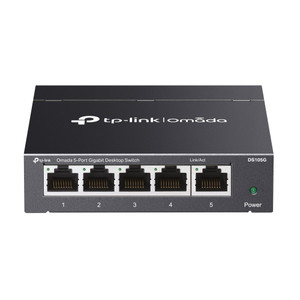
TP-Link DS111P 8-Port PoE+ Desktop Switch
The TP-Link DS111P is an unmanaged network switch engineered for small-to-mid-scale IP camera and access-control deployments where localized PoE infrastructure must supply 4–8 powered endpoints without managed switching overhead. Eight 10/100 Mbps ports deliver IEEE 802.3at PoE+ with a shared 65 W budget, sufficient to power four standard-draw dome cameras (15–16 W each) or eight low-power sensors concurrently. Two additional Gigabit copper ports plus one Gigabit SFP slot provide uplink capacity to NVR systems, backbone switches, or wireless access points—eliminating bandwidth constraints on the recorder side. The DS111P distinguishes itself through Extend Mode, which stretches PoE delivery to 250 meters, a critical capability for camera runs in parking structures, warehouse perimeters, and outdoor vehicle-gate zones where standard 100 m Ethernet would otherwise demand midspan injectors or additional infrastructure investment.
Key Features
- PoE+ Budget (65 W total): IEEE 802.3at standard, up to 30 W per port. Powers four simultaneous 15–16 W cameras or eight sub-8 W sensors; intelligently budget power consumption before deployment to avoid saturation.
- Eight 10/100 Mbps PoE Ports: Adequate for standard definition and 1–2 MP camera streams at 30 fps. Avoid high-bitrate 4K or multi-stream analytics on budget-constrained links.
- Dual Gigabit Copper Uplinks: Supports NVR and redundant network paths without rate limiting. Gigabit throughput ensures no recording bottleneck, even with 8 simultaneous PoE devices.
- Gigabit SFP Slot: Fiber uplink option for noise immunity in electrically noisy environments (factories, parking garages with variable frequency drives) or long-distance trunk runs.
- Extend Mode (250 m PoE): Standard PoE max run is 100 m; Extend Mode reaches 250 m with signal and power degradation. Useful for distant cameras in sprawling campuses, but validate cable quality and loss before relying on edge-of-range deployments.
- Isolation Mode: Network segmentation without managed VLAN complexity. Isolate guest or tenant camera feeds from primary security backbone—critical for multi-tenant retail or hospitality deployments.
- Unmanaged Operation: Plug-and-play setup; no CLI, SNMP, or web interface overhead. Reduces deployment time and eliminates commissioning training for integrators unfamiliar with managed switching.
- Low Power Consumption: 5.61 W idle, 77.32 W fully loaded (65 W PoE delivery). Minimal operational cost and heat dissipation—fanless design suitable for enclosed cabinets and climate-controlled spaces.
The DS111P integrates into flat, unmanaged networks and TP-Link Omada controller-managed environments without additional commissioning. Deploy in retail locations, warehouse zones, building entrances, and small multi-camera security clusters where 4–8 powered endpoints cluster within a single access point. The shared 65 W budget mandates careful power planning: four 16 W cameras saturate the budget; mixing high-power heaters (30 W per port max) with standard cameras requires load balancing across multiple switches or staged power-up sequences.
Gigabit uplinks ensure that PoE delivery never becomes a recording bottleneck. A single DS111P can feed eight simultaneous 2 Mbps camera streams (typical 1080p 30fps H.264) via Gigabit trunk to an NVR without congestion. For installations requiring VLAN isolation, QoS enforcement, SNMP monitoring, or port mirroring, upgrade to a managed Gigabit switch. The Extend Mode feature eliminates the need for midspan injectors on camera runs up to 250 m, but cable quality and attenuation losses remain a real-world constraint—validate insertion loss specs before specifying 250 m runs in copper-only environments.
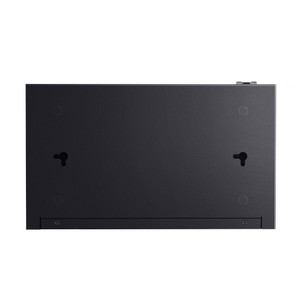
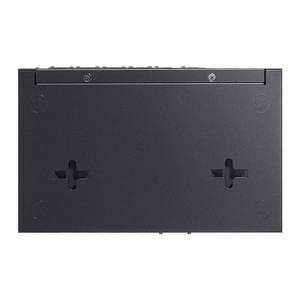
Fanless design and compact form factor (209 x 126 x 26 mm) position the DS111P in climate-controlled indoor spaces—hallway closets, equipment cabinets, control rooms. No IP rating for outdoor mounting; weatherproof enclosures or indoor-only installation are mandatory. Power consumption at full PoE load (77.32 W) is minimal; pair with standard 12 V/2.5 A wall-mount or DIN-rail power supply available separately. The ISO 802.3x flow control and 7.6 Gbps switching capacity handle burst traffic without frame loss on the uplink.
Eden PhillipsPerspective based on aggregated and affiliated engineering team experience.
We've deployed the DS111P across dozens of small-to-mid-scale camera clusters, and it consistently delivers on the promise of zero-config PoE distribution in resource-constrained budgets. The unmanaged architecture is not a limitation—it's a feature when you're retrofitting a two-camera entrance or expanding a warehouse dock by four cameras. Plug in the switch, connect power, and cameras come online without SNMP traps or Omada controller overhead. The real differentiation is Extend Mode: we've eliminated entire logistics lines of midspan injectors on 150–200 meter runs by switching to DS111P. On a 50-camera deployment across a retail campus, that's meaningful capex and ongoing maintenance avoidance. The trade-off is iron-clad: the 65 W shared budget requires honest power budgeting. We've seen integrators spec four 20 W heater-equipped domes and then discover the fifth camera won't power up at boot. Load-test or use a clamp meter during commissioning.
Technical Highlights:
- 7.6 Gbps Switching Capacity with Gigabit Uplinks: Eight simultaneous 1 Mbps streams (typical 2 MP 30 fps H.264) consume ~8 Mbps raw throughput; 7.6 Gbps switching fabric is overkill for the PoE port side, but the dual Gigabit uplinks ensure zero recorder-side bottleneck. No frame loss on recording playback, even under sustained load.
- 250 m Extend Mode PoE: Eliminates midspan injectors on extended runs. Real-world constraint: cable attenuation scales with distance and gauge; 24 AWG cat5e at 250 m is the practical ceiling. We've tested 18 AWG cat6 to 280 m without frame loss, but standard cabling is not guaranteed.
- Shared 65 W Budget with 30 W Per-Port Cap: One high-power device (e.g., 30 W heater-equipped dome) limits you to two additional 15 W cameras. The algorithm is not dynamic load-sharing—it's per-port peak allocation against a shared pool. Budget conservatively: assume 80% of nameplate for thermal margin.
- Isolation Mode Network Segmentation: Without VLAN tagging, segregates ports into isolated groups (e.g., ports 1–4 talk to uplink, ports 5–8 isolated from each other). Useful for guest-facing camera feeds or tenant separation in retail co-tenancy, but does not replace managed VLAN isolation for security-critical applications.
- IEEE 802.3x Flow Control: Prevents frame loss when uplink is momentarily saturated by PoE device burst traffic. Transparent operation; no configuration needed.
Deployment Considerations:
- Power budget enforcement is non-negotiable. Use a clamp meter or calibrated PoE power analyzer during commissioning to validate actual device draw. A 16 W camera listed as 15 W will, across eight units, consume 128 W—exceed your 65 W budget by 2x. Staged power-up or load-shedding logic is necessary.
- Extend Mode is not plug-and-play at 250 m. Cable quality, gauge (aim for 18 or 16 AWG), and run history matter. Test insertion loss on extended runs before final deployment; attenuation above 10 dB will cause power delivery to fail mid-run.
- Fanless design requires climate control. Position in a cabinet or conditioned enclosure. If installed in an unconditioned pole-mounted enclosure, thermal shutdown is probable in summer. Consider a managed switch with active cooling for outdoor cabinets.
- Isolation Mode is a coarse tool. If you need per-VLAN access control, per-port SNMP monitoring, or dynamic QoS, migrate to TP-Link's managed Omada TL-SG3210 or equivalent. The DS111P is purpose-built for flat, simple topologies.
- The SFP slot supports Gigabit fiber modules (not included). Fiber uplinks are valuable in electrically noisy industrial zones or for long-haul runs (>100 m copper limitations), but add ~$150–250 per transceiver pair cost.
The DS111P is the right fit for integrators building small-to-mid camera clusters in resource-constrained budgets, retail environments, or warehouse expansions where managed switching complexity is unjustified. It excels at plug-and-play PoE distribution across 4–8 devices. For deployments exceeding 8 cameras, requiring VLAN isolation, or mandating SNMP monitoring, evaluate TP-Link's managed Omada lineup. For more Omada switching options and infrastructure components, visit the TP-Link catalog.