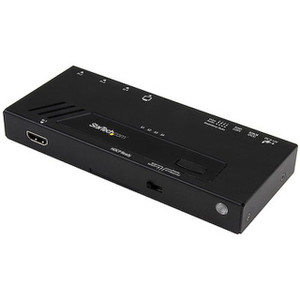
StarTech SV431TDVIUA 4-Port Triple-Monitor DVI USB KVM Switch
Overview
The SV431TDVIUA is a 4-port KVM switch built for control rooms and multi-PC workstations where each machine drives three DVI monitors. Instead of dedicating three displays, a keyboard, and a mouse to every PC, one console — three monitors, one USB keyboard, one USB mouse — controls up to four triple-head systems. That's the layout security operations centers, NOC desks, and trading-style multi-system setups actually need: full triple-monitor resolution per source, without racking four sets of peripherals. Each port supports up to 1920x1200 per display, so operators get full desktop real estate on every connected PC, not a downscaled preview.
Key Features
- 4 KVM ports, triple-monitor per port: Each of the 4 host connections carries 3 DVI-I video channels plus USB, so switching sources swaps a full three-monitor desktop in one action instead of juggling individual display inputs.
- 1920x1200 maximum resolution: Every connected PC gets full HD+ output on all three displays simultaneously — no compromise on desktop space when running monitoring software, VMS clients, or multi-window dashboards across a triple-head layout.
- Push-button and hotkey switching: Operators switch between the four connected computers using front-panel buttons or keyboard hotkeys, so source changes happen without reaching for a separate controller or software layer.
- Auto Scan mode (3, 8, 15, or 30 seconds): Cycles automatically through connected PCs at a set interval — useful for unattended monitoring walls where each system needs periodic visual confirmation without manual switching.
- USB 2.0 console and host connectivity: Console side uses USB 2.0 Type-A for keyboard and mouse; each host connects via USB B, keeping peripheral switching clean and OS-independent — the SV431TDVIUA works regardless of the connected PCs' operating system.
- Audio switching included: 2 console-side and 8 host-side 3.5mm mini-jack connections mean speaker and mic audio switch alongside video and USB, so a single console handles full multimedia control instead of just display and input.
- External power supply, 18W typical draw: Runs on 100-240V AC input through a 12V DC/1.5A adapter, so it's field-deployable on any regional mains voltage without a separate transformer.
- 156,000-hour MTBF: Mean time between failures rated at 156,000 hours — a relevant figure for control rooms running the switch continuously across shifts, where unplanned downtime on a shared console interrupts every connected system at once.
- Operating range 0C to 40C, storage -10C to 60C, 0-80% RH: Rated for standard equipment-room and control-room environments; no special HVAC accommodation needed for typical indoor IT closets or ops centers.
Integration & Compatibility
Because the SV431TDVIUA is OS-independent, it sits transparently between the console and whatever mix of Windows, Linux, or other systems are running on the four connected PCs — a common scenario when a monitoring wall combines a VMS workstation, a network management PC, and general-purpose systems on shared glass. For environments already standardized on DVI displays and USB peripherals, this switch consolidates the console footprint without touching the video pipeline itself — pair it with the existing network video recorders or VMS workstations feeding each port. If the control room also runs IP camera infrastructure, review a PoE planning guide when scoping the switch layout alongside camera drops, and check KVM switches for adjacent port-count options if four sources isn't the right fit. Cabling from each PC's triple DVI output plus USB B upstream port is required per host; confirm cable lengths against the equipment rack layout before ordering. For broader console infrastructure, the full StarTech catalog covers matched extenders and adapters, and a power supplies reference is worth a look if the deployment needs spares on hand for continuous-duty installs.
What's in the Box
Evidence does not specify individual package contents for the SV431TDVIUA beyond the unit and its external power adapter; confirm exact accessory counts against the packaging at time of order.
Frequently Asked Questions
Q: How many monitors can the SV431TDVIUA drive per PC?
A: Three DVI monitors per connected computer, at up to 1920x1200 resolution each, across all 4 KVM ports.
Q: Does the SV431TDVIUA work with any operating system?
A: Yes — it's OS-independent, so it works transparently with whatever operating system each connected PC is running.
Q: Can the SV431TDVIUA switch audio along with video and USB?
A: Yes. It includes 3.5mm mini-jack audio switching with 2 console-side and 8 host-side connections alongside the DVI video and USB switching.
Q: What's the warranty on the SV431TDVIUA?
A: 3 years.
Q: Can the SV431TDVIUA automatically cycle through connected computers?
A: Yes — Auto Scan mode cycles through connected PCs at 3, 8, 15, or 30-second intervals.
Q: What power input does the SV431TDVIUA require?
A: 100-240V AC input via an external adapter outputting 12V DC at 1.5A, drawing approximately 18 watts.
The spec that jumps out on the SV431TDVIUA is the triple-DVI-per-port architecture — 12 DVI-I host connections total across 4 ports, each capable of 1920x1200. That's a real triple-monitor KVM, not a single-head switch with a splitter bolted on, and it's the detail that matters when you're speccing a control room console.
Technical Highlights:
- 1920x1200 max resolution per display: Full desktop resolution across all three monitors on every connected PC — no downscaling when switching sources.
- 156,000-hour MTBF: Relevant for 24/7 ops center duty cycles where the console can't be the single point of failure across four systems.
- 18W typical power draw on 100-240V AC: Low enough to run off a standard rack PDU circuit alongside the monitored equipment, and the wide AC input range means no voltage-specific SKU concerns.
Deployment Considerations:
- Each host requires its own triple DVI-I run plus a USB B upstream cable — plan cable management for 4 sets of 3 DVI runs (12 total) into the console position, which adds up fast in a rack-to-desk pull.
- DVI-I is the video standard here, not DisplayPort or HDMI — confirm the source PCs' graphics cards output DVI natively or budget for adapters, since active DP-to-DVI adapters can introduce their own compatibility issues on triple-head configs.
This is the right switch for a 4-system security or network operations desk where each workstation already runs triple DVI monitors and operators need one-button switching between them — not a fit for single-monitor or HDMI-native environments.