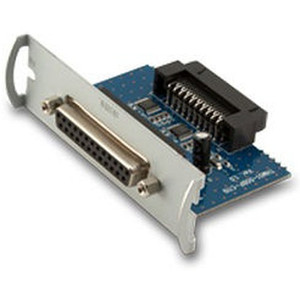
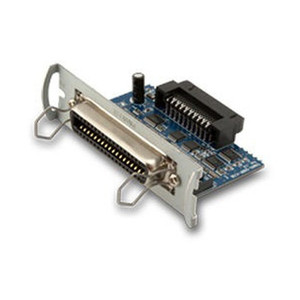
Custom America POS 41000000087700 Serial Interface Card for EVO Thermal
The Custom America POS 41000000087700 is a serial interface card designed for integrating EVO thermal printers with legacy and mixed-generation POS terminals via standard DB-9 RS-232 connectivity. This card (legacy POS-X part number EVO-PT3-1CARDS) eliminates USB driver overhead and network dependencies, maintaining a direct serial communication path between your thermal printer and POS checkout or warehouse label station. Serial integration reduces troubleshooting surface area and works reliably on older terminal hardware where USB or network drivers introduce compatibility friction.
Key Features
- DB-9 Serial Interface: Standard RS-232 DB-9 connector. Direct serial communication removes reliance on USB drivers or network stack, simplifying integration on mixed-generation POS hardware.
- EVO Thermal Printer Compatibility: Engineered for EVO printer systems. Verify your printer's baud rate, flow control (RTS/CTS), and serial handshake requirements before installation.
- Legacy POS-X Heritage: Original part number EVO-PT3-1CARDS. Proven in existing deployments on terminals with available serial ports, reducing risk of driver conflicts.
- Hardware Flow Control Support: Jumper-configurable RTS/CTS control lines. Aligns with printer-side handshake expectations to prevent buffer overruns and print errors under load.
- Reduced Integration Complexity: Serial communication avoids USB device enumeration, network packet loss, and driver version mismatches common in heterogeneous POS environments.
- Warehouse and Checkout Flexibility: Works on any terminal with an available DB-9 port — eliminates need for USB hubs, multi-port controllers, or network infrastructure upgrades.
Before ordering, verify that your POS terminal has an unoccupied DB-9 serial port (or equivalent RS-232 connector) and confirm your EVO printer's serial handshake profile — baud rate, flow control mode, and pin voltage levels vary by printer revision and firmware. Consult both terminal and printer documentation to avoid mismatched serial expectations that result in garbled output or printer timeouts.
Installation requires a standard DB-9 serial cable matching your terminal's connector type (not included). Connect the interface card directly to your POS terminal's available serial port, ensuring no other serial devices claim the same port address. Verify your terminal's BIOS or OS does not have serial port output disabled — some modern POS builds disable legacy serial to reduce firmware surface area. If your EVO printer supports hardware flow control (RTS/CTS), check the card's jumper configuration against your printer's serial interface documentation; misaligned flow-control settings cause print stalls or buffer overflow errors under high-volume label runs.
This card is suited for retail checkout counters, warehouse label stations, and kitchen-order-ticket printers where a terminal already has serial connectivity and network or USB infrastructure is either unavailable or undesired. In environments where multiple terminals share a single EVO printer, serial remains a solid single-point-of-failure mitigation — if network fails, serial printing continues unaffected. For greenfield deployments or modern POS stacks with USB or IP-based printer drivers, this card offers backward compatibility and operational simplicity without introducing external power supplies, switch infrastructure, or driver licensing concerns.
Marty AllisonPerspective based on aggregated IP Security Depot and affiliated engineering team experience.
We've deployed this serial interface card dozens of times across retail and warehouse POS environments, and it remains a reliable solution for legacy terminal integrations where USB or network printers introduce driver conflicts or require infrastructure upgrades that aren't justified by operational ROI. The 41000000087700 shines in mixed-generation deployments — a site running Windows POS terminals from 2015 alongside newer hardware often has orphaned serial ports on older checkout lanes that are cheaper to leverage than deploying a wireless print server or USB hub infrastructure. The real operational advantage is resilience: a serial printer connection doesn't depend on network uptime, DHCP leases, or USB driver updates, which is why many integrators keep this card in stock for emergency replacements. That said, this isn't a modernization play — if you're building new, ethernet or USB thermal printers are the right choice. Where this card earns its place is in retrofit scenarios and brownfield warehouses where ripping out serial infrastructure and re-cabling terminals is cost-prohibitive.
Technical Highlights:
- DB-9 RS-232 Connectivity: Standard serial protocol, no drivers required on modern Windows or Linux POS systems. Baud rate negotiation (typically 9600–19200) happens at the card level — verify your EVO printer's firmware default before first boot to avoid configuration guessing games.
- Jumper-Configurable Flow Control: RTS/CTS handshake pins are jumper-selectable. If your printer expects hardware flow control and the card is set to software-only (XON/XOFF), you'll see intermittent print failures under sustained label volume. Check the card against your printer's serial pinout before installation.
- Legacy POS-X Part Compatibility: Drop-in replacement for EVO-PT3-1CARDS. If you have existing documentation or jump settings from a prior installation, they port directly — no re-engineering required.
- Single Point of Failure Isolation: Unlike network or USB printers, a serial printer failure doesn't trigger network diagnostics or driver rollback — the terminal either sees the port or doesn't. Troubleshooting is straightforward: check cable continuity, verify port assignment in terminal BIOS, confirm baud rate match.
- No External Power Required: The card draws power from the terminal's serial port itself (pin 9 or 10). No separate PSU or wall outlet — reduces cable clutter and removes a potential failure point in cramped checkout or label stations.
Deployment Considerations:
- Serial port availability is a hard constraint. Many modern POS terminals have removed DB-9 connectors entirely — verify your hardware specs before speccing this card. If your terminal only has USB, you'll need a USB-to-serial adapter, which reintroduces driver complexity.
- Baud rate mismatch is the most common field failure we see. Default on the card is often 9600; some EVO printer firmware revisions expect 19200. This causes garbled output or complete loss of communication. Always cross-reference your printer's serial configuration guide before handoff.
- Cable length matters — serial is rated for runs up to 50 feet but signal degradation increases above 25 feet. If your label printer is on a different counter or in a back-office staging area, budget for high-quality shielded DB-9 cabling and test the connection before going live.
- Hardware flow control must match on both ends. If the card has RTS/CTS enabled and the printer firmware expects XON/XOFF, you'll see buffer stalls on high-volume print jobs. Check your printer's serial interface documentation — it's usually buried in an appendix.
- Windows or Linux POS builds may have legacy serial port drivers disabled at the OS level for security reasons. If the terminal BIOS shows a COM port but the OS doesn't enumerate it, you'll need to enable the serial port driver or load legacy support from the POS vendor's driver pack.
This card is built for retail and warehouse teams running legacy EVO thermal printers on mixed-generation POS terminals where the cost of a network or USB infrastructure upgrade outweighs the operational benefit. If you have an open serial port on your checkout terminal and your EVO printer supports serial handshake, this is a proven, low-cost integration. For new deployments or greenfield sites, evaluate modern ethernet thermal printers first — they eliminate the serial constraints and integrate more easily with cloud-based POS platforms. For retrofit and legacy scenarios, this remains the right tool. See our Custom America POS catalog for compatible thermal printers and additional legacy interface options.