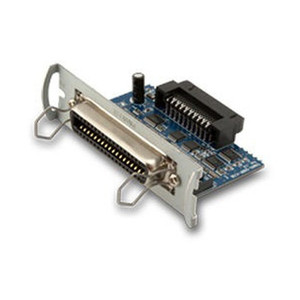
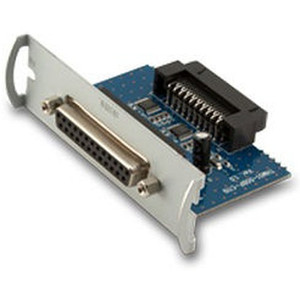
Custom America POS 41000000087500 Ethernet Interface Card for EVO Thermal
The Custom America POS 41000000087500 is an internal Ethernet interface card designed to add direct network connectivity to EVO Thermal printers and POS terminals. This card (legacy POS-X designation EVO-PT3-1CARDE) eliminates the need for external serial-to-Ethernet converters, parallel adapters, or standalone operation. Integrators deploying EVO units across warehouse management systems, point-of-sale networks, or enterprise infrastructure use this card to achieve native network integration without external appliances or cable runs. If your EVO terminal has an available internal card slot and lacks onboard Ethernet, this card bridges that gap.
Key Features
- Internal Card Form Factor: Installs directly into available EVO card slot. Eliminates external converter hardware and associated cable clutter.
- Ethernet Connectivity: Adds standard RJ45 network port to EVO Thermal systems. Connects to warehouse management systems, POS networks, or enterprise backbone without serial-to-Ethernet gateway overhead.
- Bus-Powered Operation: Draws all current from internal bus; no external power supply required. Simplifies installation and reduces cable management complexity.
- Legacy/Current Cross-Reference: Marketed as 41000000087500 (current designation) and EVO-PT3-1CARDE (older POS-X part number). Verify your documentation uses the correct reference before ordering.
- EVO Thermal Compatibility: Purpose-built for Custom America POS EVO Thermal printer and terminal platforms. Not all EVO variants support interface card upgrades — confirm your model has available slot and firmware support before installation.
- Network Configuration via System Menu: IP address, gateway, and DNS settings configured through EVO terminal menu interface. No separate configuration tool or additional software required on host computer.
This card is a straightforward hardware upgrade for EVO systems that shipped without onboard Ethernet. Deployment scenarios include thermal label printer integration in warehouse shipping stations, networked POS terminals in retail or hospitality environments, and remote monitoring or firmware updates over enterprise networks. The card itself does not add computing power or data processing — it is purely a network interface adapter. If your EVO already has native Ethernet onboard, this card is redundant.
Installation is a power-down, insert-and-seat procedure: no firmware flashing or external drivers required. The card must be fully seated (clicked into place) to function; a partial insertion will not register. Once installed and configured via the EVO menu, the terminal communicates over standard IP protocols. Test connectivity on your network segment before deploying across multiple locations to confirm the card is recognized and that your terminal firmware supports the hardware revision.
For integrators managing mixed-generation EVO fleets, part-number consistency is critical — confirm whether legacy EVO-PT3-1CARDE and current 41000000087500 are interchangeable in your environment, as Custom America may have revised form factors or firmware dependencies across production generations. If your EVO lacks a compatible card slot or does not support interface upgrades, a standalone serial-to-Ethernet converter or replacement of the entire terminal may be the alternative path.
Marty AllisonPerspective based on aggregated IP Security Depot and affiliated engineering team experience.
We've fielded retrofit requests for aging EVO thermal printer fleets where adding network connectivity without replacing the entire terminal made financial sense. The 41000000087500 is a no-frills internal card that does exactly one thing: it puts an Ethernet jack on a printer that doesn't have one. In our experience, the biggest operational pain point is not the installation — that's straightforward — but confirming compatibility before the card arrives. EVO product lines span multiple generations and SKU variants, and not every EVO model supports interface card upgrades. We've seen sites order this part only to discover their terminal doesn't have an available slot or their firmware revision predates support for this hardware. Always cross-reference the legacy EVO-PT3-1CARDE designation and your terminal's serial number / firmware version against Custom America's support documentation before committing to purchase. Once confirmed compatible and installed, the card is reliable. We've seen units running continuously in warehouse label-printing and POS environments for years without failure. The card itself has no active components — it's essentially a passive interface bridge — so there's minimal failure mode. Where this card falls short: it adds no computational intelligence, no data buffering, and no protocol translation. If your EVO is generating print jobs faster than your network can consume them, adding Ethernet won't solve that — you need to optimize the queue on the host system. And if your warehouse management system expects advanced error reporting or bi-directional status feedback, this card provides connectivity only; you'll still need to configure application-level logic on the WMS side.
Technical Highlights:
- Bus-Powered Design: No external power supply required — card draws current from EVO internal bus. Reduces wiring complexity and eliminates power supply failure as a separate troubleshooting path. On a multi-printer deployment, this is real operational simplification.
- Standard RJ45 Ethernet Port: Uses industry-standard connectivity; any CAT5e or better cabling and standard network switch ports work. No proprietary connectors or custom cabling needed.
- Slot-Based Installation: Internal card slot design keeps the card protected from environmental contamination (dust, thermal stress from nearby label rolls, etc.). More robust than an external converter sitting under a printer.
- Legacy/Current Part Number Overlap: EVO-PT3-1CARDE (older designation) and 41000000087500 (current designation) may reference the same hardware or may differ by revision. This is a known friction point — document which variant your site has been running before upgrading other terminals.
Deployment Considerations:
- Verify your specific EVO model and firmware revision support this card before ordering. Not all EVO variants have available card slots or backward-compatible firmware. Check Custom America documentation or contact support with your terminal serial number.
- Power down the terminal completely before inserting the card. Partial insertion will not register; push firmly until you hear/feel a click. Incomplete seating is the most common installation failure mode we see.
- After installation, test connectivity on a staging network segment before deploying across multiple sites. Confirm the card is recognized by the EVO menu and that your WMS or POS system can communicate with the terminal over IP.
- If your environment has thermal stress (high ambient temperatures near ovens or assembly lines), monitor the card's thermal environment — the internal card slot is more insulated than an external adapter, but sustained heat can degrade long-term reliability.
- This card adds network connectivity only — it does not add computing power, storage, or protocol translation. If your WMS expects advanced status reporting or error handling, configure that at the application layer, not at the hardware layer.
This card is the right choice for integrators retrofitting older EVO terminals into modern networked deployments where a full terminal replacement is not economically justified. It's a low-risk hardware addition on confirmed-compatible hardware. For sites evaluating whether to upgrade aging EVO fleets or migrate to newer thermal printer platforms, this card buys time on the legacy estate, but it's not a long-term modernization strategy. For ongoing support and fleet management questions, consult the Custom America POS catalog.