Custom America POS 41000000087200 Parallel Interface Card for EVO Impact
Overview
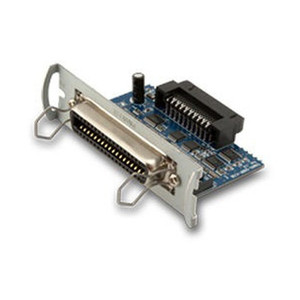
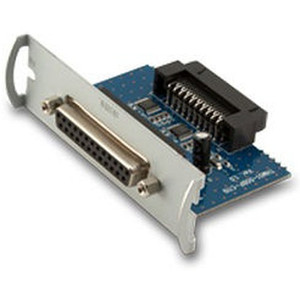
The 41000000087200 is an internal parallel interface card that restores legacy parallel-port connectivity on Custom America POS EVO and EVO Impact systems. Install this card when your existing peripheral hardware—impact receipt printers, customer-facing pole displays, electronic cash drawers—depends on parallel-port communication and USB or network connectivity is unavailable or impractical. The card mounts directly to a dedicated motherboard slot inside the EVO chassis; no external bridges or adapters required. It is a direct replacement for the earlier POS-X part number EVO-PK2-1CARDP and solves the integration problem when you cannot retire legacy parallel devices.
Compatibility
The 41000000087200 is compatible with Custom America POS EVO and EVO Impact systems only. It enables connection to parallel-port peripherals including impact receipt printers, customer-facing pole displays, and electronic cash drawers. Verify your EVO hardware revision before ordering—this card is designed for specific EVO motherboard architectures and may not be compatible with newer POS terminals or non-EVO Custom America platforms. Contact the system manufacturer or consult your EVO documentation to confirm your motherboard revision supports this interface card slot.
Installation Notes
Installation requires opening the EVO Impact chassis and seating the card in the designated internal slot. Power down and unplug the system before installation. The card draws power only from the motherboard slot connection—no additional power supply is required. After physical installation, the operating system may require driver installation or firmware update to recognize the parallel interface. Consult your EVO system documentation for driver availability and installation procedure. Test parallel-device communication immediately after installation to confirm proper seating and driver recognition.