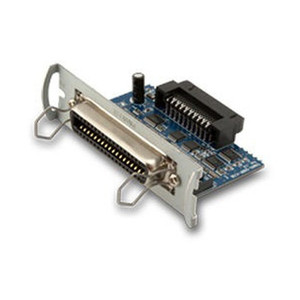
Custom America POS 41000000087300 Serial Interface Card for EVO Impact
Overview
The Custom America POS 41000000087300 is a serial interface card that restores RS-232 port connectivity to EVO Impact point-of-sale terminals. This card solves a specific deployment problem: when upgrading POS hardware, you often have proven serial peripherals—payment terminals, barcode scanners, receipt printers, customer displays, or legacy devices—that still work and still matter to your operation, but your new terminal has limited or no native serial ports. This card bridges that gap without forcing replacement of hardware that has years of life left. It fits warehouse receiving areas, retail floors, and back-office configurations where serial protocol communication is still the standard.
Compatibility
The Custom America POS 41000000087300 is compatible with EVO Impact terminals. The original POS-X part number is EVO-PK2-1CARDS. Not all EVO models support slot-based expansion—hardware revisions vary. Verify your specific terminal accepts interface cards before ordering. Check your system documentation or contact your integrator to confirm your EVO hardware revision supports this card type. Slot availability and BIOS settings will determine whether the card can be fully utilized on your hardware.
Installation Notes
Installation requires opening the EVO Impact chassis and seating the card into the appropriate internal expansion slot. Power down the terminal before inserting. Proper seating is critical—listen for an audible click confirming full engagement. After installation, power on and verify the port appears in device manager or system settings. If the port does not enumerate, reseat the card and check BIOS settings for any disabled expansion slots. The card draws power from the system's internal power distribution—no external power supply required.