Product images are provided for reference and may not represent the exact model, configuration, or included components.

Overview

SKU: QSW-2104-2S-A-US
UPC: 885022024032
Condition: New
Write a Review

QNAP Desktop QSW-2104-2S-US Unmanaged Switch - QSW-2104-2S-A-US

QNAP QSW-2104-2S-A-US Unmanaged 6-Port 2.5GbE/10GbE Desktop SwitchOverviewThe QSW-2104-2S-A-US is a plug-and-play unmanaged desktop switch that combin…

$141.99
Ships same business day
In stock

Quantity:

Adding to cart… The item has been added
Compatibility guidance available for your deployment
Senior specialists for pre and post-sales support
Authorized sourcing and documentation support
Shipping and lead-time confirmation before install

Laura Bennett, IPSD Senior Specialist

Talk to Laura

200+ hrs training • U.S - based

Senior Specialist • 877-277-7147

QNAP Desktop QSW-2104-2S-US Unmanaged Switch - QSW-2104-2S-A-US

$141.99

Overview

SKU: QSW-2104-2S-A-US
UPC: 885022024032
Condition: New

No Bots, Just Experts

Questions about this product? Free pre-sales support from a senior specialist — product questions, compatibility checks, BOM quotes, price confirmation — typically answered within one business day. Need camera placement or system design work? Engineering time is $175 per hour (qty 1 = 1 hour). Hardware buyers get up to one hour ($175) credited back on their order.

Description

QNAP QSW-2104-2S-A-US Unmanaged 6-Port 2.5GbE/10GbE Desktop Switch

Overview

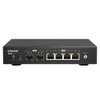
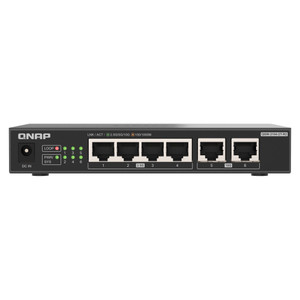
The QSW-2104-2S-A-US is a plug-and-play unmanaged desktop switch that combines four 2.5GbE RJ45 ports with two 10GbE SFP+ uplinks — purpose-built for small workgroups and NAS-centric deployments where you need a genuine throughput boost over standard gigabit without the overhead of a managed switch. The 2.5GbE RJ45 ports let existing Cat5e cabling carry 2.5x the bandwidth of 1GbE with no rewiring, which matters when connecting NAS units, workstations, or high-bitrate IP cameras that saturate a 1GbE link during simultaneous recording and backup. The two SFP+ slots run at 10GbE or 1GbE, giving you a direct high-speed path to a core switch, NAS uplink, or server — eliminating the bottleneck that appears when multiple 2.5GbE clients push traffic simultaneously.

Compatibility

Designed to pair directly with QNAP NAS systems that carry 2.5GbE or 10GbE interfaces — including the TVS, TS, and TES series units equipped with multi-gig ports. The SFP+ ports accept standard 10GbE SFP+ transceivers (DAC cables, SR, or LR modules) for integration into existing network switching infrastructure. Works with any 802.3-compliant device on the RJ45 side: NAS appliances, workstations, IP cameras, and PoE injectors feeding cameras over PoE switch uplinks. Because this is an unmanaged switch, there is no VLAN, QoS, or SNMP configuration — traffic forwarding is automatic. That simplicity makes it well-suited for isolated surveillance or storage VLANs where a separate managed switch handles segmentation upstream.

Installation Notes

Desktop form factor — no rack ears included, not designed for rack mounting without an optional adapter. Requires an AC power source; no PoE budget on this unit, so downstream cameras or access points will need their own power path. SFP+ ports support both 10GbE and 1GbE transceivers, but confirm transceiver compatibility with your core switch vendor before purchasing DAC or optical modules. No management interface means no firmware updates, no port mirroring, and no traffic diagnostics — factor that in if the deployment will grow to require monitoring.

Specifications
Port Count: 6
Ethernet Ports: 4x 2.5GbE RJ45
Fiber Ports: 2x 10GbE SFP+
SFP+ Speed: 10GbE/1GbE
Brand: QNAP
MPN: QSW-2104-2S-A-US
Type: Ethernet Cable
Connectivity: Ethernet
Q&A
Reviews
Have Questions?

RELATED PRODUCTS

System Design, Deployment & Technical Support

Support services and planning resources for commercial surveillance, access control, and infrastructure deployments.

Fixed scope • Fixed price

System Design Assistance

  • Get help validating product compatibility
  • Coverage requirements
  • Storage planning and deployment architecture before you buy.
Request Design Help

Deployment & Configuration Support

  • Access fixed-scope support for rollout planning
  • User setup guidance
  • Migration and system standardization across single-site or multi-site deployments
View Support Services

Guides, Tools & Calculators

  • PoE requirements
  • Storage retention
  • Camera selection and deployment methodology
Open Technical Resources