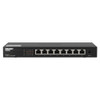
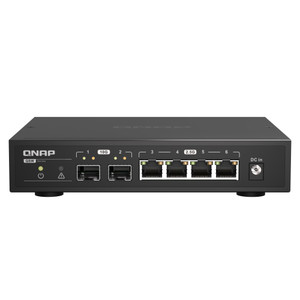
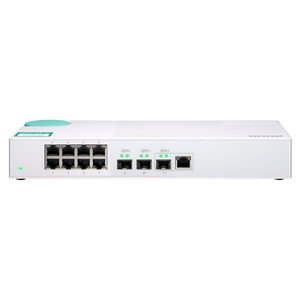
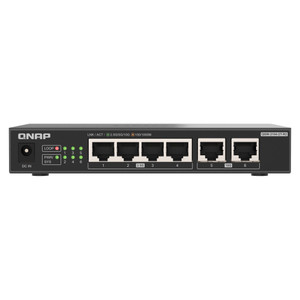
Product images are provided for reference and may not represent the exact model, configuration, or included components.

Overview

SKU: QSW-1108-8T-US
UPC: 885022022205
Condition: New
Availability: Usually Ships in 2-3 Weeks
Write a Review

QNAP Desktop QSW-1108-8T Unmanaged Switch 8 - QSW-1108-8T-US

QNAP QSW-1108-8T-US 8-Port 2.5GbE Unmanaged Desktop SwitchOverviewThe QSW-1108-8T-US is an 8-port 2.5GbE unmanaged desktop switch designed for small-t…

$185.99

Quantity:

Adding to cart… The item has been added
Compatibility guidance available for your deployment
Senior specialists for pre and post-sales support
Authorized sourcing and documentation support
Shipping and lead-time confirmation before install

Laura Bennett, IPSD Senior Specialist

Talk to Laura

200+ hrs training • U.S - based

Senior Specialist • 877-277-7147

QNAP Desktop QSW-1108-8T Unmanaged Switch 8 - QSW-1108-8T-US

$185.99

Overview

SKU: QSW-1108-8T-US
UPC: 885022022205
Condition: New
Availability: Usually Ships in 2-3 Weeks

No Bots, Just Experts

Questions about this product? Free pre-sales support from a senior specialist — product questions, compatibility checks, BOM quotes, price confirmation — typically answered within one business day. Need camera placement or system design work? Engineering time is $175 per hour (qty 1 = 1 hour). Hardware buyers get up to one hour ($175) credited back on their order.

Description

QNAP QSW-1108-8T-US 8-Port 2.5GbE Unmanaged Desktop Switch

Overview

The QSW-1108-8T-US is an 8-port 2.5GbE unmanaged desktop switch designed for small-to-medium deployments that need a bandwidth step up from gigabit without the overhead of managed infrastructure. Each port auto-negotiates at 2.5G, 1G, or 100M — meaning legacy devices stay connected while newer NAS units, IP cameras, or workstations run at full 2.5Gbps. The 40Gbps switching capacity and 20Gbps non-blocking throughput mean no port is a bottleneck even under simultaneous multi-stream traffic. Powered by a 12V DC adapter (12V/1.5A), max draw is 18W — low enough to run off a standard outlet or UPS tap without dedicated power planning. This is a zero-config switch: no web UI, no VLAN, no SFP — if you need any of those, look elsewhere. What it delivers is full-speed 2.5GbE connectivity for up to eight devices in a compact desktop form factor.

Compatibility

Pairs directly with QNAP NAS units that expose 2.5GbE ports, including the TS-x64EU, TVS-hx77, TS-hx86, and TVS-hx88 series, as well as QNAP QHora routers and any device with a 2.5GbE or standard GbE RJ45 NIC. Compatible with any 802.3 Ethernet device at 100M, 1G, or 2.5G — the switch handles the speed negotiation automatically. Works with IP cameras and NVRs on gigabit NICs; those ports negotiate down to 1G without manual intervention. The 16K MAC address table supports environments with dense device counts across multiple segments fed through an upstream router.

Installation Notes

Unmanaged — no driver or configuration utility required. Connect power via the included 12V DC adapter and plug in devices; the switch is operational immediately. Max power consumption is 18W; keep the adapter ventilated and avoid stacking units on top of the switch body. No rack ears or wall-mount hardware is included — desktop placement only unless third-party mounting hardware is sourced separately.

Specifications
Input Voltage Range: 12V/1.5A
Mac Address Table: 16K
Total Non-Blocking Throughput: 20Gbps
Switching Capacity: 40Gbps
Max Power Consumption: 18W
Input Power Type: DC
Port Speed: 2.5Gbps
Brand: QNAP
MPN: QSW-1108-8T-US
Type: Mounting Bracket
Connectivity: Ethernet
Power: 12V DC
Q&A
Reviews
Have Questions?

RELATED PRODUCTS

System Design, Deployment & Technical Support

Support services and planning resources for commercial surveillance, access control, and infrastructure deployments.

Fixed scope • Fixed price

System Design Assistance

  • Get help validating product compatibility
  • Coverage requirements
  • Storage planning and deployment architecture before you buy.
Request Design Help

Deployment & Configuration Support

  • Access fixed-scope support for rollout planning
  • User setup guidance
  • Migration and system standardization across single-site or multi-site deployments
View Support Services

Guides, Tools & Calculators

  • PoE requirements
  • Storage retention
  • Camera selection and deployment methodology
Open Technical Resources