
Church Security Camera Systems: A Buyer's Guide for 2026
Houses of worship sit at the intersection of public access, valuable assets, and duty-of-care obligations. This guide walks through the camera, NVR, and intercom decisions that actually matter for sanctuaries, fellowship halls, parking lots, and childcare wings — without overspending on hardware that doesn't fit the use case.
- Plan around 4 zones: exterior/parking, lobby/narthex, sanctuary, childcare — each has different lighting and privacy rules
- 8MP fixed domes with True WDR cover most interior spaces; reserve PTZ for parking lots and large multi-use halls
- Audio recording requires written consent signage and trustee approval; mute by default on sanctuary cameras
- Plan NVR storage for 30-90 day retention; congregations under 500 typically fit on 8-16 channel systems
Why church cameras differ from office systems
A modern church camera system serves three jobs: deterring property crime when the building is empty, documenting incidents during services and events, and giving leadership a tool to investigate disputes or insurance claims after the fact. The system architecture differs from retail or office deployments because of three things — irregular occupancy, mixed lighting (stained glass, dim sanctuaries, bright lobbies), and the sensitive privacy expectations of attendees.
The right approach starts by mapping camera placement to actual risk zones, not by picking the biggest camera count a vendor will sell you. Most congregations under 500 weekly attendees can be covered with 8 to 16 cameras and a single NVR.
Camera placement by zone
Camera selection by zone, with the resolution and feature priorities that matter for each:
| Zone | Camera type | Resolution | Special needs |
|---|---|---|---|
| Parking lot perimeter | Outdoor IR bullet or turret | 4-8MP | 120ft+ IR range, IP67, vandal resistant |
| Main entry / narthex | Indoor dome | 8MP | WDR for sun glare through doors |
| Sanctuary (overview) | Indoor dome, audio muted | 5-8MP | Low-light mode, neutral mount color |
| Childcare / classrooms | Indoor dome, visible to parents | 4MP | Tamper alerts on; written policy required |
| Cash count room / safe | Indoor dome, audio on | 5MP | Restricted DVR access, separate stream |
| Fellowship hall | Wide-angle or multi-sensor | 8MP+ | Event mode for variable lighting |
Recommended cameras for churches
Cameras in our church-deployment shortlist. These all pass the indoor-low-light, lobby-WDR, and IR-parking tests:
NVR sizing and storage planning
NVR sizing is bandwidth, channel count, and storage retention. Three rules of thumb:
- Plan 30 to 90 days of retention based on your insurance and incident review history. Most carriers want at least 30; some childcare licensing boards require 90.
- Budget about 250-500 GB per 8MP camera per 30 days at constant recording. Motion-only recording can cut storage 40-60%.
- Hard drives must be surveillance-rated (Purple, SkyHawk, IronWolf Pro). Desktop drives die within 12 months on 24/7 record duty.
| Congregation size | Camera count | NVR channels | Storage @ 30 days |
|---|---|---|---|
| Under 150 weekly | 4-8 | 8-channel | 2-4 TB |
| 150-500 weekly | 8-16 | 16-channel | 4-8 TB |
| 500-1500 weekly | 16-32 | 32-channel | 12-16 TB |
| Multi-campus 1500+ | 32-64+ | Multiple 32CH or central VMS | 20+ TB per site |
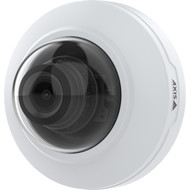
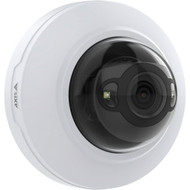
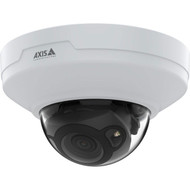
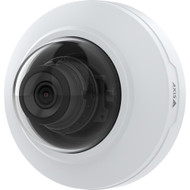
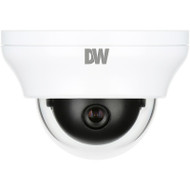
Indoor dome shortlist
Indoor dome cameras we recommend for sanctuary and fellowship hall coverage:
Two-way audio and entry intercoms
Two-way audio at lobby entries and small chapels lets staff respond to visitors and emergencies without leaving the office. Aiphone, Comelit, and 2N intercoms integrate cleanly with most NVRs over SIP:
Installation and commissioning
Installation and commissioning checklist for church deployments:
- Run all camera cable in EMT or plenum-rated conduit through ceiling spaces — bare Cat6 is not code-compliant in most jurisdictions
- Use PoE+ (30W) midspans or switches for any camera with IR illuminators above 60ft range
- Verify cable distances stay under 328ft (100m) per IEEE 802.3af spec — longer runs need PoE extenders or fiber
- Test exterior cameras under both daylight and IR-only conditions before final mount
- Document every camera location and IP address in a labeled site map kept with the NVR
- Train at least two staff members on NVR clip export — single-person knowledge is a liability
- Post visible "Premises Under Video Surveillance" signage at all public entries
Frequently asked questions
- Do we need permission from the congregation to install cameras?
- Most jurisdictions don't require congregational vote, but a written policy approved by trustees or elders is strongly recommended. The policy should cover who can review footage, how long it's retained, when it gets shared with law enforcement, and how childcare-area recordings are handled. Post the policy on the church website and reference it in your member directory.
- Can we record audio inside the sanctuary during services?
- Federal and most state laws permit audio recording in spaces where there's no reasonable expectation of privacy — but courts have ruled inconsistently on worship services. Practical answer: mute sanctuary cameras by default, enable audio only in cash count rooms and exterior entry points, and post written notice. Two-party consent states (CA, FL, IL, MD, PA, WA among others) require explicit consent from everyone recorded.
- How long should we keep recorded footage?
- 30 days minimum for most general-liability coverage. 60-90 days if you have a regular childcare program. 1 year for any clip that's part of an active incident report. Bigger storage costs money, but underspending on retention has cost congregations evidence in slip-and-fall and abuse-allegation cases.
- What's the realistic budget for a 200-member church?
- Hardware-only budget for 8-12 cameras, a 16-channel NVR with 8TB of surveillance storage, a PoE switch, and signage runs $4,500-$8,000 depending on camera selection and how many exterior IR cameras are needed. Installation labor adds $2,500-$5,000 for a typical single-story building with accessible attic or ceiling space. Cabling complexity is the biggest cost variable.
- Should we go with a cloud-recorded system instead of an NVR?
- Cloud is simpler to manage but ongoing costs add up. At 12 cameras recording 24/7, expect $80-$200/month in cloud fees depending on the platform and retention. After 3 years that's $3,000-$7,000 — usually more than a quality on-prem NVR would have cost. Cloud makes sense for multi-campus or for small congregations without IT-capable staff.
Need help sizing a system for your facility?
Our Senior Specialists work with church and ministry installers daily. Share a floor plan or rough square footage — we'll size cameras, NVR, switch, and storage and quote channel-direct.
Talk to a Senior Specialist See full church camera lineup