
Best AI NVR for Business in 2026: Reviews and Buyer's Guide
AI-equipped NVRs have moved from premium tier to mainstream in 2026. This guide reviews the platforms working integrators actually deploy — Axis, i-PRO, Hanwha, and select open-platform VMSs — with specific model recommendations for SMB, mid-market, and enterprise sites.
- AI-on-NVR is best for sites with mixed-vendor or older cameras that lack on-edge AI
- AI-on-camera + standard NVR is the lower-cost path when you're refreshing cameras anyway
- Plan storage at 250-500GB per 8MP camera per 30 days, plus 20-30% headroom for AI metadata
- Open-platform VMSs (Genetec, Milestone) outperform appliance NVRs on multi-vendor and multi-site
AI-on-NVR vs. AI-on-camera
Two architectures dominate the AI surveillance market right now:
- AI-on-NVR. Standard cameras stream raw video to a beefier NVR that runs analytics centrally. Works for retrofit deployments where you don't want to replace cameras. Higher NVR cost; lower camera cost. Limited by NVR GPU capacity (typically 16-64 cameras per NVR for full-FPS analytics).
- AI-on-camera. Each camera runs its own analytics on a dedicated SoC, sending metadata + selected clips to a standard NVR. Higher camera cost; lower NVR cost. Scales linearly because each camera handles its own AI workload. The current direction of the industry.
Platform matrix
Platform matrix — the AI NVR and VMS systems we ship most often:
| Platform | Architecture | Best for | Channels |
|---|---|---|---|
| Axis Camera Station Pro + AI cameras | AI-on-camera | Pure Axis sites, retail, schools, government | Up to 200+ per server |
| i-PRO Video Insight + X-Series | AI-on-camera | Casino, retail loss prevention, transit | Up to 256 per server |
| Hanwha Wisenet WAVE + AI cameras | Hybrid | Mid-market commercial, multi-site | 256-1000+ |
| Genetec Security Center + AI cameras | Hybrid (camera + server) | Enterprise, multi-vendor, federation | Unlimited |
| Milestone XProtect + AI cameras | Hybrid | Mid-market, multi-vendor, open platform | Unlimited |
| Hikvision DeepinMind NVR | AI-on-NVR | NDAA-OK sites only; cost-driven retrofits | Up to 64 per NVR |
AI NVR shortlist

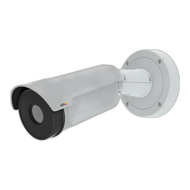
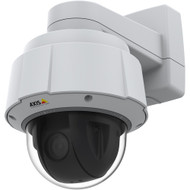
AI cameras to pair
AI-on-camera models that pair well with most VMS platforms:
Storage for AI NVRs
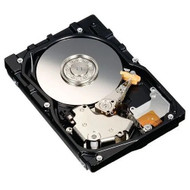
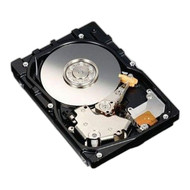
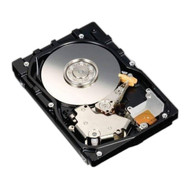
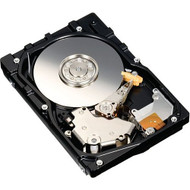
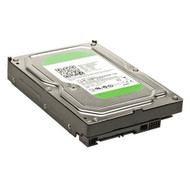
Surveillance-rated drives for AI NVR storage:
Sizing checklist
Sizing checklist
NVR sizing for AI workloads breaks down into four budgets:
- Bandwidth. Sum of camera streams in Mbps. 8MP at H.265 typically 4-6 Mbps; double for VBR peaks.
- Storage. Bandwidth × retention days × seconds per day. Plan 30-90 days minimum for most commercial sites.
- CPU/GPU. AI-on-NVR analytics consume 2-8 GB GPU memory per channel. Plan a single NVIDIA T4 or A2-class GPU per 16-32 channels of AI processing.
- I/O. Sustained write speed has to keep up with cameras. Surveillance drives in RAID-5 or RAID-6; 8+ drives per array for sites over 24 channels.
Frequently asked questions
- Do I need a GPU on the NVR if my cameras already have AI?
- Not for the core analytics — the camera handles those. You may still want a small GPU on the NVR for VMS server-side features (multi-camera search, attribute fusion across cameras, federated search). For pure recording with on-camera AI, a standard server CPU is sufficient.
- How much does an AI NVR system cost vs. a standard NVR?
- For a 16-camera site, an AI-on-camera build (newer Axis/i-PRO/Hanwha cameras + standard VMS) typically runs 30-50% more than a non-AI build. An AI-on-NVR retrofit (older cameras + AI-enabled NVR) runs 15-30% more. Within 2-3 years the price gap usually closes as AI features become standard on mainstream cameras.
- Can I retrofit AI analytics to my existing camera deployment?
- Yes — that's the use case for AI-on-NVR architectures. The NVR runs analytics on the incoming streams without requiring camera replacement. Limitations: image quality from older cameras (especially in low light) caps the analytics accuracy. If your cameras are 5+ years old at 2MP, plan to refresh the cameras anyway.
- Does AI on the NVR work for face recognition?
- Yes for face vector indexing and watchlist matching. Most enterprise VMSs offer face recognition modules with separate licensing. Compliance and privacy regulations vary widely by state and use case — for retail, casinos, and event venues this is mainstream. For schools and most commercial offices it's typically disabled by policy.
- What's the difference between AI search and AI alerts?
- AI search lets investigators query video after the fact ('show me everyone wearing red between 3 and 5pm'). AI alerts fire in real time when conditions match ('alert when someone enters this zone after hours'). Both rely on the same underlying analytics, but they have different deployment and tuning considerations. Most modern platforms ship both.
Quote an AI NVR system
Working integrators get channel-direct pricing on Axis, i-PRO, Hanwha, Genetec, and Milestone hardware and licenses. Senior Specialists can spec a system from a camera list or floor plan.
Quote AI NVR See full NVR lineup