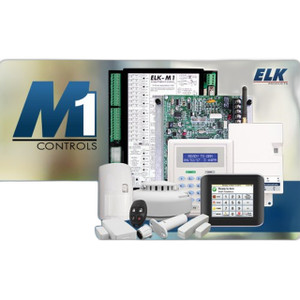
ELK Products ELK-M1XSP Serial Port Expander
Overview
The ELK-M1XSP is a serial port expansion module purpose-built for ELK Products M1 control panel systems. This accessory extends the serial communication capabilities of M1-based installations, allowing you to connect additional peripheral devices without replacing the core control hardware. The ELK-M1XSP (often searched as ELK M1XSP) integrates via serial protocol into existing M1 architectures with minimal reconfiguration.
Key Features
- Serial Protocol Connectivity: Direct serial connection to the M1 control panel eliminates the need for separate interface cards or gateway devices. This reduces hardware footprint and simplifies wiring diagrams — valuable in retrofit installations where cabinet space is already constrained.
- Peripheral Device Expansion: The ELK-M1XSP adds extra device ports for lighting interfaces, thermostats, and other serial-compatible peripherals commonly deployed in integrated security and home automation installations. You can scale your system without swapping out the core control unit, which saves integration labor and avoids downtime during system upgrades.
- M1 System Integration: Designed specifically for ELK M1 lighting and thermostat control systems. This purpose-built design ensures straightforward commissioning and compatibility with existing M1 device drivers and configuration tools.
- Minimal Reconfiguration: Serial protocol architecture means existing M1 system configurations require only light modification to recognize the expanded ports. No firmware updates or complex rebinding procedures are necessary in most deployments.
Integration & Compatibility
The ELK-M1XSP integrates into M1-based control architectures as a serial expansion module. It is compatible with ELK M1 lighting and thermostat control systems and supports standard serial device protocols used in integrated security and home automation environments. Before ordering, verify that your M1 control panel firmware supports serial expansion modules; consult your M1 documentation or contact ELK technical support if you are uncertain about your system version.
This module is well-suited for integrations that already rely on network video recorders or network switching infrastructure for other building systems, as it allows you to consolidate device management under a single M1 control panel without introducing additional network dependencies.
When to Choose a Different Approach
If your installation requires ethernet-based device connectivity or IP-addressable peripherals, evaluate M1-compatible IP gateway modules or consider whether a separate control panel with native IP support may better suit your architecture. The ELK-M1XSP is serial-only; it does not provide ethernet or IP routing capabilities. Additionally, if your peripheral device count is very small (fewer than three additional serial devices), the cost and complexity of adding an expansion module may outweigh the benefit—direct serial connections to available M1 ports might be sufficient.
Frequently Asked Questions
Q: Can I use the ELK-M1XSP if my M1 control panel is already at maximum serial device capacity?
A: The ELK-M1XSP is designed to add additional serial ports when your M1 panel has exhausted its native serial connections. Verify your M1 firmware version supports serial expansion modules before installation. If your panel does not support expansion, you would need to upgrade to a higher-capacity M1 variant or a different control platform.
Q: What is the typical installation time for the ELK-M1XSP?
A: Installation typically involves a single serial cable connection to the M1 panel and configuration of the new ports in your M1 software. Expected commissioning time is 30–90 minutes depending on your familiarity with M1 configuration and the number of new peripherals you are adding.
Q: Does the ELK-M1XSP require separate power?
A: Power specifications are not detailed in the available documentation. Consult the product datasheet or contact ELK technical support to confirm power requirements and whether external power or panel-supplied power is necessary for your installation.
Q: Can I use the ELK-M1XSP with non-ELK serial devices?
A: The module is designed for ELK M1 ecosystems. Compatibility with third-party serial devices depends on whether those devices support standard serial protocols and whether M1 drivers exist for them. Verify device compatibility with ELK support before procurement.
Ted PerryPerspective based on aggregated IP Security Depot and affiliated engineering team experience.
The ELK-M1XSP solves a real problem on M1 retrofit jobs: you've maxed out the panel's native serial ports, but your customer doesn't want to replace the entire control unit just to add three more thermostats or lighting devices. Serial expansion keeps your core hardware in place and avoids the labor and risk that comes with a panel swap. That matters on mature installations where the M1 is already wired into building automation and security systems.
Technical Highlights:
- Serial Protocol Only: No ethernet, no IP routing — this is purely a serial expansion play. It keeps your network isolation clean if that's a requirement, but it also means you can't use this to enable IP-based peripherals. Know which you need before you order.
- Native M1 Integration: Works directly with ELK M1 lighting and thermostat control systems via serial connection. No gateway, no translation layer. Minimal reconfiguration of existing M1 configurations.
- Peripheral Flexibility: Supports lighting interfaces, thermostats, and other serial-compatible peripherals. The value here is consolidation—one expansion module replaces multiple point-to-point serial wiring runs.
Deployment Considerations:
- Verify your M1 firmware version supports serial expansion before commissioning. Some older M1 units may not recognize expansion modules out of the box, and upgrading firmware carries its own risk on live systems.
- Power supply details are not available in the evidence. Don't assume panel-supplied power—confirm with ELK technical documentation or support before wiring. Running out of panel power budget is a common retrofit gotcha.
- Third-party serial device compatibility is not guaranteed. The ELK-M1XSP is purpose-built for the M1 ecosystem; if you need to connect non-ELK serial gear, test compatibility in the lab first or get explicit support confirmation from ELK.
The ELK-M1XSP is the right call for integrators managing M1 control panel retrofits in residential and small commercial buildings where serial peripheral expansion is the bottleneck and budget constraints make a full panel replacement infeasible. It's straightforward to install, keeps your core hardware stable, and avoids the downtime of a panel migration—as long as your M1 firmware supports it.