
TP-Link EAP610 vs TP-Link EAP655-WALL: Specification Comparison
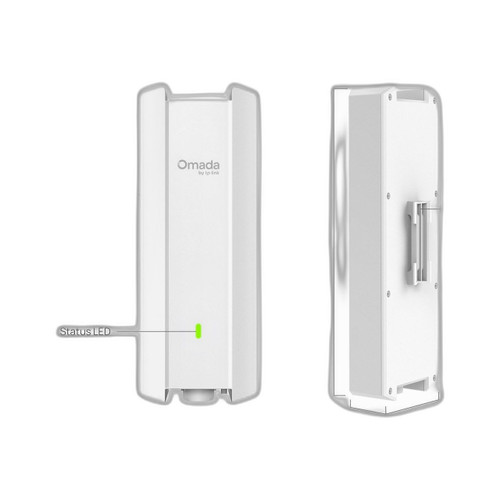
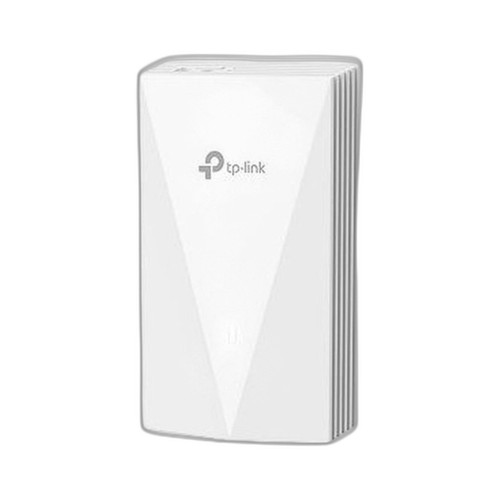
Both the EAP610 and EAP655-WALL are TP-Link Wi-Fi 6 (802.11ax) dual-band access points managed under the same Omada SDN platform, making them genuine cross-shop candidates for commercial wireless deployments. The key distinction is form factor and intended install context: the EAP610 is a ceiling-mount unit suited for open-plan coverage, while the EAP655-WALL is a wall-plate unit designed for in-room, low-profile mounting with built-in LAN switching. Buyers choosing between them are typically weighing coverage pattern, throughput tier, and installation footprint.
In This Guide
- Which AP delivers higher aggregate throughput and how does each radio stack compare?
- How do mounting style, port count, and PoE power requirements differ between the two units?
- How do the two APs compare on wireless security standards and Omada SDN management capabilities?
- Which should you choose: the EAP610 or the EAP655-WALL?
- Side-by-Side Specs
- FAQ
Which AP delivers higher aggregate throughput and how does each radio stack compare?
The EAP655-WALL is rated AX3000, with a specified aggregate of 3000 Mbps broken down as 574 Mbps on 2.4 GHz and 2402 Mbps on 5 GHz. The EAP610 is rated AX1800; no per-band breakdown is provided in the supplied specs. On aggregate throughput alone, the EAP655-WALL has a substantial advantage — approximately 1200 Mbps more rated capacity — making it the stronger radio choice for environments where clients demand high per-device bandwidth, such as conference rooms or private offices with dense video or UC traffic.
Both units operate dual-band (2.4 GHz and 5 GHz) and support the full 802.11a/b/g/n/ac/ax client mode set on the EAP610; the EAP655-WALL specs list 802.11i (WPA2/WPA3) for encryption but do not explicitly enumerate legacy operating modes in the supplied data. Buyers requiring explicit backward-compatibility documentation for older 802.11a/b/g/n/ac clients should verify the EAP655-WALL datasheet.
How do mounting style, port count, and PoE power requirements differ between the two units?
The EAP610 is a ceiling-mount disc measuring 160 × 160 × 33.6 mm with a single Gigabit Ethernet uplink port. It accepts 802.3at (PoE+) power and carries a minimum 802.3af requirement per spec. Mounting options include ceiling, wall, and junction box; kits are included per the spec data.
The EAP655-WALL is a wall-plate unit measuring 143 × 86 × 42.6 mm — a single-gang footprint designed to replace a standard wall outlet cover. It provides one Gigabit uplink port plus three additional Gigabit LAN ports, enabling wired device connections at the point of install without a separate switch. Its PoE input range is listed as 15.4–30 W (802.3af/at), with maximum power consumption of 30 W. Mount options listed are wall, corner, and rack. The three downstream LAN ports are a significant differentiator for in-room installs connecting wired endpoints such as IP phones, thin clients, or displays.
How do the two APs compare on wireless security standards and Omada SDN management capabilities?
The EAP610 spec enumerates an extensive security list: WEP, WPA2-PSK, WPA-Personal/Enterprise, WPA2-Personal/Enterprise, WPA3-Personal/Enterprise, and WPA3-Enhanced Open (OWE). OWE support is explicitly called out, which is relevant for guest networks requiring opportunistic encryption without a pre-shared key.
The EAP655-WALL lists 802.11i (WPA2/WPA3) as its encryption standard. WPA3-Personal/Enterprise and OWE support are not confirmed by the supplied specs; buyers requiring those modes should consult the EAP655-WALL datasheet before specifying.
Both units are managed via Omada SDN. The EAP610 spec references Omada SDN only; the EAP655-WALL explicitly adds the Omada App as a standalone management path, and lists a standalone operating mode alongside controller-managed mode. No other management differences (SNMP, REST API, cloud portal) are confirmed in the supplied spec data for either model.
Which should you choose: the EAP610 or the EAP655-WALL?
Our take: The EAP655-WALL is the stronger choice when the install location is a private office, hotel room, or classroom where a wall-plate form factor is required and wired endpoints need to share the drop — its AX3000 radio (3000 Mbps aggregate vs. the EAP610's AX1800), three downstream Gigabit LAN ports (vs. the EAP610's single uplink with no downstream switch ports), and flush 143 × 86 mm single-gang footprint make it purpose-built for that scenario. The EAP610 is the appropriate choice for open-plan or high-ceiling environments where a ceiling-mount disc covers a wider area from a single elevated install point, and where OWE guest-network encryption is a hard requirement — a mode confirmed in the EAP610 specs but not confirmed for the EAP655-WALL. Both units run the Omada SDN platform, so mixed deployments are feasible. Power infrastructure should be validated: both units require 802.3at-capable switches at full load.
Side-by-Side Comparison
Spec-for-spec, from manufacturer data.
| Specification | TP-Link EAP610 | TP-Link EAP655-WALL |
|---|---|---|
| Wi-Fi Generation | Wi-Fi 6 (802.11ax) | Wi-Fi 6 (802.11ax) |
| Aggregate Throughput | AX1800 | AX3000 (3000 Mbps) |
| 2.4 GHz Throughput | — | 574 Mbps |
| 5 GHz Throughput | — | 2402 Mbps |
| Form Factor | Ceiling-mount disc | Wall-plate (single-gang) |
| Dimensions (W × D × H) | 160 × 160 × 33.6 mm | 143 × 86 × 42.6 mm |
| Uplink Port | 1× Gigabit Ethernet | 1× Gigabit Ethernet |
| Downstream LAN Ports | — | 3× Gigabit Ethernet |
| PoE Input Standard | 802.3at (PoE+); 802.3af minimum | 802.3af/at (15.4–30 W) |
| Max Power Consumption | — | 30 W |
| Mount Options | Ceiling; Wall; Junction Box | Wall; Corner; Rack |
| WPA3 Modes Confirmed | Personal; Enterprise; OWE | WPA2/WPA3 (sub-modes not specified) |
| Management Platform | Omada SDN | Omada SDN Controller; Omada App |
| Standalone Mode | — | Yes |
| Frequency Bands | 2.4 GHz / 5 GHz | 2.4 GHz / 5 GHz |
| Operating Temperature | 0 °C – 60 °C (32 °F – 140 °F) | — |
Frequently Asked Questions
Which should you choose: the EAP610 or the EAP655-WALL?
The EAP655-WALL is the stronger choice when the install location is a private office, hotel room, or classroom where a wall-plate form factor is required and wired endpoints need to share the drop — its AX3000 radio (3000 Mbps aggregate vs. the EAP610's AX1800), three downstream Gigabit LAN ports (vs. the EAP610's single uplink with no downstream switch ports), and flush 143 × 86 mm single-gang footprint make it purpose-built for that scenario. The EAP610 is the appropriate choice for open-plan or high-ceiling environments where a ceiling-mount disc covers a wider area from a single elevated install point, and where OWE guest-network encryption is a hard requirement — a mode confirmed in the EAP610 specs but not confirmed for the EAP655-WALL. Both units run the Omada SDN platform, so mixed deployments are feasible. Power infrastructure should be validated: both units require 802.3at-capable switches at full load.
Can the EAP655-WALL replace a wall switch in a small conference room?
Based on the supplied specs, the EAP655-WALL provides one Gigabit uplink port and three Gigabit LAN ports, allowing wired devices to connect directly at the wall plate without a separate switch. The EAP610 has only a single Gigabit Ethernet port with no downstream switching capability, so it cannot serve this function.
Is the EAP610 or EAP655-WALL better for larger open-plan deployments?
The EAP610's ceiling-mount form factor and 160 mm disc profile are designed for overhead coverage of open areas. The EAP655-WALL is a wall-plate unit intended for individual room installs. For open-plan spaces requiring wide, even coverage from elevated mount points, the EAP610's form factor is the appropriate fit. Throughput-per-AP favors the EAP655-WALL at AX3000 vs. AX1800, but ceiling placement and coverage pattern are the primary variables in that scenario.
Do both APs support WPA3 and can they be managed together in the same Omada network?
The EAP610 explicitly lists WPA3-Personal, WPA3-Enterprise, and WPA3-Enhanced Open (OWE) in its spec data. The EAP655-WALL lists 802.11i (WPA2/WPA3) but does not enumerate WPA3 sub-modes or OWE in the supplied specs — confirm against the EAP655-WALL datasheet if specific WPA3 modes are required. Both units are Omada SDN-managed and can coexist in the same Omada controller environment.
More Wireless Access Point Comparisons
Get a Second Opinion on Your Camera Choice
Share your site layout, coverage goals, and budget. Our team will validate the camera selection, flag anything we would change, and recommend products that match the use case.