
NETGEAR WAX210-100NAS vs Ubiquiti U6-PRO: Specification Comparison
Both the NETGEAR WAX210-100NAS and the Ubiquiti U6-PRO are Wi-Fi 6 (802.11ax) dual-band ceiling/wall-mount access points targeting commercial indoor deployments. A buyer evaluating either unit is weighing aggregate throughput, concurrent-client capacity, PoE power class, operating-environment tolerance, and management approach — the canonical cross-shop axes for enterprise-grade APs. This comparison draws solely from the published specifications for each unit.
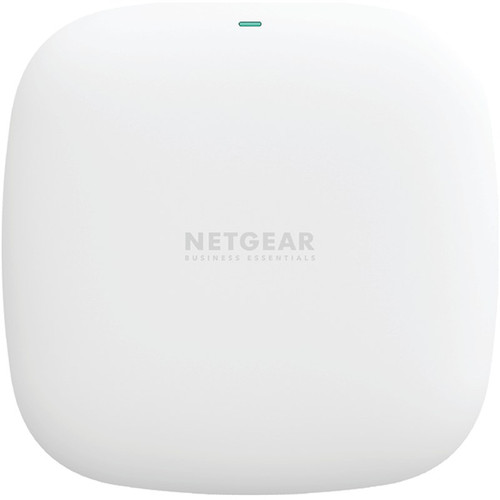
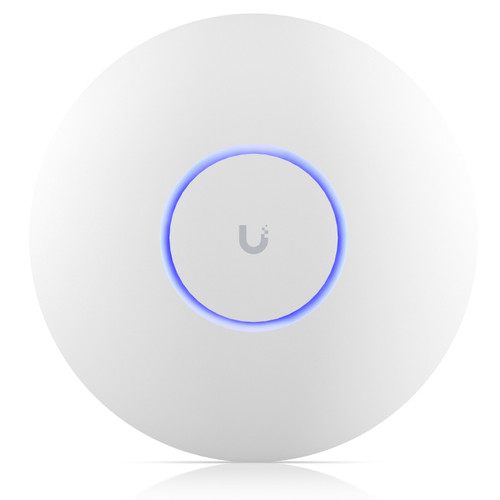
In This Guide
- Which access point delivers higher throughput and can support more concurrent clients?
- How do the two units differ in PoE power class, operating temperature range, and environmental ratings?
- What management interfaces, VLAN capabilities, and platform dependencies should installers expect?
- Which should you choose: the WAX210-100NAS or the U6-PRO?
- Side-by-Side Specs
- FAQ
Which access point delivers higher throughput and can support more concurrent clients?
The U6-PRO is specified at 5.3 Gbps aggregate (5 GHz: 4.8 Gbps / 2.4 GHz: 573.5 Mbps) and is rated for 250+ concurrent clients across a stated coverage area of 140 m² (1,500 ft²). It also supports channel bandwidths up to HE 160 MHz on both bands.
The WAX210-100NAS is specified at 1.8 Gbps aggregate over dual-band 2.4 GHz and 5 GHz (AX1800 class). No concurrent-client ceiling or coverage area figure is provided in the available specifications. The single uplink port is rated at 100/1000 Mbps (1 GbE), which becomes the practical ceiling for aggregate client throughput regardless of radio capacity.
On raw radio throughput the U6-PRO's 5.3 Gbps rating is approximately 2.9× the WAX210-100NAS's 1.8 Gbps. Concurrent-client capacity is specified only for the U6-PRO; that figure is absent from the WAX210-100NAS spec sheet.
How do the two units differ in PoE power class, operating temperature range, and environmental ratings?
The WAX210-100NAS accepts 802.3af PoE (nominally up to ~15.4 W at the switch port) and can alternatively be powered by an included 12 V/1.5 A (30 W) AC adapter in the WAX210PA bundle. Its operating temperature is specified at 0° to 40°C (32° to 104°F). No IP ingress-protection rating is listed in the provided specifications.
The U6-PRO requires 802.3at PoE+ (44–57 V DC) with a maximum consumption of 13 W. Its operating temperature range is −30° to 60°C (−22° to 140°F) and it carries an IP54 dust- and splash-resistance rating. The mount hardware is stainless steel (SUS304).
The U6-PRO tolerates a 90°C wider temperature span (−30 to 60°C vs. 0 to 40°C) and adds IP54 environmental protection — both meaningful for warehouse, manufacturing, or outdoor-adjacent installs. The WAX210-100NAS requires only 802.3af, so it is compatible with a broader installed base of older PoE switches, whereas the U6-PRO mandates 802.3at (PoE+) infrastructure.
What management interfaces, VLAN capabilities, and platform dependencies should installers expect?
The WAX210-100NAS is managed via a local Web GUI (browser-based local portal). No cloud controller, VLAN specification, or SSID-per-radio figure is present in the provided specifications.
The U6-PRO lists VLAN support as 'Yes' and the bullet specifications note 8 SSIDs per radio, enabling segmentation of guest, IoT, and production traffic on a single AP. Management is described as 'Ethernet' in the spec field — Ubiquiti U6-series APs are designed for adoption into UniFi Network controller software (cloud or self-hosted), though controller dependency details are not explicitly enumerated in the spec data provided here.
VLAN and multi-SSID capabilities are confirmed only for the U6-PRO from the supplied data. Buyers standardized on Ubiquiti's UniFi ecosystem gain controller-driven provisioning; those running heterogeneous or controller-free environments should verify controller requirements independently. The WAX210-100NAS's local-only Web GUI may suit simpler single-AP deployments without controller infrastructure.
Which should you choose: the WAX210-100NAS or the U6-PRO?
Our take: The U6-PRO is the stronger choice when throughput, client density, environmental resilience, and VLAN segmentation are the primary drivers. Its 5.3 Gbps aggregate radio capacity is approximately 2.9× the WAX210-100NAS's 1.8 Gbps; it is rated for 250+ concurrent clients where no equivalent figure exists for the WAX210-100NAS; and its −30 to 60°C operating range with IP54 protection far exceeds the WAX210-100NAS's 0 to 40°C, IP-unrated envelope. The WAX210-100NAS is a viable fit for small-to-medium deployments with existing 802.3af-only PoE infrastructure, a preference for standalone browser-based management with no controller dependency, and environments where ambient temperature stays within 0–40°C. Installers already operating a UniFi controller fabric will benefit from the U6-PRO's native integration, VLAN support, and multi-SSID capability; those without controller infrastructure should factor that operational requirement into the total deployment cost.
Side-by-Side Comparison
Spec-for-spec, from manufacturer data.
| Specification | NETGEAR WAX210-100NAS | Ubiquiti U6-PRO |
|---|---|---|
| WiFi Standard | WiFi 6 (802.11ax) | WiFi 6 (802.11ax) |
| Aggregate Throughput | 1.8 Gbps | 5.3 Gbps |
| 5 GHz Throughput | — | 4.8 Gbps |
| 2.4 GHz Throughput | — | 573.5 Mbps |
| Concurrent Clients | — | 250+ |
| Coverage Area | — | 140 m² (1,500 ft²) |
| PoE Standard | 802.3af | 802.3at (PoE+) |
| Max Power Consumption | 30W (adapter) / 802.3af | 13W |
| Uplink Port | 1× 100/1000 Mbps RJ-45 | 1× GbE RJ-45 |
| Operating Temperature | 0° to 40°C | −30° to 60°C |
| IP Rating | — | IP54 |
| VLAN Support | — | Yes |
| SSIDs per Radio | — | 8 |
| Management | Web GUI (local portal) | Ethernet (UniFi controller) |
| Dimensions | 4.5" × 4.5" × 1.2" | ⌀197 × 35 mm |
| Weight | 0.48 lb (0.219 kg) | 580 g (1.28 lb) |
| Mount Type | Wall / Ceiling | Wall / Ceiling |
| NDAA Compliant | — | Yes |
Frequently Asked Questions
Which should you choose: the WAX210-100NAS or the U6-PRO?
The U6-PRO is the stronger choice when throughput, client density, environmental resilience, and VLAN segmentation are the primary drivers. Its 5.3 Gbps aggregate radio capacity is approximately 2.9× the WAX210-100NAS's 1.8 Gbps; it is rated for 250+ concurrent clients where no equivalent figure exists for the WAX210-100NAS; and its −30 to 60°C operating range with IP54 protection far exceeds the WAX210-100NAS's 0 to 40°C, IP-unrated envelope. The WAX210-100NAS is a viable fit for small-to-medium deployments with existing 802.3af-only PoE infrastructure, a preference for standalone browser-based management with no controller dependency, and environments where ambient temperature stays within 0–40°C. Installers already operating a UniFi controller fabric will benefit from the U6-PRO's native integration, VLAN support, and multi-SSID capability; those without controller infrastructure should factor that operational requirement into the total deployment cost.
Is the WAX210-100NAS or U6-PRO better for larger deployments with many concurrent users?
Based on available specifications, the U6-PRO is rated for 250+ concurrent clients and 5.3 Gbps aggregate throughput. The WAX210-100NAS is specified at 1.8 Gbps with no concurrent-client figure published in the provided spec data, making the U6-PRO the better-documented choice for high-density environments.
Can the WAX210-100NAS run on my existing 802.3af PoE switch, and does the U6-PRO require an upgrade?
Yes — the WAX210-100NAS is designed for 802.3af (standard PoE). The U6-PRO requires 802.3at (PoE+, 44–57 V DC). If your switches only deliver 802.3af, you would need to upgrade or add a PoE+ injector to power the U6-PRO.
Which unit is more suitable for a warehouse or manufacturing floor?
The U6-PRO carries an IP54 rating and an operating temperature range of −30 to 60°C, which are specified for environments with dust, moisture, and wide temperature swings. The WAX210-100NAS has no IP rating listed and is specified only to 0–40°C, making the U6-PRO the better-documented option for harsh indoor environments based on the supplied specifications.
More Wireless Access Point Comparisons
Get a Second Opinion on Your Camera Choice
Share your site layout, coverage goals, and budget. Our team will validate the camera selection, flag anything we would change, and recommend products that match the use case.